 17:24
How to Design Your DJ Loop to Sound Sweet Club March CD Pool 2021
Contents of the video
0:00 It's actually always about how you use the kit
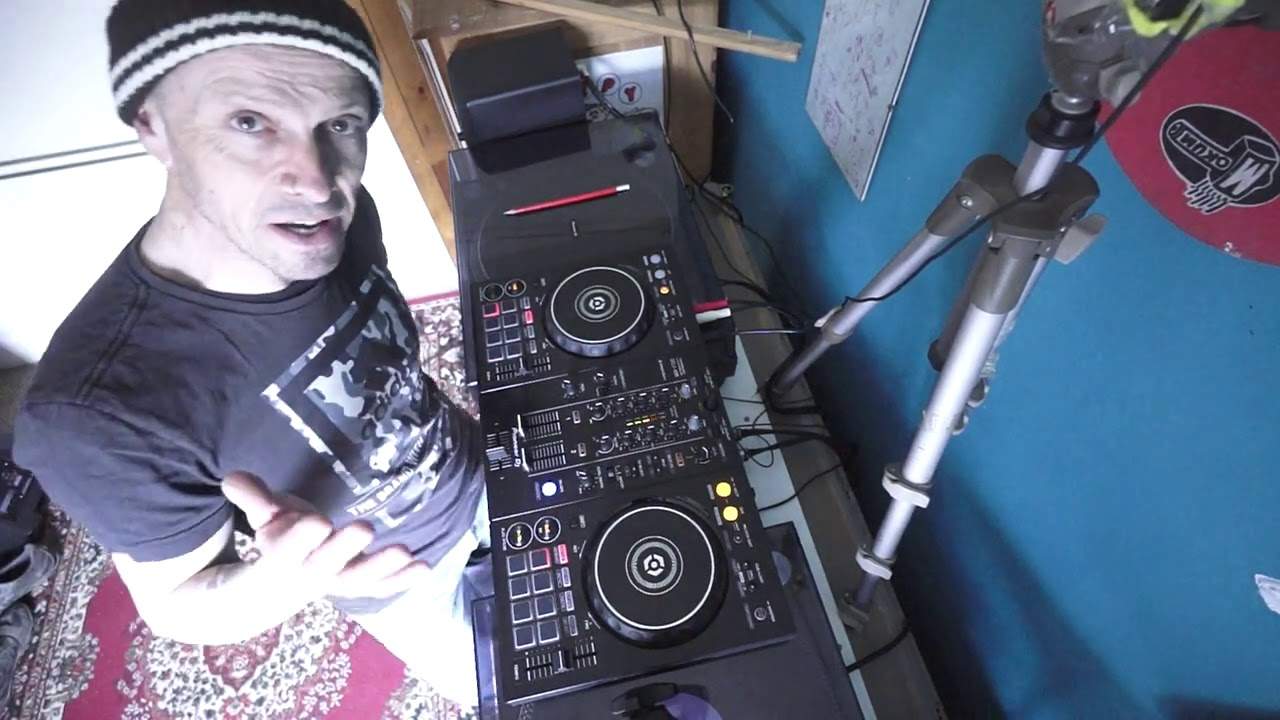
Right, ladies and gentlemen, I have the 400 here. It's from Pioneer. It's more commonly known as the DDJ-400, but it is one of their entry level controllers. And even though it's relatively petite, it's a good piece of kit. It does the job. And I bang on about this. If you're out there with your Nexus set up thinking DJs who use kit like this are not DJs, then I'm sorry, you're wrong. It's actually always about how you use the kit. In fact, I digress. If you want to see a real DJ, put any DJ in front of a pair of turntables as I have underneath here. Give them a buzz. Lunch your records, see if they can do a mix. If they can, they can DJ. If they can't, then I'll let you decide. Anyway, I've got some tunes here. The club releases from CDPool for March 2021. And we're going to do like sort of a remix kind of thing. On the left, I have a track entitled Laser Beams. On the right, Take Me Up. Now firstly,
1:50 Crowd in front of me
Have you noticed? I don't have my laptop in front of me. That's strange, isn't it? I can't see the screen. My laptop's actually over there, just at the camera. So if I just put the, you can see it's up there. Now there's good reason for that. It's very simply because I don't want to, I don't want to sort of have the laptop in front of me and think I've got to look at it. I don't want it there in front of me and think, oh, I need to look at it. You know, because if I was in a real environment where people were dancing and enjoying themselves, the camera's just slowly moving around there. Hold on. Let me tighten that up a bit. I want to be in a position where, is that better? Yeah. I want to be in a position where I know I have, I can always concentrate on the crowd in front of me and not the crowd think I'm looking at a screen. And also I'm then I'm less likely to just
Concentrate on looking at a screen. I'm also looking at the hardware. Also, what you might find with the demonstration now is that it's maybe slightly off beat, a little bit rough, but then to me that doesn't really matter because it shows you're doing something real. On the other hand though, what I'm about to show you, you probably would need to use sync to get it snap in time. So let's just do my loop here. Hold on. Press play. I'm taking away the bass on this side. Take me up starting to build now. And I just got a loop of laser beams on the left hand side. Okay, so basically what I'm trying to explain here, what I'm doing is I've got a loop from one of the tracks, a nice sort of rolling bass line. And I'm just adding that over another track. Now, very important, you've got to make sure that the two tracks are melodically matched. They've got to be, they've got to sound right together. If
5:03 Slowly, that loop will sound off beat
They don't, it's just going to sound absolutely terrible. But what you can do with something like this is you can take one track, a tiny segment of it, form a loop, let it play again and again and again, and then play the other track over it. So this is where we start to use the technology we have, but not abuse it. Now, if I was to manually make a loop, it could be slightly off. And I've said this many times before, and I'll say it again, because it is really important. If your loop is one millisecond off, then you may think it's only one doesn't really matter. And you play that loop, and it's one millisecond off, which doesn't really matter. But then when you play the second time, it's now two milliseconds off a third time, three, four, and so on. So slowly, that loop will sound off beat. So it has to be bang on the money. That's where we can use the beat loop,
Which will automatically snap it in time. So all I've done here is there, I've got the loop. Now, that doesn't sound too bad. But it might sound a bit repetitive. Let's try the next loop. Or a longer one. Actually, that's that's all right. Double it again. Let's have a listen. That's not too bad because you've got that at the right place.
Let's just make this sound bad now. You see that sounds bad. And the reason that sounds bad is because even though it's a loop, it's in time, and we have beat loops, so it should be bang on time. It sounds very repetitive. So what I'm trying to get here, get across to you is that when you form a loop, you need to make sure that you listen to the structure of the track. And try and make that loop in time with the structure of the track. So in other words, to make it very simply to understand, let's say you've got the keyboard player playing 10 notes. And those 10 notes make their own kind of loop. It's almost like a melody that they can repeat again and again. So the producer plays 10 notes 1-2-3-4-5-6-7-8-9-10. And then repeats that 1-2-3-4-5-6-7-8-9-10.
7:30 It's moving the structure of that trac
So if you make that loop from 1-10, you have made a loop that works inside the track itself. On the other hand if you made that loop say 1-2-3-4-5 then you may only have half of that sort of part of the track where the notes are being played. So you go 1-2-3-4-5, 1-2-3-4-5, 1-2-3-4-5 and you're not letting the structure of that track carry on and you're just winding up with more of those notes. 1-2-3-4-5-6-7-8-9-10. And the 2nd note is playing 1-0-3-4-5. But the 2nd note that I've made this note plays 1-1-3-4-5. And then we must finish the same note. Then it's moving the structure of that track carry on playing and it's gonna sound off which this does listen play it again see if I do it somewhere different you see that
Sounds bad listen again do somewhere else let's go forward just go forward a bit more in fact I'm going to watch my camera it's dangled on top there you see that's a terrible one but it's still a loop listen that's just weird in it but by itself that sounds terrible okay so in a way when you're doing something like this you no longer being the DJ you're actually being the producer as well because you know if we go back to your turntable times with vinyl the only way you could do something like this is if you have two of the same or the same copy of a track on both decks and you're able to go from one to the other whereas nowadays with kit like this you can start to be a producer by mashing up tracks so all I did there is I made sure I had a loop that was part of the track
10:06 Middle of it so you can
It's almost as though it's a loop but you didn't know it was a loop like that that does sound terrible much but let's play something now a loop that doesn't sound repetitive or one two three four there okay here we go so this track in here is take me up I'm just going to work go to the middle of it so you can have a general listen to the track now again a lot of these videos are about just you know few sort tips and tricks but also showing you the new releases this one here is entitled at you extended mix okay now the beat jump again is where you you're able to jump almost in front of where you were so it's really actually very very clever but again something like that you know these effects you've got cats just running around the garden you've got to
Be careful how you use them because if you abuse them it's just going to sound terrible so again we've got a sample I'm not going to use that yeah I always like the hot cues though 3,4,1,2,3,4
So what I did there which is an effect but not an effect but what do you want mate right in a bit mate let me just finish this I'll be ten minutes I'll be 10 minutes all right I'll be 10 minutes okay so what I'm doing there is I'm using the hot cue and then just bringing the volume down slightly so it's almost like you're slowly getting rid of the sound and bringing it back up so if I do that again listen again and then simple it's an effect but it's not an effect okay okay we try another track I'm going to grab this one here which this one here is entitled never hold back just using some echo there now again we have these buttons beat we have an arrow to the right arrow to the left arrow to the right will
14:51 Four times, times halved, played four
Extend the effect arrow to the left will reduce the effect so here I've got the echo level depth there so I'm just gonna give a little color to the effect okay so there what I was doing is I use the level of level depth I've set that to about 10 o'clock I've got the echo I pressed the arrow facing to the left so I reduced that echo so it's almost like an electronic sound and now I've completely changed the whole dynamic of the track by using an effect but then just changing very it's almost like a subtle kind of effect over the track by setting the level depth to 10 o'clock and not having it always at 12 o'clock 12 o'clock too much of an effect 10 o'clock now listen there's just giving it a nice feel to it without the effect and with
The effect okay I'm gonna try one more let's have a look because my left hand is a little boy wants me so lullaby the extended mix and yeah I should be using the dial there but I'm old school okay so let's do a loop again I can use these buttons here now to increase or decrease now what I did there is I tried to make sure that when I form that loop I played the loop say I think it was four times and then I halved it played it four times and then I halved it played it four times halved it again four times and four times so a simple way of understanding that if you're a drum and bass head and you listen to a break in drum and bass quite often you will have a 16 bar break eight bars is like this melodic kind of feel
And then the beat normally comes in after eight bars and then the beat seems to double and then double again and again and again to get that crescendo and then boom the drop comes in so that's what I was trying to do there that is something to practice and if you master it and get it snap it in time it works really well if you don't get it in time it's basically crap okay so finish off with this one here I'll go forward a little bit lullaby now don't forget if you want any info on these tunes there is a link in the description take you to CD pool and also if you are a DJ in and around Europe and you're interested in joining up terms and conditions apply but you will get 50% or still believe off your first two months of download
It's not everything but it's worth the shot okay there's house their soul is R&B there's hip-hop there's old school new school and also popular music as well so go and check them out check the website out cdpool.com thank you for watching and don't forget have some fun and it's not about the kit you use it's about the DJ you are practice and enjoy thank you
This transcript was produced automatically from the audio of the video and may contain mistakes.










