 6:36
How to extend your music DVD VJ set For more creativity
Contents of the video
0:00 Now this particular video is mainly a demonstration more than a tutori
Alright folks, now this particular video is mainly a demonstration more than a tutorial. It's also targeted for the VJ, for the DJ who will mix audio and visual effects or music DVDs. Now a lot of people out there are probably thinking well we can't afford this technology. Well, maybe you can't at the moment, but you never know, in one or two years' time, this sort of technology could be old school, so it could be readily available for loads of people. So, you may be able to look back at videos like this and get a few good tips. Now also, I want to show you that. That's a music DVD from Mixmash. Now, a lot of the songs on here, the music, the DVDs themselves, are say three or four minutes long.
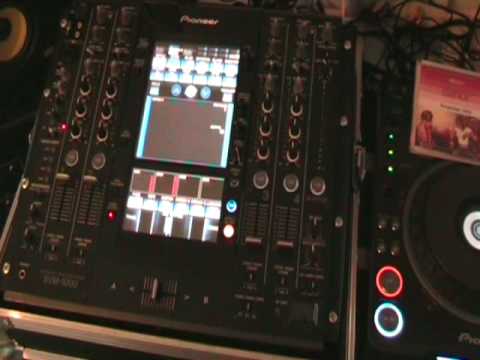
Then the next one, the next one and so on. So, using this sort of technique that I'm going to show you, you can be a little bit more creative because you can still have the video playing but you can mess around with the audio. Now the only thing you'll need is the same tracks or alternatively you'll need one track, the video, but then you'll need an audio track that will work perfectly with the video track itself. Now I'm going to pause the camera and show you the kit. Okay, what we've got here, we've got the mixer, it's the SVM-1000 and we've got these two guys here, the DVJ-1000s. Now I'm using a track by Guru Josh entitled Infinity. I've got the music video in this player and that by the way is the short version. I've got just the audio version in here but it's the extended version. Now that is very important. Okay, I'm just going to pause the camera again. Right, now let's play...
2:13 What we've got on these players, we've got three outputs
The DVD first. Right, at the moment I've got that in channel 2. Now watch and listen, see what happens when I bring channel 2 down. Straight away we've lost audio and we've lost video. Now using this technique, what we need to do is we need to keep the video going but I need to be able to reduce the volume so reduce the audio. Now at the moment if I just pause that. What we've got on these players, we've got three outputs. We've got left and right for audio from this player that will go into the audio input on channel 2 left and right. But I've also got the video output which will go in to the video in. Now all I'm going to do, I'm going to take the video in that's going into channel 2, I'm going to unplug it and put it in video in on channel 1. So I'll do that right now. So I'll unplug it and put that in to channel 1.
Now what I'm going to do is exactly the same as I did earlier. Put channel 2 up. What I'm going to do as well, very quickly, I'm just going to move the video trim on channel 2 down slightly. So let's press play. Now watch what happens when I bring channel 2 down. We've still got the video. So now straight away I can now get rid of the audio but still keep the video. It's the public watching the video, will still be able to see the video footage, but I can take away the audio from that player. But, here goes, I can mix in and bring the audio on player two. So in other words, straight away I'm now able to do an extended mix by using the extended version on this guy. And in a sense, I can start messing around with the video from the first track. So I'm going to give you a little bit of a demonstration. Now again, you know, I've only just sussed this out. Probably people have sussed this out already. A lot of people haven't. So the whole idea of this video, like I said earlier, is a demonstration giving you advice on what to do so you can practice and get it far better than this. Let's just pause the camera again.
4:02 Again, so we really need to be able to do this on the fly
Okay, again, so we really need to be able to do this on the fly. Now let's imagine we've had in this player here, we've had a music DVD. We then mix in the music DVD Guru Josh Infinity. What I need to do then is take the first original track I was playing out and put just the audio version in. Get that ready. Then, of course, we've got this one playing, so let's just play it. So we've got it playing here. So what I can do now... Channel 3, I've got a, because that is for just the audio track. Channel 2, audio from this player and we've just got the video from the first player. Of course what I can do, I can still keep the video going. Now I set cue points from the video so I can go back to those cue points and edit the track.
This particular video is all about. It's mainly a demonstration showing you how you can take your four minute music video and extend that as much as you want. Practice and enjoy.
This transcript was produced automatically from the audio of the video and may contain mistakes.










