 6:13
How to keep the cables tidy behind your DJ set up
Contents of the video
0:00 This video is going out to a guy by the name of Bevboys
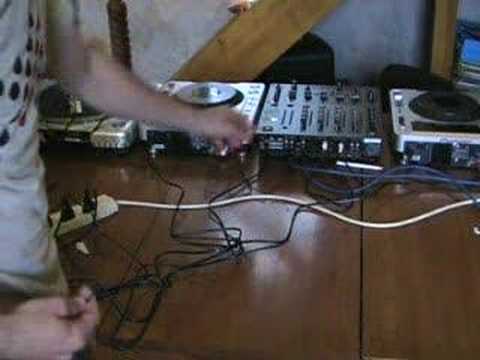
Alright folks, it's Jonathan here. This video is going out to a guy by the name of Bevboys. Now what they've asked is how do you keep all your cables tidy behind all your setup? Now one thing you've got to think of and that is if your setup is continually on the go, in other words if you're plugging, unplugging, plugging, unplugging, then of course maybe this isn't for you. But it's always handy to keep your cables nice and tidy. Now of course I mean I'm a complete nutter because I'm sure in a lot of my videos you've seen Well, what can only be described as spaghetti junction behind my setup, so I do apologise. But, right, this is what you've got to do. Your cables behind your setup split up into two different formats. One is power, the other one is audio. Now it's always a good idea to keep them nice and separate, OK? If you look here, your basic setup is going to be a mixer, which is this guy here, and then, you know, your two entities where the music is being played.
Right, what we've got here is theoretically you should have three power cables from each entity being whether it be CD turntables or vinyl turntables or MP3 players or whatever. It doesn't really matter. So at the moment I've got these unplugged. What I'm going to do, I'm going to plug them in like so and like so. So now really what I've got is I've got three cables. I've got one from the mixer and I've got two from the CDJs. Now then, there are things called, I don't know if you've seen them, called cable ties and they look a little bit like that. There's that bit there, it's gone off camera, and there's that bit and what happens is when you put that in there, I won't pull this one yet, you form a loop and as soon as you pull that what happens is it locks in place. Now what I'm going to do now is I'm just going to get my three cables there and I'm going to get one of these cable ties, wrap it, turn it a couple of times
2:24 Cable that goes into the back of the amplifier
And then pull like so. Now then, if I just move the camera a little bit closer so you can see what I've done. Alright? Now then, one important factor here, okay? Now these cable ties, you can pull these really tight so they're almost rock solid. Now I don't advise you to do that because you can actually pull them too tight and then it's very difficult... All you need to do is just make sure that it's quite loose and you can get your finger inside there, and at the end of the day what it's doing is it's keeping those cables together, which is the important part. Again, you can do a similar thing with regards, if you want to, your audio cables. Now the audio cables of course are the cables that will take the sound from your units, from your CDJs or from your turntables into the back of your mixer.
Cable that goes into the back of the amplifier. Hold on, unplug that. I've got that muggled up as well. So we've got the power, get the audio cables and maybe just neatly put those together like so. And again you see, you know, you've got loads of extra cable there so the best thing to do is just pull them gently, don't start tugging at them. And do the same thing, get a cable tie, wrap it around and just loosely have it connected like so. And then of course what you've got is you've got your cables then going into the actual amplifier or maybe just do the same thing and have those neatly together. Now it's not going to make a massive difference but try not to have your audio cables continually crossing over the power cables.
4:17 Thanks for watching, and I'll see you next time
Thanks for watching, and I'll see you next time. You know, with regards this, your multi-socket, try and make sure as well that's secured somewhere because yes again I'm contradicting myself because that's just sat there. The reason it's sat there is because I'm always plugging things in and out all the time. I can't really start nailing that to the table because the wife wouldn't be very happy but what you need to do All you've got to do is get a cable tie and have it around your four-way plug, like so, The actual table leg and there you go. That's secure then. That's not going to move anywhere, alright? There you go. Small video but tiny little things like this do help. Thanks for watching, practice and enjoy.
This transcript was produced automatically from the audio of the video and may contain mistakes.











