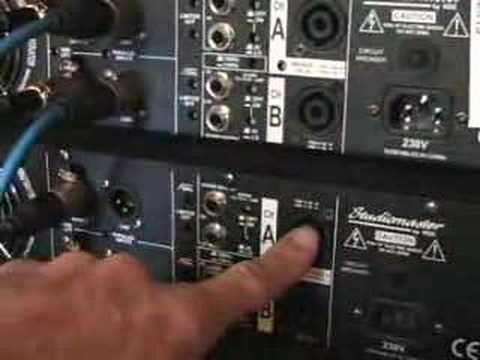
 4:35
Linking up your amplifiers
On YouTube this video is called How to link up your amps/ amplifier Mr/ Mrs DJ.
What this lesson teaches
Asked by enough people over enough years that he made a video about the back panel of an amplifier, and it answers a question that stops people expanding a rig.
What is on the back
Two identical power amplifiers - 1100 watts a side at 4 ohms - and on each channel:
An input. Either a jack or an XLR, which he also calls a Cannon (after ITT Cannon, who originated it - a word you will still hear from older engineers). Both sockets feed the same channel; use whichever matches your cable.
A link output. The one people do not understand, and the point of the lesson.
What link does
The link socket hands on the signal that arrived at the input, unchanged and unamplified.
So it is not a speaker output and it is not an extra output from the amp's own circuitry. It is a tap on the way in, provided so that the next amplifier along can be fed from the same cable run.
Stereo, two amps
Mixer right into amp one channel A. Mixer left into amp one channel B. Then:
- Channel A's link out to amp two channel A.
- Channel B's link out to amp two channel B.
Two cables from the mixer now drive four channels of amplification, and - this is the part to keep straight - right stays right the whole way through. Link right to right, left to left, and the stereo image survives. Cross them anywhere and you have a system where the bass and the treble come from different sides of the room.
Mono, one output, everything
The other case, and it is common at a function where the system is run in mono.
One cable from the mixer into one input. Then link from that channel to the other channel of the same amp. Then link from there into the first channel of the second amp, and on into its second channel.
Four channels of amplification fed from one mixer output, all carrying the same signal. Add two more amps and you can run eight.
Why this matters for a mobile rig
Because it means growing a system is a matter of short patch cables between amps rather than long runs back to the mixer, and because it removes the reason people give for not adding a second amp.
And it is worth knowing that a long mono system is easier to get right than a long stereo one. Nobody standing at the far end of a function room is hearing stereo anyway, and mono halves the number of ways you can cross the sides over.
One caution he does not state
The link passes the signal before any volume control on that channel, so turning down amp one does not turn down amp two. Each amp's level is its own, and a rig built this way needs all of them set deliberately - which is the subject of the active-speaker lesson in this course.
Contents of the video
0:00 You can either go with these guys, you can either go jac
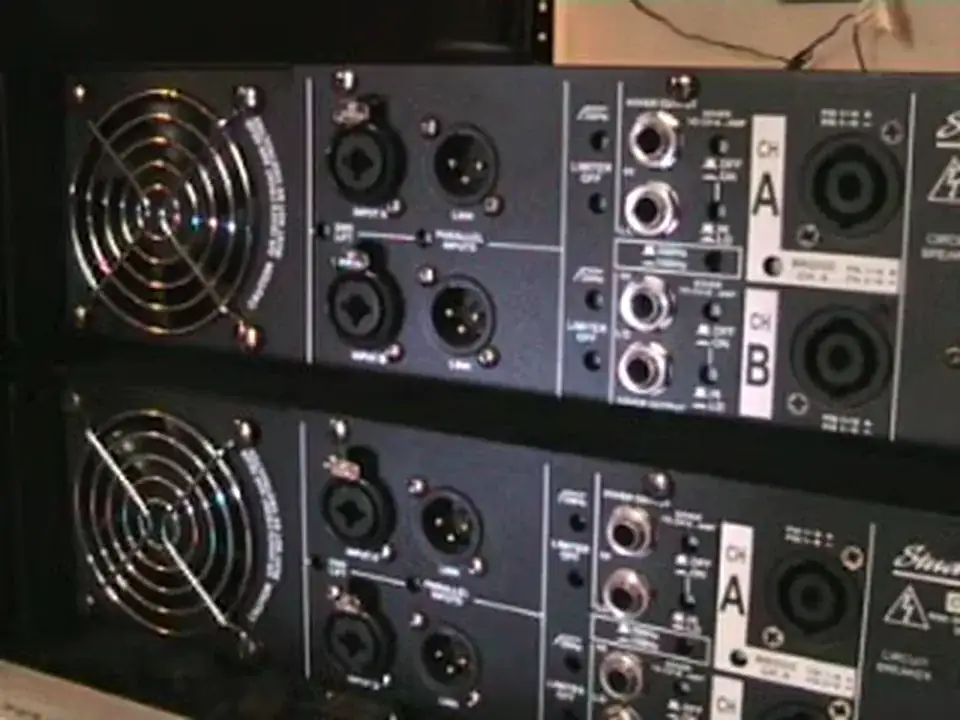
Alright folks, Jonathan here. Had a whole bunch of people email me over quite a while and ask me how you link one amplifier into the other one. Right, very quickly, what we're looking at here, we're looking at the back of two power amplifiers. Identical amplifiers, they're the StudioMaster amps, and these ones are 1100 watts aside at 4 ohms. They're, what are they? They're the AX3500s. Canon inputs. And all of these will do exactly the same. In other words, what we will use these for is we will go out of our mixer into the back of these. You can either go with these guys, you can either go jack input or you can go canon as well. XLR as it's known also. But what you can also do is you can do what's known as link these particular amplifiers.
1:27 Let's say for example that is if we were looking at stereo
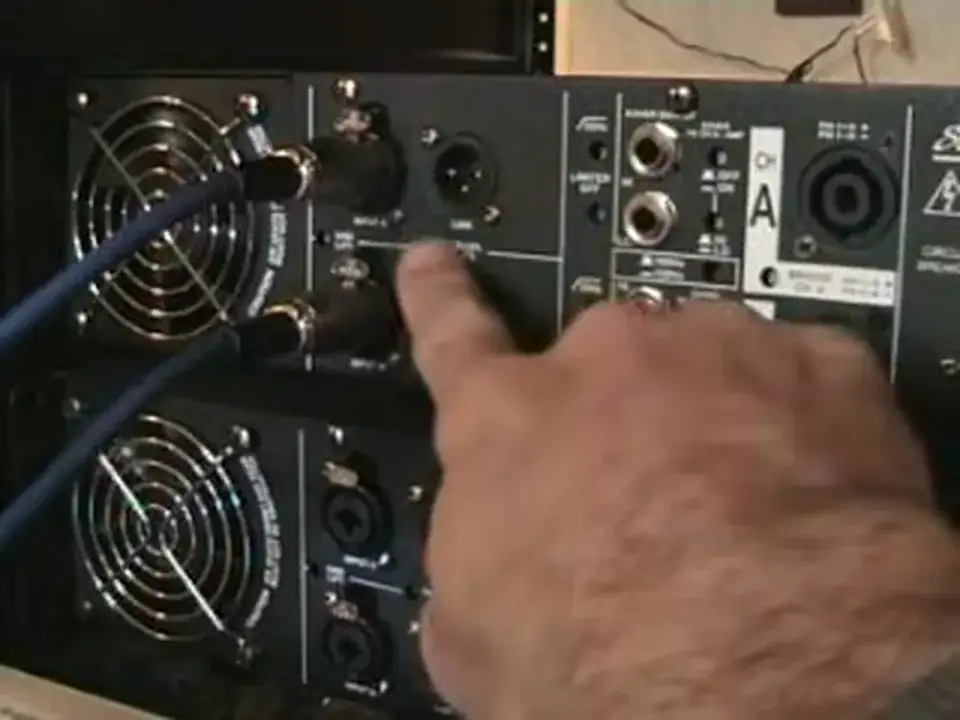
Now let's say for example I put that in there from the right hand side of my mixer and I put that in there from the left hand side of my mixer. Now at the moment now I am just using the one amplifier and I would have the outputs going to the speakers. But let's say now I wanted to connect this amplifier to this amplifier but I didn't want to have to put another two cables from my mixer into this amp. I wanted to link this one to this one. This is what you do. Now bearing in mind, if this is channel A, I would put a lead in there and then I would go then to this one here, like so. And then exactly the same applies to the other side. Let's say for example that is if we were looking at stereo. In other words now what we've got is we've got say for example right side, right side. That is right side, that is right side. We've now linked from the right side and we've gone into the right side here. So now that side is right as well and we've gone here left. We've linked from left, we've gone into left, now that side is left. But there's another way of doing this as well.
2:56 On one mono channel
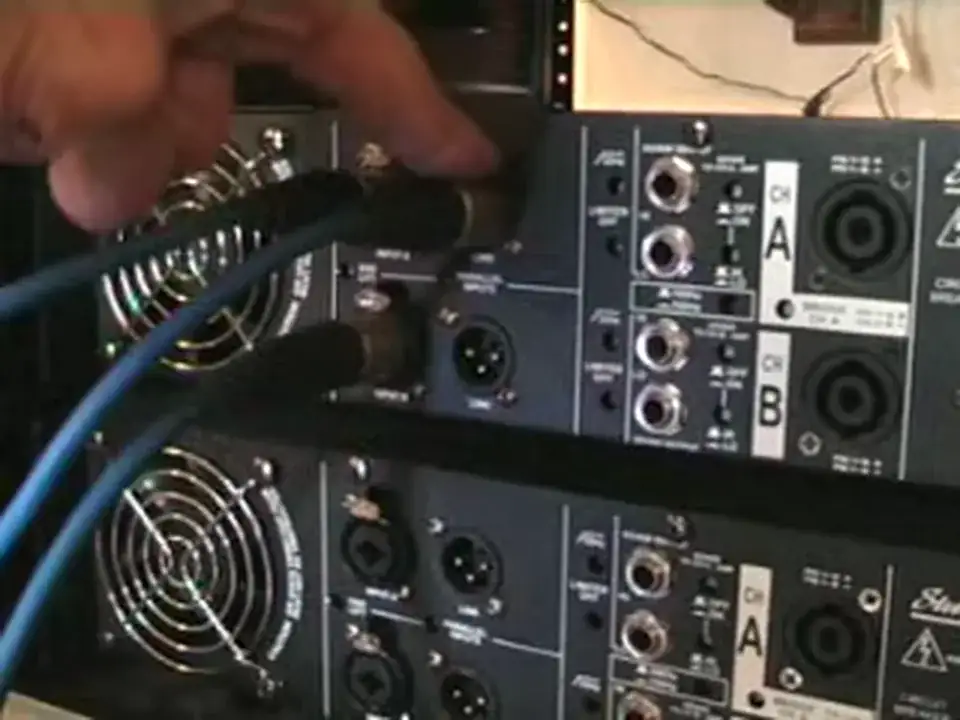
Let's say, for example, you only have one output from your mixer. Well this is what you can do. You would go as follows again. You'd go in to there. Now what you can actually do is now you can go from here like so. So you've linked that side and then you can go into the other side like that. Now what's happened there is you've gone in to this side. On one mono channel. You're coming out of the same channel, so you're powering this side, and you've gone into this side here, so you're now powering that side. But what you can also do now is you can go out from that channel like so, and then you can go into this channel like so. And then you can do exactly the same. You can go out of that channel like so.
And then you can go into that channel. Now basically what I've done there now is I've only got one input and I'm utilising all four sides of this amplifier for one input. So theoretically what we're looking at now is if I had two other amplifiers, I could have the right side from the actual mixer ...into this input, it would be linked into the other side of this amplifier. Now this is a mono amplifier, this would only be giving out the sound from the right hand side. And then because this one is linked to this one, this amplifier would be giving the sound from the right hand side. And like I said earlier, if I have two more of these amplifiers and I had a cable from the left hand side of the mixer...
Thanks for watching, practice and enjoy.
This transcript was produced automatically from the audio of the video and may contain mistakes.











