 3:09
How to Set up Mobile DJ Lighting with a Twist, Qtxlighjt
Contents of the video
0:00 Video number two in a section I'm doing on different ways of using lig
Alright folks, video number two in a section I'm doing on different ways of using lighting. Now as always what I'll do, I'll put the names of all items and any relevant clickable links in the description. Now this guy here is the QT light from Skytronic. It's a twin laser and also it's an LED. We've got red, green laser and we've got a 3 watt LED. Now what you can do with this unit is you can increase or decrease the intensity of the LED. Same with the lasers, you make them move in one direction, in the other direction, fast or slow. It's not DMX but there's a whole bunch of buttons behind it so it's very user friendly. Now the whole idea of doing this sort of demo is to show you, give you an idea
1:15 Pins light, course logically, screen
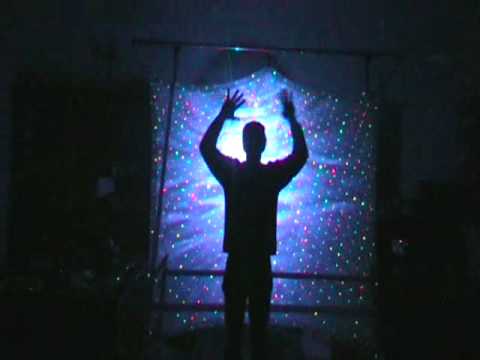
The sort of effect you can get if you have lighting behind you as opposed to just lighting, say, by the side of you or in front of you. So, in other words, all the lighting is only on the crowd. Now what I'm going to do, I'm going to move that so I can see where I am. If I stand about here, give you a general idea of what's going on. I'm going to go forward to the camera again, pause it, I'm going to get rid of the LED so we've just got the laser. Well, lasers, because there's two of them. Okay, there you go. That's what it's like just with the lasers on. Now also if you can see we've got pins of light here. Now I've done that intentionally because the idea is almost in a sense because the light is a little bit sort of more or less a little bit further back. I mean if you have it quite close to the screen of course logically all the pins of lights are only going to hit the screen. The further you move it away of course logically
2:13 Practice and enjoy my silhouette
The more the light, the pins of light are going to move around the screen. Therefore, in a sense, they're almost giving a bit of a blanket all the way around you. Almost like the sun and you're in the centre of it. So I don't know if you can see that but the pins of light are all the way around it. So what I'm going to do now is stand in front of it and give you a general idea of what to expect. There you go. Video number two. In different ways of using lighting. Practice and enjoy my silhouette. OK, this is what I was using. Aperture there for the lasers, green and red. That one is for the LED. Let's have a quick look at the back. OK, very quickly, it uses a power adapter. Right, here we go. One thing I do like about this... Alright, first of all, it's not DMX, but it's very user-friendly. We've got rotation. All this, you know, it's so logical. Rotation. Laser rotation speed.
Red strobe, green strobe, rotation, LED, rotation speed and brightness. That's it. So in other words, increase or decrease all of those. There you go. Thank you very much.
This transcript was produced automatically from the audio of the video and may contain mistakes.











