 7:18
How to Set up the DJ Mic so You Don't Get Any Feed Back
Contents of the video
0:00 You want to use your microphone during the event and not have any feed
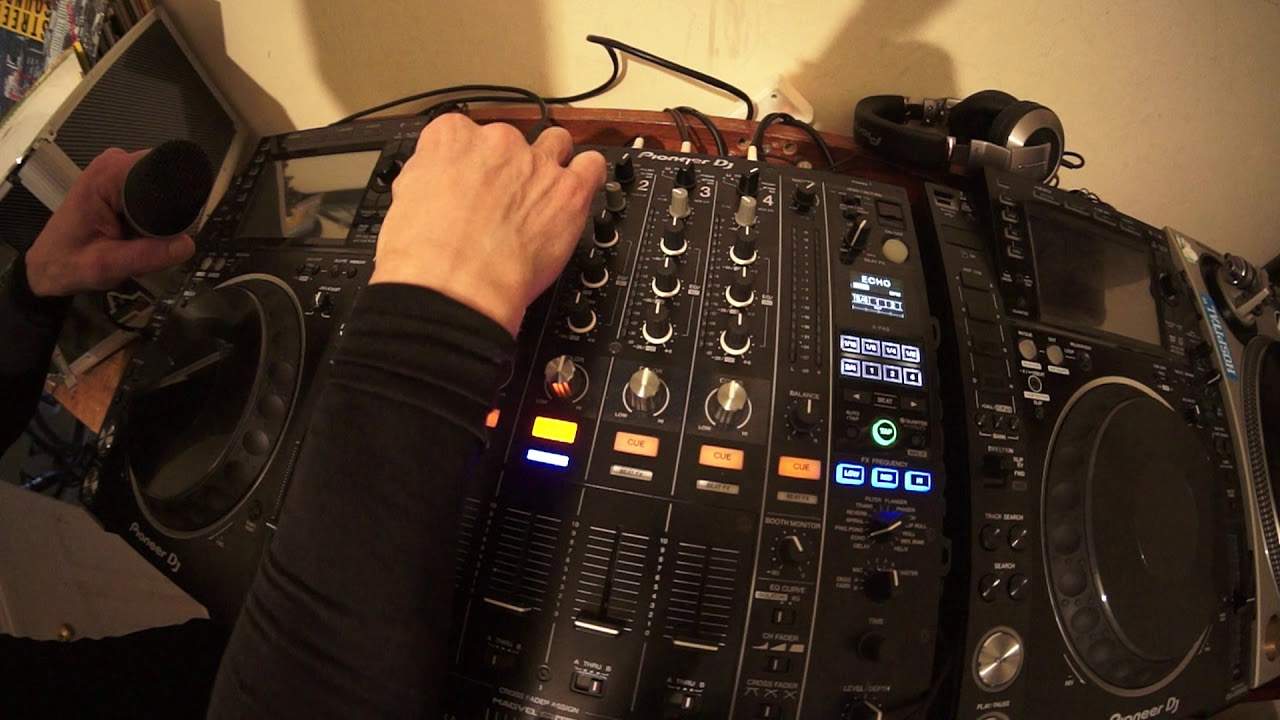
Okay, so you want to use your microphone during the event and not have any feedback. Follow these simple instructions and that's not going to happen. Note I said during the event, you will hear a little bit of feedback in this video, but of course that's to be expected because you are making sure that you hit that level before you get feedback. So, at the moment I have my mixer on, but let's imagine you have nothing on at all, whether it be a mixer, controller, decks, anything like that. So before turning anything on, for example your mixer or controller, make sure the master volume is off. The way to find that out is just turn the dial to the 7 o'clock position so you won't get any volume at all. Once you've turned your controller on, you're pretty much good to go. Of course your laptop should be on as well.
If you're using a mixer like this, you'll need to turn the dial to the 7 o'clock position. If you're using a mixer like this, once the mixer's on, then turn your CD players or your vinyl and or turntables on. Once you've done that, then go to your powered speaker. If you're using a powered speaker, make sure on the back of the powered speaker or wherever the volume control is, make sure that's off as well and that should be positioned at the 7 o'clock position. Turn that on and then turn the speaker up according to the level that you want it to be. Most of the time, you'll need to turn the dial to the 7 o'clock position. Most of the time, it's a good idea to set it to 0 dB. But of course, different speakers, different manufacturers will have different levels and settings. And of course, that's entirely up to you based on how you set your PA up.
Once that's done, then of course, by all means, turn the master level up according to how you normally have that set up. Now, a good rule of thumb is this. Once you've followed those procedures... Once you've followed that procedure, maybe put a track on and then let that play. So you've got a good idea of the audio output, the maximum volume for that room. So for example, if I have my, for example, I've got speakers set up at 0 dB, I turn the master volume up to about 1 o'clock, press play on a CD player, put the volume control of that channel up, and then that should be quite loud. Or let's say I want to hear it at the moment now while I'm testing the system. It's maximum. So in other words, during the course of the evening, this will be the maximum volume I would expect to get.
So I'm just going to bring the volume down on the up fader now. Okay, so really we want to concentrate now on the microphone. I have plugged the microphone cable into the back of the mixer. I'm now going to plug my microphone in.
2:50 Nothing is on, on the microphone
Nothing is on, on the microphone. It's all off. So I'm going to also now turn the volume control down on the microphone level. That's very important. Now if you do have two levels or three or four, you're not sure which one is which, then turn them all down. Okay? So at least then you're not going to maybe plug the microphone in, turn it on and all of a sudden you've turned the wrong one down. So just turn them all down. All right. Microphone levels are down. My EQ for the mic is set to 12 o'clock. I'm now going to turn the microphone on and if we tap on the microphone, we can't hear anything at all. So what I'm going to do now is talk in the microphone 123123 and while I'm talking, I'm turning the volume of the microphone up. Now you notice when I did that first, I'm not using the microphone now.
I turned it up quite a bit. I turned it up quite a bit. And we got that sound, that whistling sound. Now that is feedback. Now I'm getting that feedback at that level simply because the speaker is almost, it's a meter away from the microphone. Now in a working environment of course your speakers ideally should be facing away from you further away from the microphone which means of course that you can increase the microphone level more. The rule of thumb really, excuse me, is further away from the mic, sorry, from the speakers. The more you should theoretically be able to turn the microphone up because the microphone isn't close to the speakers. Therefore, you should not get as much feedback as if the microphone was close to your PA.
4:37 Turn microphone, three three, slightly
Right. So with the volume down on the mic and all my other levels set, I'm now going to this time slowly do apologize talk into the microphone and also turn the mic volume up. 123121 two one two three one two three three one two three one two right can you hear that sound now that is feedback now I've made a sort of a note of where that position was a visual note I'm going to turn the microphone up again one two three what there's that feedback sound I'm now gonna bring the volume of the microphone down very very slightly just before I got that whistling sound now also what I can do which I will I'm going to reduce the treble very slightly now even though my voice is slightly more duller the just that tiny little
Beginning of the feedback has stopped as well so with the microphone on the tiny bit of feedback there as well so if I wanted to make sure hundred percent I don't get any feedback I'm going to turn the microphone volume down again very very slightly you know maybe a fraction of a millimeter and now turn the microphone off that is it right so now my microphone has been set for this room for the audio level for the position of the speaker everything the position where I am where the microphone is and where the speaker is if you're in a different room of course the settings are going to be slightly different as I said earlier your speakers may be facing hopefully away from you further away from you therefore you should be
Able to turn the microphone up but doing this means now with the settings I have on my mixer at any time I can turn the microphone on and I know I'm not going to get any feedback on the other hand I'm going to do this very quickly because it could sound terrible off turn that up like that too this is not fun there you go see we had feedback straight away so if you don't follow those simple steps that's what could happen for example go back to stage one mixer on speaker on volume up and you turn up you plug your microphone in and you think well I've always had the microphone level about there that'll do for this evening plug your microphone in cable in switch on you could potentially get feedback alright I hope that's been a help practice and enjoy thank you very much
This transcript was produced automatically from the audio of the video and may contain mistakes.











