 3:22
How to set your "UP FADERS" on your dj mixer.
Contents of the video
0:00 Best place, or my interpretation
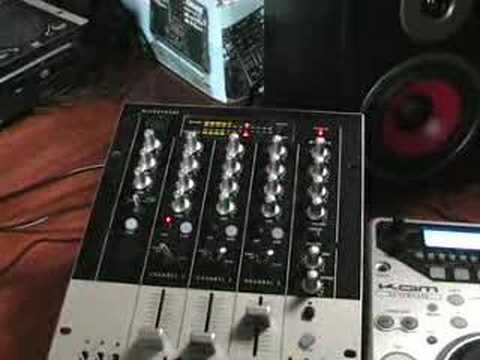
Alright folks, in this video I'm going to show you the best place, or my interpretation of the best place to put your up-faders on your DJ mixer. The mixer in question here is the Cam KCM400 Mark II. These guys here are the actual up-faders. They're the actual faders that move from the bottom to the top of the mixer, as opposed to this guy here. This is known as the crossfade. This will move from side to side. Now first of all, a lot of DJs, they'll put the up-faders... Maybe halfway, maybe three quarters of the way up. Now first of all, what I'm going to do, by the way as well, look to the side of the video for the actual name of the track. Okay, just to let you know as well, we're concentrating on channel 3. This is the bass, this is the mid, this is the treble and this guy here is the gain control. The gain control on channel 3 is almost, it's like the volume control for this channel.
1:29 You can see now they're hitting the 0 dB mark
For this individual channel. What we need to do now is concentrate mainly on the LEDs at the top. So what I'll do, I'll set the gain control to zero. We've got the up-fader just over halfway up and we'll play the music. Okay, if I now increase the gain control, just look at the LEDs at the top. Now ideally, we want the LEDs hitting the zero DV mark. So if I just pan closer to that area... You can see now they're hitting the 0 dB mark. And also now, the up-fader is just over halfway up. Now watch what happens if I now push the up-fader all the way to the top. Now let's say accidentally you do this during the course of the evening. I'll just start the track off again because we mainly want the bass kick. We're now going into the red so we're going over 0 dB and we're now in a bit of a danger zone where we could start getting some distortion.
And that's because, let's say I've accidentally tapped back all the way to the top. Right, we'll cue that up again. Let's put the gain control all the way down to zero. We'll pan out a little bit. Oh, we won't. We'll stay like that. Alright, this time now, I'm going to have the actual up-fader set all the way to the top. Let's play the music. Now we're going to increase the gain control. Like last time, we want it so it's just tapping into zero dB. We'll get a little bit closer.
2:37 To have the up-fader all the way at the top
There you go, you can see it's now at 0 dB. If I pan out again, now, let's see what happens if I accidentally touch the up-fader. In other words, that's as far as it can go. There you go. Basically now, there's no way at all I can go into the red because the up-fader can't go any further. Okay, a little bit of an insight for you in why I personally think it's a good idea... To have the up-fader all the way at the top. Any comments, any queries, put them underneath, practice and enjoy.
This transcript was produced automatically from the audio of the video and may contain mistakes.
Related videos
-
Complete Beginner DJ Lessons Tags Key BPM Etc
A more advanced lesson folded in early, and worth doing once rather than putting off, because everything it sets up gets used for years…
-
Complete Beginner DJ Mixing Lessons Video 19 Getting Your Kit Ready for an Easy Mix
A whole lesson on getting ready, which is the right call - the exercise in the next video only teaches anything if the two decks are…











