 2:24
How to upgrade the PIONEER MEP-7000 Firmware 2.02
Contents of the video
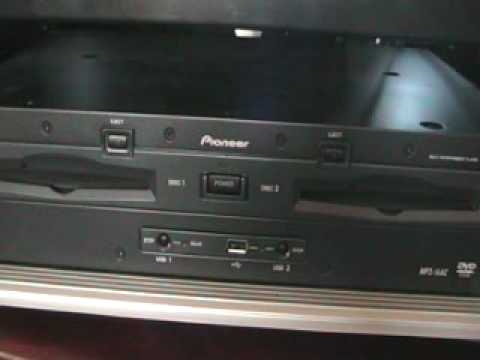
Alright folks, basic video on this guy here, it's the MEP7000 and how you can update the firmware. So I just put the camera there, we're going to concentrate mainly on this area here. What you need to do is follow the link in the description and that will take you to a website where you can download the latest firmware for free. Two ways you can do it, you can either burn to a CDR or you can use a USB key. Now ideally the USB key method is a lot easier. What you need to do is unzip and store it to a fat formatted USB key. The USB key must have nothing else on it, so make sure it's clear and you've only got the firmware for the MEP on it. The firmware upgrade consists of two files. What you need to do as well is eject any disks from the MEP, remove any other USB devices and make sure it's switched off. Right now I haven't got this plugged in at the mains.
So, this is what you need to do. Make sure the unit's turned off and with the new firmware in there, you need to plug that in. Okay, once you've inserted the key, then you need to push and hold both of these two buttons, one for USB 1, one for USB 2. So, push and hold and switch the power on. The MEP will detect that the USB key is there. And it will start to load the firmware. It takes about one and a half minutes. The MEP will display on the top of it and tell you when the firmware is 100% loaded. Then what you need to do is switch the power off and remove the USB. So switch off and remove the USB and then switch the power back on and then the upgrade process has been completed. Of course, logically here with the power on, you can check to make sure that the upgrade has been completed by going to the utility and you should have 2.02. Alright, hope that's a help. Practice and enjoy. Also, very quickly, just to be on the safe side, what I'll do, I'll do step-by-step instructions and I'll put all of those in the description of this video. Thanks a lot.
This transcript was produced automatically from the audio of the video and may contain mistakes.











