 6:18
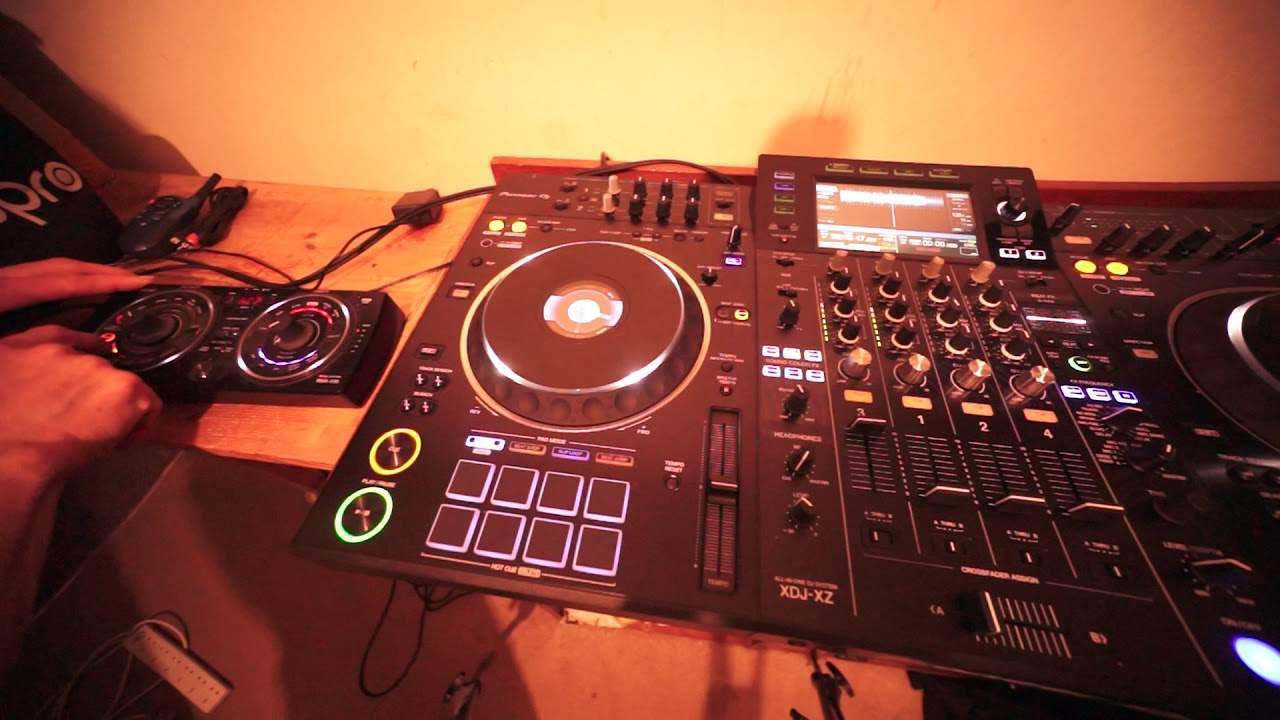
How to Use an External Effects Unit with the Pioneer XDJ-XZ
Contents of the video
0:00 Simple explanation here on how to plug in an effects unit into the XDJ
Right guys, simple explanation here on how to plug in an effects unit into the XDJ-XZ. First of all, from time of upload, the XDJ-XZ is a relatively new player. The RMX500 I'm using is, you know, relatively old, but still worth its buck, still does the job and a very good effects unit. So, first of all, on the back of a lot of the high-end DJM mixers and other mixers out there, not just Pioneer, you've got on the back, most of the time of the mixers, something called send and return. Now generally, these should be four sockets, two for send and two for return. Both are, or all of them are mono, not as in just a mono signal, but right and left. So what you need to do if you're going to be using just a DJM...
A DJM mixer or a mixer with send and return, you go from the send, which is the output of the mixer, to the input of your effects unit, then from the output of your effects unit to the return into your mixer. But the trouble is with the XZ, there's only a send. So where does it go? You know, I mean, it's gone, but yeah, okay. Very simple. Like I said, on the back of the XZ, you've got, if you have one, turn it around and you should see two plugs, same size that you put your headphones into with just a send. So what you do, you go from that into your effects unit, and then from your effects unit, I have gone into an auxiliary in on the XZ. So for this demonstration, I've gone into, for example, channel three.
So if I just do record here...
Now again, the great thing here... is even though I've got an effects unit, I can actually add effects not only from the effects unit, but I can add effects now from the XZ as well.
So those that's the filter sound color effects and also we can go to the beat effects.
2:48 Something I haven't sussed out just yet is to quantize them with
Something I haven't sussed out just yet is to quantize them with... or the... effects I'm using to quantize it with the track I'm playing. So maybe that can't be done with the RMX 500. The tune I'm using at the moment now is Space Walker, it's a club mix from Karmic Power Records. Mr Lenny Fontana himself, thank you very much for letting me use your cuts my friend. Okay, so what I'll do if I just do a straight beat here, so record up there and let's get rid of that.
3:55 The proof here is in the pudding
See, it can be done. Go. All right, so it can be done. We can add a beat to a track, but I had to sort of make the beat first then beat match it. Now again, there's probably people out there will say, yeah, but if you do it another way, it's a lot easier and whatever. Okay, so really this video is about showing you and explaining how to plug in an external effects unit and also to say you can because... the proof here is in the pudding. Once again, thank you very much to Mr Lenny Fontana for letting me use this tune. This is Space Walker. What I do like with this cut is it's very soulful, very jazzy, but then check this part out. This is so cool.
It just goes into this like, you know what? We're going to give you some jazz.
Mama, mama, mama, mama, love it, love it.
See what might be an idea as well actually thinking about it. I wonder. If you could plug in the effects unit into the mic. So from mic out into the effect and then out of the effect unit, do you know what? I'm going to try something wicked and wonderful and mad. You know me anyway. All right, so I hope that's been a help. Once again, thank you to Lenny Fontana and this is the RMX 500. Sorry my mind's going bananas now. What do you mean now? It always is. And the XDJ XE. All right, thanks a lot. Practice and enjoy.
This transcript was produced automatically from the audio of the video and may contain mistakes.










