 2:01
How to Use the Search Feature on a Pioneer DJ Controller with a Screen
Contents of the video
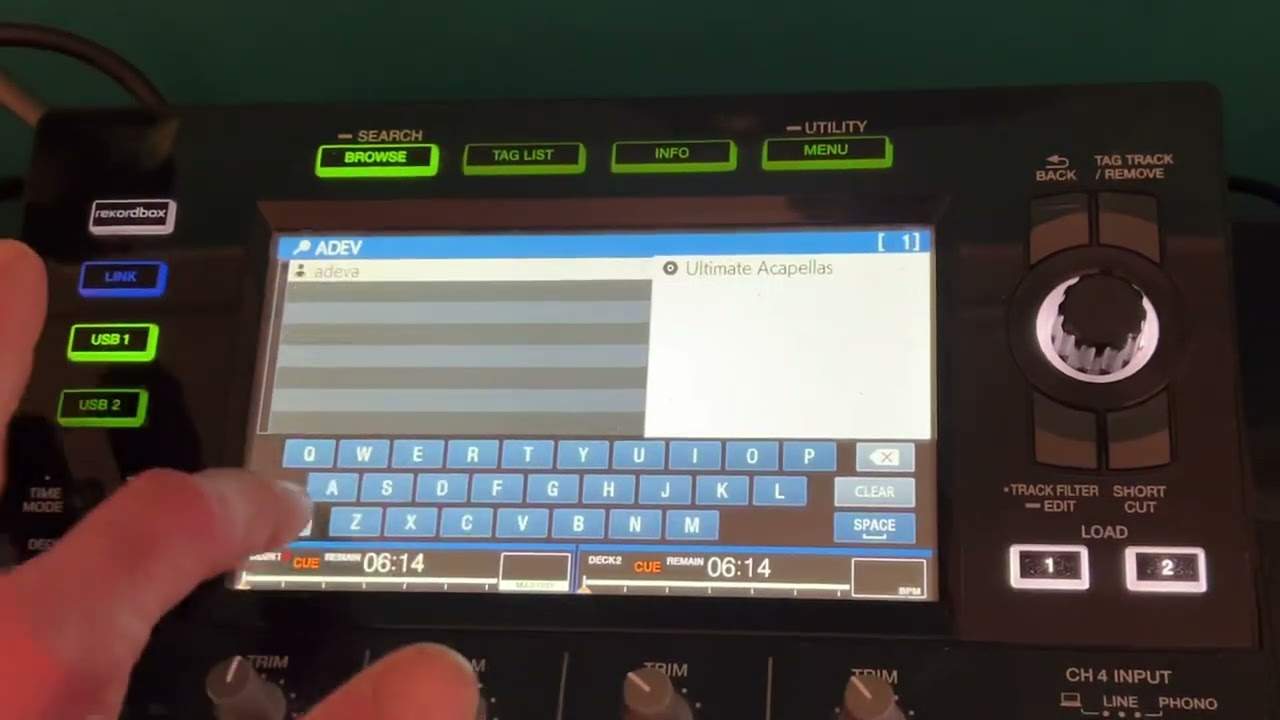
Right ladies and gentlemen, I'm using the Pioneer DJ-X, DJ-XZ. My tracks have been put through rekordbox and I've got a thumb drive, also a stick drive, it's known as a stick drive, thumb drive in the controller itself. In this video, I'm going to show you one way how you can search for your tracks. Now, once you have pressed on the USB that the thumb drive stick drives in, you should get a screen like this and we can see on the right tracks in alphabetical order. If we're on, sorry, artists, I beg your pardon. If you're an artist, click down, you now go to track, click down, you can select key. But what I'm going to do in this video is just go to search feature. So highlight search and I'm going to press down.
And now I have a simple keyboard. I'm just going to get rid of that. Let's say I need to look for an artist, a diva. All right, we did see a diva earlier on. A-D-E-V-A, sorry, a diva. I did two A's and there we go. I've got highlighted a diva. So I'm now going to press down, press down again in and out my life and I'm just going to load up. So there you go. So hopefully we've got, yeah, the acapella.
Now again, if I go back, I can search again. But what I can do now, if I go to key, now I've highlighted the key that that track is in. So if I press down and press down again on that one key, I now know I can choose. All of those tracks and they should be, by all rights, harmonically matched with the track that I've selected on the one deck. Hope that's a help. Practice and enjoy. Thank you.
This transcript was produced automatically from the audio of the video and may contain mistakes.
Related videos
-
Complete Beginner DJ Lessons Tags Key BPM Etc
A more advanced lesson folded in early, and worth doing once rather than putting off, because everything it sets up gets used for years…
-
Complete Beginner DJ Mixing Lessons Video 19 Getting Your Kit Ready for an Easy Mix
A whole lesson on getting ready, which is the right call - the exercise in the next video only teaches anything if the two decks are…











