 5:10
How to Use Virtual Vinyl for the Beginner DJ
Contents of the video
0:00 I'm using rekordbox DVS software
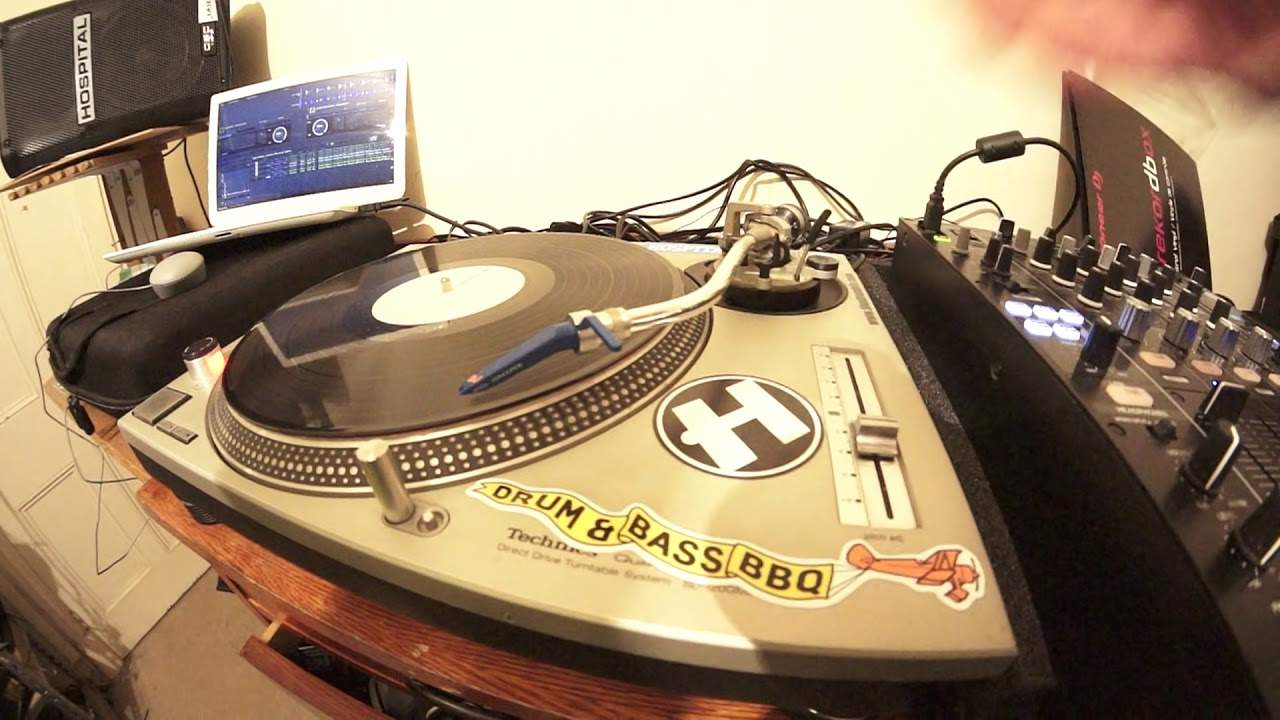
Alright, this video is for the complete and utter beginner who wants to learn or what would like to start to use virtual vinyl or for that matter vinyl. Now I'm using rekordbox DVS software. I've also got the control vinyl from rekordbox and I'm using a track from Slap Funk Recordings. There will be information in the description on the track that I'm using and where you can get it from. Now first of all, vinyl turntable. Make sure you have a slip mat on the platter and underneath the vinyl. You do not want to have the piece of vinyl or your virtual vinyl directly on top of the platter because very soon that will wear away. You need to make sure that you have a good quality slip mat on top of the platter and underneath the vinyl.
So it's a bit like a sandwich. I'm going to press start on the turntable and as we can hear, we're not getting any sound. That is of course because we do not have the needle on the vinyl. Now I have loaded up a track on the other side. I'm now going to load a track up on this side that you can see. So I'm going to drag that over and there it is. It's good to go. Now even though the turntable is turning, the track is loaded up. We're not getting any sound because we do not have the needle on the record. Now as you get better and you get more comfortable with using virtual vinyl, there are different ways of getting the track ready. But as I said, this is a beginner demonstration so I'm going to press stop.
1:45 We can see now the arm has been lifted very slightly
I am now going to lift the arm of the cartridge and place it onto the vinyl. Now there are two ways we can do this. One is I can do this manually by myself by lifting the arm of the cartridge and placing it on the vinyl like so. Alternatively, if I'm a little bit wary, a little bit scared and I don't want to sort of start to think I may damage something, there's another way of doing it. And that is as follows. What you can do is pretty much every turntable should have a form of lifting the arm automatically. So we can see now the arm has been lifted very slightly. I can now move the arm over directly above the point where I want the needle to land. And now I can just bring that down there and now the needle has been placed on the vinyl
3:23 Bring it back, I'm bringing that back
Without me having to place it myself. All I need to do now is of course start the turntable. But if I press play on the turntable or sorry, play, start, I beg your pardon, on the turntable what will happen is the track will automatically start. I will have very little control of the track starting. So what I need to do is place my hand on the vinyl. Press start and now what's happening is the platter underneath is moving but I have stopped the vinyl from moving by my hand being on the vinyl. Now if I bring the vinyl forward we can now hear the beginning of the track and on the program itself, on the laptop I can see the first kick and as I move the vinyl forward I'm moving the first kick forward. Bring it back, I'm bringing that back.
All I need to do now is to let go of the vinyl. Now again this is practice. You may find by just letting go the track will start straight away. Alternatively sometimes depending on the vinyl turntable you have you may need to give it just a little kind of a flick to start it off. But in this case all I need to do is get the first kick and let go. Now that is pretty much it. As I said, this is a beginner lesson on learning pretty much how to start off your vinyl. Place the needle on the record and so on. I hope that's been a help. Don't forget there will be information on the track I'm playing in the description. Practice and enjoy. Thank you very much. See you next time.
This transcript was produced automatically from the audio of the video and may contain mistakes.











