 8:30
How You Can Play on a Third Channel from USB Thumb Drive on the Pioneer DJ XDJ-XZ
Contents of the video
0:00 Is how you can indeed play
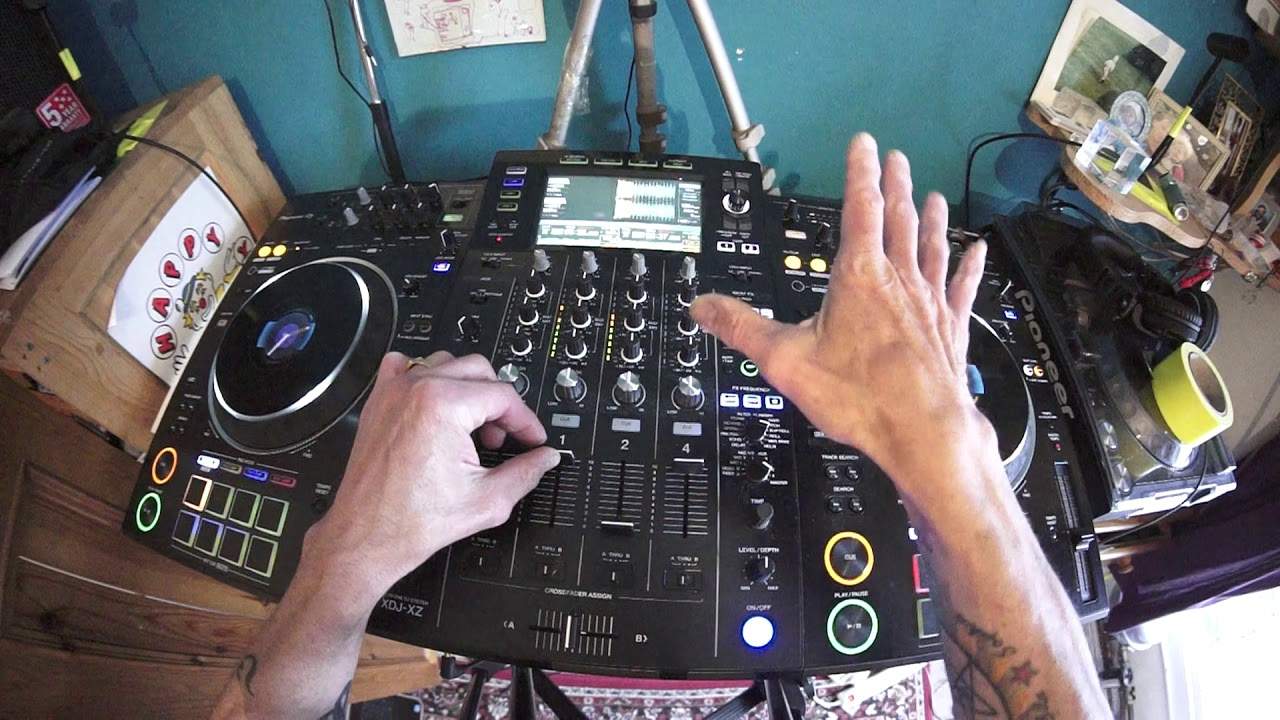
Right, first of all, due to copyright reasons, I don't really want to play much of these tracks, but what I will show you is how you can indeed play from USB onto more than just the two channels. Now, this is the XDJ-XZ from Pioneer. It is their flagship controller at the moment. And the reason I like this, I love it in fact, is because, you know, and we're getting into now the stage of you don't need a laptop. So long as you use the rekordbox files, you download all of the information through rekordbox, your files onto thumb drive USB stick, you're good to go. A couple of USB sticks in there, sort of 32 gig. And that's like a set and a set and a set just for a long time. So trouble is, though, with the XDJ-XZ, a lot of people are annoyed because you can only use track or should I say channel one on the left deck and channel two on the right deck.
And people are saying, well, you know, it's four channel. Why can't you layer the two decks? Well, maybe just find it. And Pioneer didn't want to do that because channel three far left, channel four far right are for external sources. So, for example, you could have, let's say, your laptop in on channel three or line in CDJ or switch to phono. Same with the right hand side channel for your laptop line or phono. So really, you've got the best of both worlds here. And also this controller. The XZ is not dissimilar to a very extortionately priced Nexus Mark two set up. You've got the advantage, of course, of separates and there's probably a lot more going on. But you've got the disadvantage with an extra setup of, you know, plugging everything in and cables and all sorts.
Whereas here, plug it in and away you go. So back to the job at hand. How on earth can you play on? Let's say. Channel four or channel three from the USB, because no matter how you try, you can't really. Because the USB is designed for channel one for the left deck and channel two for the right deck. So let me show you how we can get around that by using a little bit of an effect. Now again, as I said earlier, copyright reasons, I'm not going to play much of the track you should see on the waveformer I have earlier on made a loop. So I'm going to do that again. So let's press play one, two, three, four, out two, three. Okay, put that loop into a hot cue. I did that very quickly, but rewind if you need to watch it again.
3:00 Channel two
I don't want to start doing tutorials on loops. There's my loop on the left side. Now go to channel two. I'm going to repeat the process. One, two, three, four, out two and put that in a hot cue just pulls that up. Okay. So now. If I play those two together, have a listen. You can hear I can make them go off so you can tell that I do indeed have two tracks going. So what I'm going to do now, I'm going to go to the role feature on the effects. I am going to switch the dial below that will choose what channel fader mic, mic two, so on. You want the effect effects to be on and I want the effects to go on to the master. I'm going to set my level depth to 12 o'clock, but at this point now I've got a choice turning channel three up or turning channel four up.
I'm going to put channel four up. There's good reason for that. Okay, so I've got channel four up ready. I've got also channel one and two up, which are of course the deck sides for the right and left, left one, right two. All right. So what I'm also going to do is make sure that I'm on. Eight beat, which is two bars. So again, if you're going to do this, make sure that whatever you do doesn't sound repetitive. Okay, so if you're familiar with the role effect, what that will do is it acts like a loop really. It will roll your part of the track that you want it to roll. So what I'm going to do is start them both off at the same time. Here we go. There we go. We can hear them working together. Just listen channel one.
5:41 Track, song, taken channel
Sorry, channel two there now channel one. So I'm going to engage now the roll one, two, three, four and quickly flip it over to channel four. Now there's a bit of a gap there. Let's just do that again because I don't want that gap again switch to master. I should have had the channel four up but now what I've done and I'm going to swap those two now. What I've done is I've taken that roll and I have now put all right, you can hear a bit of a hiccup here. It does take practice, but I've now taken that and put that on channel four. So now I have taken from the USB and I put that onto channel four, which means that you can take something from the USB and put it onto channel four onto a fourth channel. Right there it is.
Now, if I. Wanted to let's and that's almost now what we're doing here is we could theoretically do a four deck mix. So if I didn't have something that was repetitive, I could have recorded from two channels onto channel four and now bring another two channels in. But if I wanted to just do like a three deck mix, I could just take a sound from channel one. For example, I could take maybe part of an acapella, flip that to channel three or channel four, and then add again two other elements using channel one and two. So a small demonstration and also explaining how you can use another channel either three or four, not just one and two from USB on the X DJ X Z. All right. Hope that's been help practice and enjoy.
And by the way, if you did watch my last video on mixing track one into track three, I'm going to give you the answer. Well, some of you may think, no, you mix track one into track two because you've got two songs, one and two. Well, no, you don't, because let's imagine the mixer is your mix. Here's track one. Here's the mix. And here's track three, because the mix is track two. You are actually. Designing a new piece of music in between the other two songs. And if this piece of music does not complement that song or that song, it's going to sound crap. It's a little bit like having a bridge. If the bridge isn't secure, it's going to make you fall off and it's going to collapse. So you always need to make sure that your transition matches harmonically.
The song on the right and the song on the left. So imagine my arms, my left arm is track one. My hands is track two because you're making a new song and my right arm is track number three. So there you go. You mix track one into track three. Practice and enjoy. Thank you.
This transcript was produced automatically from the audio of the video and may contain mistakes.











