 4:10
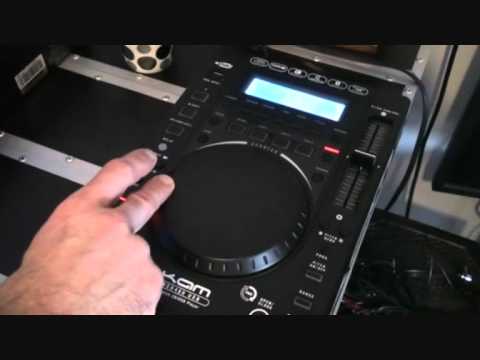
KAM KCD450 USB Scratch function demonstration
Contents of the video
0:05 How precise this guy is
Alright guys, demonstration here on the KAM KCD450USB on the scratch function. Now the whole reason of this video is to show you how precise this guy is and also how this works in relation to a vinyl turntable. Right, here we go. This player is the KCD450USB from KAM. Now I've got the fresh sample, very well known, now as you can see at the moment it's on play pause, so in other words I can manipulate the music, I can move it back and forward using the jog wheel, but because it's on play pause and cue as well, it's not going to go anywhere unless I move the jog wheel, so here we go. So that's exactly the same as, let's say on a vinyl turntable, the fader on the mixer being up and the vinyl turntable being on needle on the record but not having the power on, on the vinyl turntable.
1:23 You'll notice when my finger goes forward I'm catching
Now a small point here but very very valid. Now let's imagine we've got finger on the platter, press play and away we go. Just watch this move first of all. Now you'll notice when my finger goes forward I'm catching... ...that sound and bringing it back. Now that is exactly the same as pressing play on a vinyl turntable, letting the vinyl turntable move forward and then catching it and bringing it back to near enough, the precise point where you started off. Now let's do exactly the same thing but this time I'm just going to put my finger up, drop it down and let's see where we catch the sample. You see what's happened is that sample has moved to about here. So the only way of doing that is to move the sample to about here.
So the only way of doing that is to move the sample to about here. Getting that sample back, keep my finger on, bring it back and there you go again!. Right so not the best scratcher in the world but proves the point that this guy what it will do is wherever you start off that sample from and you can bring it back to that precise point. Let's play it a little bit more.
3:05 This bit of a demonstration
Ok, a bit of a demonstration on the scratching functionality of the KCD450 USB from K lid. from Cam, practice and enjoy thank you. Alright before we finish this video just want to show you this bit of a demonstration for you that is the tune in the background there's the player couple of points first I've got the pitch range on plus or minus 100 pitch is on very important the master tempo is off when it's highlighted when you've got the LED on the master tempo is on light off the master tempo is on I've got echo on at the moment so check it out practice and enjoy nice one
This transcript was produced automatically from the audio of the video and may contain mistakes.










