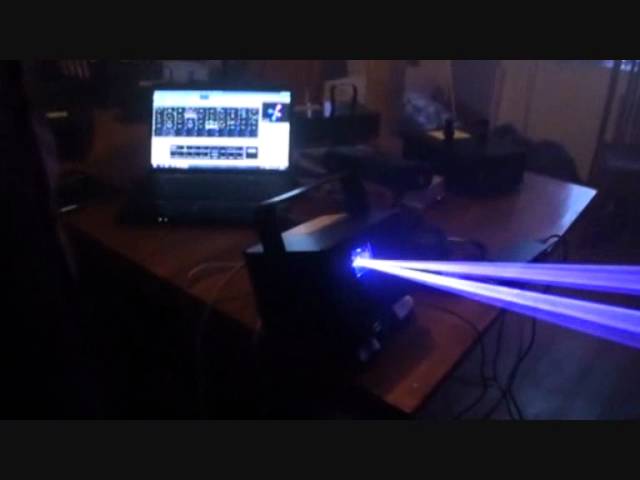
 1:07:20
Laser kit: a demonstration, with tips and advice
On YouTube this video is called LaserWorld, Demonstration Tips and Advise.
What this lesson teaches
The longest video in the entire catalogue: a full hour with the UK representative of Laserworld, filmed from broad daylight into darkness so you can see how the units perform in both. Two useful threads run through it - what the money buys, and how not to injure somebody.
The second thread is the one to read even if you never buy a laser.
Why the daylight matters
He explains his own filming decision and it is sound: they started with the cheap units in daylight, and worked up to the expensive ones as it got dark.
Done the other way round, everything would have looked bright and you would have learned nothing. Showing a sixty-pound laser cutting through a sunlit room tells you something real about it.
The range, briefly
Starter units - around £69 to £139. A hundred or so milliwatts, red/green or green/blue. Speed control, sound-to-light, strobe, a small stand and a hanging bracket. For bedrooms, small bars, house parties.
And a note on colour pricing worth knowing: blue costs more, because a blue diode needs more power to reach the same apparent brightness.
A wide-spread cluster unit - around £329, 650 milliwatt. The pitch: one effect that fills an entire venue, rather than three cheap units at £100 each. Rack-mountable, DMX-controllable.
Multi-head beam units - around £200 for a four-aperture red/green, which from a distance reads as four lasers. He describes the look accurately as nineties rave - big, in-your-face beams with haze in the room.
Colour units - an 800 milliwatt RGB around £450, mixing seven colours including white. And a red/blue unit whose selling point is a genuinely bright purple, because the usual way of getting purple - a violet diode - is too faint to see.
Semi-professional - a one-watt full-colour unit around £799, or about £1100-£1200 bundled with control software, with better scanners for smooth graphics.
The small high-power units - a 1.3 and a 1.8 watt in a case you can stand four CDs on.
The nine-watt head - around £14,000. And the top of the manufacturer's range, mentioned in passing: a 60 watt RGB at roughly £200,000.
All prices are from August 2012, and he says so on camera - so treat them as a record of what things cost then, not a price list.
Why anyone needs nine watts
A fair question, answered well.
LED screens. A big LED wall illuminates a venue, and a 1.8 watt laser that looked superb in a 1000-capacity room is simply drowned out next to one. Cutting through that needs power.
Outdoors. Without haze or smoke, there is nothing for a beam to light up - and you cannot rely on the weather. A high-output laser is bright enough to pick out the dust and molecules in the air on its own, which is why concert lasers are as big as they are.
And the comparison that dates the technology: he remembers early-nineties rave nights where a three-watt laser needed water cooling, three-phase power, pipes across the room, and was five or six times the size. The nine-watt unit on the table runs on 24 volts.
Beam spread, and the first safety idea
The starter units are described as relatively safe, and the reason is specific: a diffraction lens at the front splits the beam into many dots at source, with a physical lens blocking single beams from leaving the aperture.
So on those units the concentrated single beam is not meant to leave the aperture at all. That depends on the lens being present and undamaged, which is a reason not to open a laser or run one that has been knocked about. He says he measured the strongest beams, the central ones, and was satisfied with them at a normal viewing distance. That is his measurement, not a certification, and it is no substitute for the manufacturer's safety data.
With one qualification, stated plainly and worth adopting as an absolute: never look into any laser, however low the output. Just don't.
His comparisons are the right ones. You would not stare at the sun. You would not put your hand in a flame, let alone your eye over it. And he extends it: he reckons some high-power LED fixtures are hazardous at close range too.
Laser classes
The vocabulary you need to read a spec sheet.
Class 3B - broadly, entertainment lasers up to around 500 milliwatt.
Class 4 - above 500 milliwatt. This is where it genuinely becomes dangerous, particularly with single beams.
And his position on class 4, which is the professional one: in the right hands, used correctly - projected above people's heads, with software control, with mirrors - it can be used responsibly. Power and aim are both hazards, and a class 4 installation is a job for someone qualified to assess it: in Germany that means the operator duties under OStrV and a trained laser safety officer.
Three metres
The single most important number in the video.
Lasers should be hung at three metres from the ground - and if you are on a stage, three metres from the stage surface, not from the floor.
The reason is blunt: at that height it is much harder for anybody to get a hand, or a face, into the beam.
On a goalpost stand or a high T-bar, aimed above head height. That one measurement closes off a lot of the ways a laser hurts somebody - though it is a rule of thumb from a UK video, and the rules that apply where you are take precedence.
The interlock and the e-stop
Two things on the back of a unit that most owners never use.
The interlock is a key. Remove it and the laser will not fire. Its purpose is physical control: a unit up in the rig with the key in your pocket cannot be switched on by anybody else.
The representative calls it a legal requirement in the UK. More precisely: a key control and a remote interlock are required of Class 3B and Class 4 laser products by the product safety standard, IEC/EN 60825-1, and that standard is what enforcement here rests on. Either way it is fitted because it has to be, so use it.
The e-stop - emergency stop - is a button on a cable, wired to the interlock, that you keep within reach. And the scenario he gives is the one that justifies it: a laser a few years old whose scanner fails will emit a stationary single beam. If you see that happen, you hit the button, and nobody looks into it.
So: have the e-stop, keep it where your hand is, and monitor what your laser is actually doing all night. That last part is the duty that comes with owning one.
And a non-safety benefit he throws in, which is good showmanship advice: a laser is more impressive used for fifteen minutes an hour than left on all night. Rotate your effects. Most DJ rigs leave the laser running continuously and it stops registering.
What control software adds - and it is mostly safety
About half the video is spent with a laser control package on a laptop, and the striking thing is how much of what it does is protective rather than decorative.
Size and position. A test pattern shows the maximum area the laser will project into, and you drag it to whatever size and place you want. Every animation you then select stays inside it. So you can set the output to a wide, shallow band above head height, and from then on what you trigger stays inside it. It is a software limit, not a physical one: check the zone before every show and keep the e-stop in reach.
His description of the result: people reaching up into beautiful bright beams, and the beams never reaching their heads.
Inversion and reversal. X and Y can be flipped, so a unit hung upside down on a T-bar or projecting onto the back of a screen still shows the image the right way round.
Geometric correction. Reshapes the output so a projection onto a side wall looks square and flush rather than skewed.
Multiple zones. Separate projection areas for separate purposes - graphics and text onto a side wall or the ceiling where people can read them, beam effects straight out above the floor. Set up once, and the right material goes to the right place all night.
Beam attenuation - the best feature in the whole hour. You draw a region of the projection area and reduce its power, down to any percentage you like, or to zero.
So you can run the bottom half of a beam fan at low power. People still get the tunnel effect they love, at a much lower exposure. Anything aimed where people are is audience scanning, which needs a proper safety assessment and, in Germany, the approvals that go with it. Masked-off areas simply fade away.
And the professional use: if there are television cameras in the venue, a single high-power beam across a lens at the wrong angle can destroy a pixel. Knowing where the camera is, you draw a small region over it and drop it to 10 per cent.
His summary of what the software is for is exactly right: it is not just effects. It is the tool that makes the laser work for you, aimed where you want it, at a power that is safe, preset so you are not making those decisions live.
The package demonstrated is one of the long-established control programs; Showeditor and Showcontroller - Laserworld's own software - provide the same zone, inversion, correction and attenuation controls, and the technique transfers directly.
Text, and the mobile DJ angle
A practical application he gets properly enthusiastic about.
Type a message and project it: happy birthday to Dorothy. Seconds, and it is up on the wall.
And his professional judgement on it, which rings true from anybody who has worked a function: people come up and ask you to say happy birthday to somebody, and then stand there waiting while you have other things to do. Offering it in laser on the wall instead is both easier and - his word - something people would far prefer.
Some mobile DJs sell it as a bolt-on: a laser-text package for the wedding, messages and names on the wall, for an extra fee. There is also a texting add-on that lets guests send messages to the screen, or run votes - what track next, which drink is a pound a shot - which is a genuinely good use of a laser at a private function.
The canned content is worth knowing about too: pre-built animations for Halloween, Christmas, New Year, St Patrick's Day, and categories for sports, vehicles, dancers, instruments, fireworks and cakes. For a mobile DJ in a venue where smoke is banned - which a lot of hotels are - graphics give you something to do with a laser when beams have nothing to shine through.
Two hardware details worth having
Why small units hold their alignment. An RGB laser has three diodes aimed at one mirror. On a large unit with large components, a knock in the back of a van moves them - and you lose colour balance and output power. Smaller components have less inertia, so there is less to shift. If you see the colours separating - a red or green or blue line sitting beside where it should be - your diodes are out of alignment.
ILDA. The multi-pin connector on the back that most owners never identify: the International Laser Display Association standard. It is a 25-pin D-sub, each pin with a defined function - he says 21 on camera, and 25 is the number. It is how control software drives a laser, and how one laser links to the next so a pair run as a synchronised set.
Two of those pins, 4 and 17, carry the interlock. Which is why an e-stop can be run down the same cable as the control signal instead of needing its own.
And do not open it
Stated firmly by both of them. Spend a thousand pounds on a laser, open it up and have a fiddle, and it is worth nothing - warranty gone, alignment gone.
If you think there is a fault, it goes to a service centre.
What to take from an hour
The prices are a historical record. The hardware has moved on. What has not changed is the method, and it comes down to four things:
Three metres, above head height. An e-stop within reach, and your eyes on the output. Never look into any laser. Set your zones and your attenuation before the doors open, so the safe thing is the only thing the machine can do.
That is what separates a laser used professionally from one that is simply switched on.
Contents of the video
0:00 You'll also notice the window
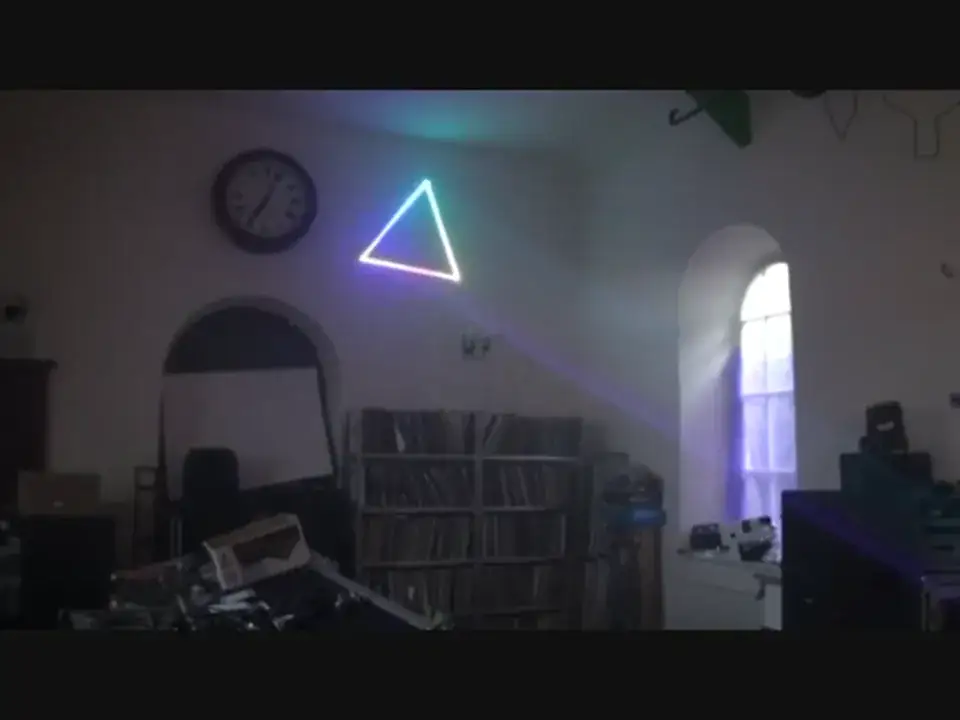
Right, ladies and gentlemen, you can see a bit of a triangle going on there. Well, I have a gentleman here, we will see him in a bit, from a company called LaserWorld. He is the UK representative for LaserWorld and he has brought some goodies for us to look at. You'll also notice the window. Now, the window has got a load of light coming through it, which means it's broad daylight outside, which means that you're looking at a laser that is exceedingly powerful and is cutting through, there you go, it's cutting through the light in the room and also the light from outside. So as the night progresses, it's going to get slightly darker, which means we'll get more of an effect. The whole idea of... showing you this is to show you how powerful these lasers are, literally in broad daylight and this is what we're going to be looking at, not the beer. We finish off with some bad boys.
Right, there we go, that's a nice little unit and that chap over there is a guy by the name of Dennis Phoenix. Saw him in a video you should have done in Frankfurt Music Messy. Dennis, my friend, what is this little number here? This little unit is one of the starting price point or starting point of lasers within LaserWorld's range. One thing we discussed was to really show that LaserWorld aren't just about stadium type lasers or lasers that are for big events, for high sort of professional gigs, but they have lasers right through the range that start as little as £69 retail. Or even sort of cheaper online in certain places, you'll see this little unit. It's called the EL100RG Micro. It's literally a 100 milliwatt red and green star cluster.
You might have seen this sort of effect before but it's just a great little unit in at the starting price of LaserWorld's massive range of lasers. Yeah, and they, you know, it's relatively simple to use isn't it? You've just got a couple of dials on the back. You've got speed control where you can actually just slow down the action. You've got the actual movement of the laser, so actually just a twinkle effect where it's still to speed it up to the speed that you want. And then you've got sound-to-light functions on the back. You've then got sound-to-light speed adjustment controls, strobe sort of flashing control. So you can sort of alter it to how you want it to work for you. But it's just a little laser, comes with a little stand, comes with a little L shaped bracket if you need to hang it.
Mm-hmm. As I said, it's like about £69 at most and online or in stores. Okay, great for ideally someone just starting out mobile work. Yeah. Small venues, small bars, pubs. Absolutely. It's just a little thing where it's great for home parties, that sort of thing, especially in small rooms. Lasers, you know, especially on high power units can be dangerous if used in the wrong way which we'll come onto later in a video. Yes. But with this, it's perfectly safe in the way it's set up. It's because it's in what's called a diffraction lens that's at the front. And actually the laser beam is split open to many different dots and it means it becomes relatively safe. When I've done tests and measured the actual output beam on the strongest beams which are the centre beams,
It seems, you know, safe for me to stand here at this distance and, you know, even be looking towards it. I don't recommend you go right up to the unit and look in towards it. No. Like you wouldn't do that with fire. No. You wouldn't do it with the laser. Again, I've always said this, it's never a good idea to look into any laser. However low the output, just don't do it. Yeah. Don't do it. Even with lighting effects, some of the high power LED lighting effects you get now, some of them you can fry an egg from, you know, two metres away. Yeah, I can imagine, yeah. So, it's something like looking at the sun, you wouldn't stare into the sun too long, you wouldn't put your hand into a flame and put your eye over a flame.
It's the same for, it's just being sensible. Yeah. And also again, I did say earlier on in this video it's broad, well it is broad daylight and it just shows how powerful this kind of low end product is because it's cutting through the light. Admittedly we've got a bit of smoke in the room but as you can see... It's actually, it is broad daylight outside. I know, look at it! And it's still bright. It's still bright. It's still bright, we've still got a good effect. So... When darkness falls it's going to look great. Even better. So middle of the summer if you're doing a wedding and you're in a room which again is white and there's the lights are on and, you know, you've got your power bars and you're wondering how can I put a good effect on the floor?
5:50 It's just the diodes that are used inside so the colours are different
One of those on a T-bar directed to the dance floor will give quite a nice effect. Absolutely. And even if you've got something like, what's it be? A stretchy cloth. What's this cloth called? Oh, a swim king type effect. That's the one. You put that behind it up a speaker stand or behind a deck stand or something along those lines. It's a great little effect and because it's so small it's handy to do that. Alright, what we'll do, we'll pause the camera now and we'll have a bit of a fiddle. What we're going to do is we're going to go through the different lasers. So during the course of this video we're going to go from those guys up to... The bad boys! So we've had a look at that one there. That one looks the same, what's the difference Dennis?
It's just the diodes that are used inside so the colours are different. So as you can see it's green and blue as opposed to red and green in the last one. And there's three actually in this range. There's a red and blue unit called an EL200 micro and this one is an EL150. And you have the red and blue one which goes out the door online at £99. And then this one is an EL139. So that's the green and blue diodes a little bit more expensive together. It's got all the usual features on the actual unit of strobing like we've shown before in the previous video. It's just the different colours. As I said, you've got a £99 one and you've got this one which is an EL139. It's the blue diode that's more expensive because you need more power in a blue diode to actually see the brightness.
What we were discussing earlier on, we had a bit of a laugh didn't we about using these in functions and they're great for kids to mess around with. Now first of all when I say kids to mess around with I do not, and I reiterate, say children should mess with the laser or have fun with it, but let's say in a mobile environment you've got one of these low powered lasers on the floor. Children like to mess around with the dots and chase the dots and what not and it's relatively safe isn't it because again they are low powered. Again it's got a diffraction lens, it outputs the laser into multiple beams straight from the start and it has a lens physically blocking the single beams coming out. So it literally diffracts it off, makes them to a safe power level.
Again I did a test on this particular one the other week with a measuring tool and it's the static beam in the middle that you measure and it was literally safe from this distance. So these are fine for bedrooms that sort of thing if you want something in the house, parties in the house etc they are very safe little units for the actual output power. Alright, the input power is it 12 volts? Yes. It is because I've seen on other makes you can get small appliances that you can stick into the car so presumably it's the same with this? Yeah you can just get a 12 volt adapter if you want and then just literally use that to then project the actual laser you see in limousines that sort of thing it's a small little unit.
But just be careful. Don't start sticking it out of the window. You shouldn't be driving and projecting that laser around the car and all this sort of thing if you're stationary that's when it should be used. Right so we've got those two, which one are we going to look at next? We will pause the camera but which one Lex? Next one we'll come on to the ES650 that's the professional version of what I've just been showing you. Okay fantastic.
Here we go slightly more professional let me just turn this tune down a little bit.
9:15 My friend what have we got here then Giza?
Okay my friend what have we got here then Giza? This one is a professional StarCross so it's called the ES650 GB. GB standing for green blue, 650 standing for 650 milliwatt. The difference with this unit is it's a lot wider spread, it's brighter and this unit will literally fill a big venue with one effect. So if you want one effect that will just fill a room completely this is the one for you, it's got beautiful blue, really nice piercing blue, green. It will flip between different patterns over a period of time it has a star cluster effect with the fraction thing with the dots and also it has what I call a firework effect where it sort of aligns but you'll notice that the spread is very wide. Yes let's have a look again you can see that laser
Is in exactly the same position as the others and that's filling... Literally the whole back... Yeah it is even to the yeah over there, it's getting over there. You'll notice that it literally projects at a very wide angle so it will literally fill the venue whether it's small or large you'll have a big coverage of the actual venue. Okay I talked earlier on with the last one about people potentially looking into the beam. Are we going to have adverse effects if people start looking and staring into the beams of this one? I mean again with this unit it's a safer way it's a safer way of projecting the laser because of the fraction lens because it's literally splitting it from source. Yes. So you have no risk of any single beams in any way shape or form coming out from the aperture.
Got you. So with this unit yes you wouldn't really be buying this for a bedroom or a party at home because this is a more professional unit and a proper case where you can rack it up onto trussing. It's BMX capable. Yeah. It's actually on the back of the unit so you can actually control the effects and the speed of the unit from a DMX desk. Yes. Simple operation but you would potentially have this up in the rig and maybe this core central 10 beams you'd point above people's heads. Got you. Which are the strongest beams. Yes. Keep at a distance of two to three metres high. Yeah. As you would on a T-bar stand or a goal post and that will then literally if you give us core 10 central beams out of the way of people's reach you're going to keep things safe.
The peripheral beams on the outer edges can fill the rest of the room and it still looks fantastic. Yeah I can see this again the unit itself is I would say what seven or eight metres from the wall and I could imagine if that was in a room say I don't know something 20 or 30 metres I mean it would fill the place completely wouldn't it? Small room it's the extra power. You don't just get extra brightness you get with a higher power laser it's not just about brightness it's the addition, it's the power and the distance that they actually travel so in a bigger venue where you actually notice that the power will still be the same output maybe at the end of a far more capacity venue as it would be you know a fifth capacity venue for this sort of unit.
By the way just to let you know as well the tune you're listening to is by a lady called Coley I'll put a link in the description Alright Giza we like that one and we are during the course of this video going through so we're almost going through and again it's not cheap and cheerful it's sort of the lower end price bracket into da bad boys isn't it really? It's a sort of semi-professional range as we class it is what you get with this sort of unit. I mean this ES650S is I think street priced it's about £329 so around the £300 quid mark you'll see this unit for sale but as I said it's one laser will fill the venue rather than having two separate effects or three separate effects you know £100 a piece or £150 a piece.
Something very important as well I need to stress we are now in August 2012 so the prices that Dennis is giving could fluctuate depending on when you do watch this video could increase or could decrease just bear that in mind. What are we looking at here then Giza? Right well this is where you're going into laser world's big territory in the sense of a beam effect laser so what you're looking at here is a unit called the EL350RG and it's a red green 350mm laser but as you can see it's a four head laser two red outputs, two green outputs so effectively on the rig in the dark from a distance it looks like you've got four lasers built into one unit but it's just a very well priced unit and it's nice high lamp up power
The price of it is around £200 down the street so it's actually I think very good value for such a... £200? Right that's pretty good ...four head laser, yeah I think it's very good this is a brand new unit as I said it's called an EL350 and if you're just looking for something that's got bright output power with a bit of haze and smoke in the room you want that sort of classic laser effect I was going to say it's ravey this reminds me of 90s rave style lasers just big in your face yeah absolutely that is cool so if you're going to see a dance event that sort of thing, dance gigs and you want something you do teenagers parties, 18s, 21st that sort of thing that would be a great little piece of kit for you alright and again
15:24 Bright, switch number, speak someone
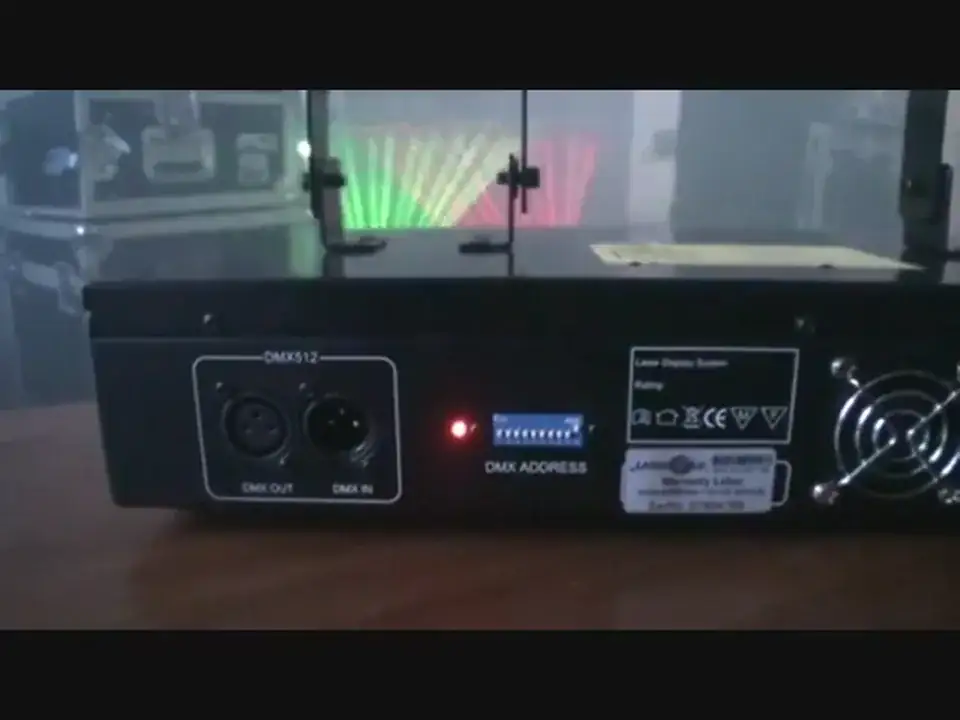
Relatively simple we've got DMX and sound to light? yeah if you flick dip switch number 1 down 10 is on 1 down is sound to light and now you can see it's gone off because it's not hitting anything but as I tap it it will then pick up on a bass beat effectively and then start going in time with the music great so again for someone who just wants plug and play very simplistic yeah absolutely that's how it's made nice and easy there's no complex features on it not required for this sort of level just plug and play yeah sweet alright and just mention again because I was right by the speaker then the model number of this guy it's an EL350RG alright what I will do I'll put hyperlink to the Laser World website in the description
So you can go and check that one out nice one alright tune you're listening to in the background by the way is by Enzyme Black track entitled Take It and we've got this one here sir right this is the ELD800RB 800 milliwatt red and blue laser but not just red and blue it's also purple it combines the red and the blue dye to produce a nice bright purple which as far as I've seen in this sort of price bracket is unique because most purples out there using the violet diode it's very faint you can't it's really not visible to the eye so people like the colour purple but it's not bright enough this unit it's very bright it's got a nice powerful blue diode and red diode to produce the combination of a nice beautiful purple hmm again it's a simple unit
It's got a double aperture so it's got two outputs it looks like a twin laser or two lasers from a distance working together in sync hmm it does look like two lasers from a distance it's a very simple unit in the sense that it's got unusual features as previous effects it's got DMX it's got the same functionality on the DMX switcher if you switch down the number one it sounds alive mm-hmm so if you go in time with the music and we had it loud otherwise you just switch you switch number one up and you're back onto auto and ten up is on and it's just a nice I think bright laser that's been very popular for people who love this effect so it's definitely worth going to see in one of your local stores by the way it's worth mentioning
That now Laser World only until recently this year it's never been really available directly within the UK mm-hmm now there's a direct distribution in the UK office and you can literally purchase from any of the sort of online or local a lot of local retailers so do check out your local retailers see if they have you know in stock if not you'll be able to find it online or you can also contact us at Laser World UK office yeah and you will then basically be directed to where you can actually view any of these units you've been seeing okay sounds good well the good thing about having a UK office as well is you've got you speak to someone in the UK yeah don't you you don't speak to someone that halfway around the world it's nice to speak
Yes exactly yeah yeah no disrespect of course to people who are halfway around the world because you would be saying the same thing if you were halfway around the world and you had to speak to someone in bloody England absolutely isn't it yeah all right step remote is in there what sort of speed are we looking at I think on those units in this particular unit just let me check because we have got the biggest range of lasers in the world yeah I got you there didn't I you don't know every specification off the top of your head but it's a two to five k pps basically okay two to five k motor so the motors are relatively you know sort of the lower end in the Laser World range yeah what we do is produce a high output laser so you get a lot of power
They are bright yeah very bright but if you want something with better motors because you want to do graphics yes smoother you know circles lines that sort of thing you start moving up into the range as well we're going to go through yeah I mean right I'm just thinking out loud here what we've done is we've done something pretty cool here is we've started off with the cheaper range but what we've done we've started off with the cheaper range in broad daylight showing how bright they are in broad daylight and then we're going through to the more expensive as it gets darker if we'd have done it the other way round that of course the cheaper ones would have been very bright in the dark and the bright ones would have been very bright in the light
So by in a way we've sort of shown how bright the cheaper ones are in the light and everyone knows that the more expensive ones are going to be bright anyway do you see what I mean yeah you know I hope you got that by the way the budget ones would have looked maybe nearly as bright as they did the more professional ones yeah well yeah we could have quite easily just waited we could have had a few beers chilled out and thought right it's pitch black now let's show this small cheap laser in pitch black look how bright it is but what we've done is we've turned the damn things on in broad daylight and gone that's quite bright actually isn't it yeah all right all right this one the street price on this is about three nine I think it's about three six nine
Yeah that sort of money but it's well worth having a look at online prices or when you load up the store yes it's a very impressive laser you know when you see a laser in the flesh compared to actually a video it's a hundred times better it's just completely different yeah it really captivates you fantastic okay we'll pause the camera and we'll have a look at another one it is starting to get a little bit darker now so much so I've got a dodgy light on this guy here right before we move on to the next laser interlock can you tell everyone what that is all about right an interlock is a safety device if I actually take that out now it actually turns off the laser put it on it wise on it's just a standard feature so when you buy a laser you can literally activate
It straight away the reason for an interlock is wiring one of these this is called an e-stop and e-stop is basically what's classed as an emergency stop and what it basically do you have a cable that comes out here if you buy one of these you get it wired with a cable with an interlock so you can connect up to your laser now this is sort of a legislation across the world it depends on what country you're in but in the UK they have an interlock as a legislation and all it is is basically if you have a unit up on your rig you can literally stop somebody from using the unit you can take away the key it's in the off position you come back you put your key on you switch it on and then literally you can activate your laser but at any one point
You can you can have a button right in front of you to turn on and off so it's handy there's a lot of time also it's a handy feature not just for safety that sometimes a laser looks better when you've got it coming on maybe every hour for 15 minutes not all the time all night it actually adds more of an impact when you're using your lasers that you bring them on every so often rather than just continually on which a lot of people do on DJ rigs and things they just keep the laser on and off better to rotate your effects keep a bit more interesting but it's for also health and safety reasons if on a laser this is the idea behind it if at any one point because you always should be monitoring what you're doing with lasers if a single beam
24:27 Meters, color laser, electric blue
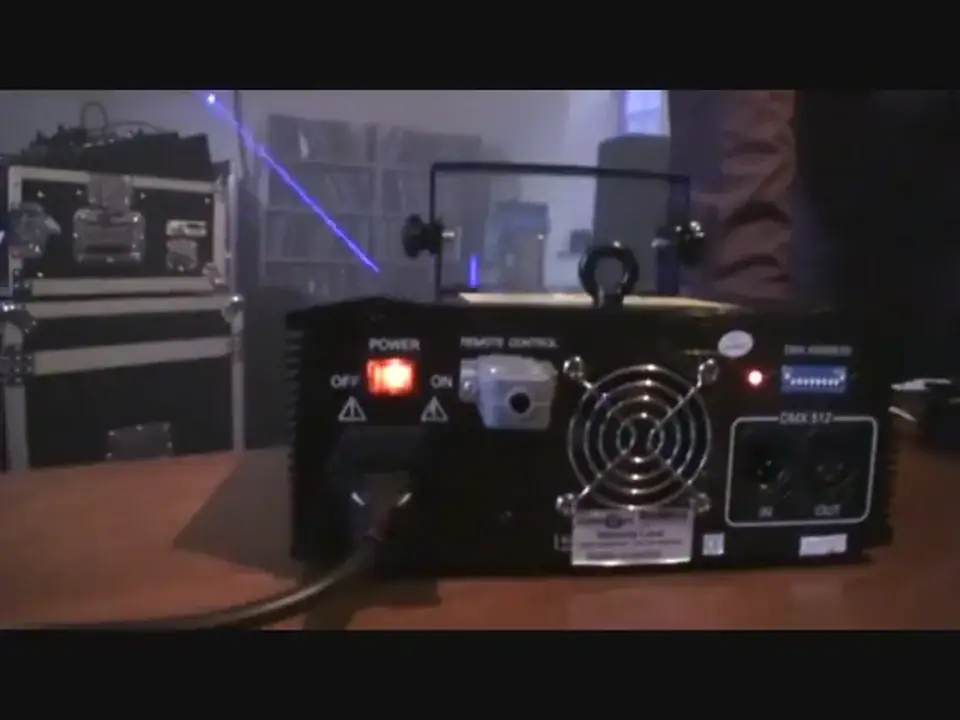
Was to come out because the scanner's failed you've had your laser for a few years literally you notice that single beam comes out hit the stop button and protect people from looking into it but with that I can talk about a few safety features about lasers what you sort of do go for it might as well talk about it now since we've started so with sort of safety features like this you have little little tips and tricks when you're setting up your laser units generally most lasers that are sort of purchased are class 3B or class 4 in the entertainment industry basically anything below a 500 milliwatt is class 3B up until a certain point there's lower classes for CD players etc. and where all lasers are used in many different functions so most
Effect lasers for entertainment purposes are class 3B and over 500 milliwatt is class 4 now class 4 is where it can actually be dangerous if especially used with single beams that sort of thing but in the right hands and if you use it right with single beams on use with software in conjunction and use with mirror effects etc. class 4 can be safe as long as it's projected above people's heads at 3 meters high as all lasers should be yes in legislation they should be hung at 3 meters high so on a goal post stand or something like that 3 meters from the actual ground so if you're on a stage for example you have to have it from 3 meters from the top of the stage you can have it from 3 meters from the ground right and that means that it's
Without out of distance for people sticking their hands in the way people actually more importantly putting their face in the way yeah and at close proximity and if you just sort of follow these simple sort of guidelines it means that you sort of just being sensible using common sense yeah you know when you're actually using lasers in a show sort of scenario and then you you know if you've got it at 3 meters high you then maybe project it forward but if you have no control through software which I'll explain with some with software later we use entangling tonight we've used phoenix before in demonstration videos at Jonathan but we'll show you how you set up safety zones so lasers software is not just for good for effects it's also good for setting up
Your laser and getting the most out of your laser and projecting blaze in the right direction but if you don't have the benefit of software you'd literally have that 3 meters high project it above people's heads and maybe fire it towards the roof especially if it's a class 4 laser well if it's at where you feel it's at a safe distance maybe sort of 10 to 15 meters for something around 500 milliwatt mark to 1 watt mark you could literally project it and sort of pointing down towards the back of room at about 50 meters as long as you're not doing single beams et cetera and things like that as long as it's a you know an animation like we're seeing now with shapes and stretched images yeah this guy what are we looking at what's the name of this one
Right this one is called a ES800RGB it's an 800 milliwatt red green blue laser the red green blue actually mixes up to produce seven different colors so it's a color laser it's white as well I presume yeah you'll get a white sort of mix in certain animations and you get what I feel with this unit the lights electric blue it mixes the three dials pupils and bringing out electric blue pupil yellows et cetera but I feel it's really a great color laser at a fantastic price it's about 450 pound street price it's 800 milliwatt it's a color laser there's not many units out there and that sort of money for a color laser fair to say you know people have seen sort of blue lasers over the past few years and that sort of thing as the blue dial price
28:03 Quick text, tiny, mm-hmm
Came down and now it's moving towards people wanting color lasers to keep something new ahead of the you know the competition as such as being a DJ out there mm-hmm all right fantastic so we'll pause the camera here and we'll have a look at another one now I do like the look of that we've gone from what I would class as flashy scribbly kind of in your face lasers to something that's it's got a bit of chic about it there's you know this nice smooth movements yeah what are we dealing with here Dennis okay well we start now to get into more professional range one thing I made a mistake with today I should have brought one of the club series and I left it at home so are they the really expensive ones no the club series is what we class as a semi-professional range
So it's units like a CS1000 RGB 2000 RGB one watt it's like high power yes good scanners yeah affordable sort of units okay for example you could pick up a CS1000 or one watt laser full colour laser mm-hmm for about I think 799 street price so this is like affordable you know colour laser and you can actually pick up you know this up with a with Phoenix software for example for about 1100 quid or with Pangolin software for about 1200 quid as a package with a one watt laser so I did make the mistake of not bringing that but you can also go to the Laser World website punch in you know CS1000 RGB or go and select that product and you'll have a look at the video it's well worth it it's a if you want to get into a laser with a bit more scanning control
And power mm-hmm and protecting your software through an ILBA cable it's a great way to start it really is what we have here that's cut that is cutting through the light isn't it big time this is a 1.8 watt laser this is our PM1800 RGB in the pure micro range and it's a tiny little box as you can see it is it is it's it is it's tiny tiny oh this is how small it is that that is so tiny that makes small look insignificant this is a it's just it's amazing really a year ago I was carting around flight cases yeah this size and with units that weren't even as good quality in the beam or the brightness mm-hmm and what laser will have done in the Swiss last range this is made in Switzerland it's the components in Switzerland are on diodes where we manufacture them
Our own Swiss last diodes and literally we've brought down this unit big units into a tiny little unit I think in the previous video where Jonathan took the lid off I noticed and showed inside which is fantastic I know and it just the components are so small aren't they so small flippin' it amazing but the great thing about that as well it's not just it's just small in size it means that there's no inertia on big components when you've got a big component and it gets knocked around in the back of a boot of a car or in a van and that sort of thing you have a tendency for the components to move yes with lasers when you've got three diodes an RGB diode all pointing towards one mirror mm-hmm a slight bit of knock when something moves
You're going to lose color balance you're going to lose output power never thought of that yeah good point so the good thing with these little units is I've never in any of the units that I've had which I use as part of our rental stocks we actually have a rental thing where people rent them for the weekend for events mm-hmm that have maybe got a special event on
They can in since starting in March mm-hmm we've never had one to realign now old units with big diodes and everything like that mm-hmm so we've got to go in there and actually change the actual alignment obviously I've been trained in how to do that yes I would recommend doing that yeah don't open it I said don't open your lasers warranty no exactly you will yeah exactly spend a thousand pounds on a laser open it up and have a fiddle no tough it's worth nothing don't do it don't do it yeah so bring it into a service center contact Laser World if you feel you have a problem or anything like that yeah and it's taking a knock you feel that you've seen that the color diodes just not quite aligning next to each other and you'll see maybe
A red or a green or a blue just not you know lines going by the side of each other mm-hmm your diodes are out of alignment as such all right well I'm going to just zip under there yeah thank you let's have a look at this software then if you could yeah maybe show us this software and this software once again is called this one's called Pangolin Pangolin is really the biggest most famous software laser software package in the world this is their quick show version which is their budget range and it's you can probably see from the screen it's very simple yeah you've got literally animations to hover over so if I click it will project that particular animation straight away like it so you've literally got over a thousand things even more
I'd have to check how many animations are in there could be a lot more literally at your fingertips so as I'm just clicking down very nice it projects and actually morphs the image into the next one which I think is quite nice that is very very smooth I do like that very much so can you take it from that say to an animal or a bird or something like that so if I go into the graphics tab and then I hit baseball player yeah so and then you'll get sweet there is there's so much more of a difference between it as you say you know this slight transformation and the way that it's working from one to the other instead of a you know you have for example all right you got the runner and then you've got this big flash and it goes into another effect
Yeah I mean you can change that transition so it flicks instantly if that suits what you're doing maybe with beam effects to flip back and forth between beam effects you know on the beat of the music or anything like that but literally you can flick instantly or you can go back to that transition thing like we were showing before but with the Pangolin software it's nicely set up you've got tabs across the top where I said graphics atmospherics all pages so it shows all the different tabs and then so if we click on graphics you've got things like backgrounds so you've got sort of animation stuff that will just stick in the background you've got people and characters so you've got loads of different sort of animations as such
If you look towards the wall now there's some sort of all sorts of animations this is a great thing for mobile DJs as well a lot of mobile DJs sort of say that where they can't use smoke in a venue certain venues have restrictions on that a lot of hotels do but when they have software out your hands literally you can get your laser to work for you you've got animations at your fingertips all different sorts of things and also again you can for example someone comes along you know happy birthday to Dorothy or happy birthday to Fred yeah you can type it in can't you if you look down on the bottom left hand corner here it says quick text so literally you can click on quick text I have laser world typed in there if I turn that animation that was on before
Go back to quick text and I'm just literally typing now happy birthday
And then show it now as quick as that yeah and that is great for a mobile DJ who oh thank you very much and you spelled my name correctly as well did I? yeah J O H N A T H A N yeah well done that's great for DJs I mean the oh no no you haven't spelt it J O N it's J O H N never mind I only saw the last bit of it but so many times you get I mean you know this anyone who's watching this now if you are a mobile DJ how many times have we had people come up to us and go can you say happy birthday to whoever and you go yes fine I will and they stand in front of you and they want you to say happy birthday now you know not like in five minutes time when you're ready to do it because you're you know you actually have to do other things
Something like this I suppose you could really you could just yeah all right fine type it in and instead of saying happy birthday you go well guess what how about having on a laser instead and from my well my professional opinion tells me that people would far prefer to see it in a laser or laser form as opposed to you just saying it on a microwave my microwave microphone bloody hell microwave oh dear I'm not going to edit this I'm just going to leave that in my god oh that is so funny oh dear I'll tell you what though a lot of mobile DJs tell me microwave oh I'm not going to live that one down can we put it at medium power please oh dear well there you go see that's how quick it is but a lot of mobile DJs have told me what they've been doing with this
When they purchased they've actually been adding it as an extra service so you know you'd go to a wedding they can actually say would you like the bolt-on package of laser to text service you can put your wedding messages and any have your name up on a laser up on the wall and lights and they sort of charge an extra I don't know fifty hundred pounds can you show right show me when you say text as in yeah people on the mobile phones how would they go about doing that well in quick show you can literally type text as such there is a bolt there is a bolt-on package where it's called SMS to laser and you can purchase the SMS to laser package once you've got quick show and the SMS to laser not just basically enables people
39:16 Reverse image, scan angle, wide beam
To send texts to the PC through a little dongle yeah like a little Bluetooth or a phone dongle so what you buy for maybe Vodafone Vodafone that sort of thing there is some links on the recommendations on the Pangolin website what to buy I think there's one called Zoom and you literally besides being able to take people basically people actually send a text you put in the telephone number up the wall people can send text messages in rather than just messages you can actually do voting with it you can actually have polls of what track would you like next initially I see a voting poll going up on the wall of which track did want to actually play next or which drink should be a pound a shot like it however you want to be creative with it
It actually takes it to the next level so it's quite an amazing thing it's called SMS to laser it's quite an amazing piece of kit but as with quick show when you purchase this unit you've literally got loads of different showing sports, vehicles music and dancers all sorts of instruments in there to VU meters celebration stuff with fireworks cakes and things for say happy birthday you've got a little view screen here on the right hand side which shows you what the actual laser is outputting if I click off it it goes off the screen and then you've got sort of different themes Halloween brilliant being in America Pangolin's made in America but you've literally got loads of different sort of animations and stuff for themes
So if it's Halloween if it's Christmas if it's New Year you've got loads of things already pre-built in for your show without you needing even stuff for St. Patrick's Day look at that which St. Patrick's Day yes brilliant island but you know what if you're in New York it's just as good right something I want to talk about here is we've got the laser there and it's pointing in that direction over there now let's imagine that right we've got the clock underneath the clock we've got the crowd and we have to have the laser at a certain height above the crowds heads but then we would also like to maybe put some sort of image on the wall to the right or maybe on the wall to the left and we can have those images slightly higher or lower
So can you explain how we could do that please Dennis yeah it's quite simple I'll turn that effect off you literally go into the top tabs across here you've got file edit view page settings as you'd be used to through sort of typical window applications you've then got projector settings and then you've got the first tab which says size and position now what you've got here is a little window that you can then change your projection over your laser within its scan angle the bigger the scan angle the more flexibility you've got but over on the right it says test pattern and show it now if I click on that you'll notice now there is a test pattern on the wall now that then defines the maximum size output that your laser with any animation you select
Will go within those parameters some bigger some to that maximum or some smaller I can then grab that box stretch it and open up now you notice with this laser it's actually got a very wide scan angle it actually had it very well produced and now look at the size of that particular animation but when you go into a big room you don't want that size of projection because it's going to be too big it's going to expand through a room and be... it's all relevant isn't it if you've got a very long room you're going to have it a lot smaller because as it hits the back it's going to be bigger what you can do if you feel that the unit is too powerful for the size of the vent you can for example what I'm doing there is I could bring the actual X and Y axis
Nice and big so I can have the X axis left and right basically Y but then I can project it above people's heads yeah got it yeah if I just go back into a beam effect as such you will now notice I'll just go into that nice wide beam effect you've got a really big wide beam yes I like it that's never going to go below what we set that parameter at so literally people could effectively be reaching for the sky but not their heads but not their heads yeah so that it's safe and you have beautiful bright beams above people's heads like that it's very impressive when it comes to sort of dance events or anything like that people want to be able to touch that beam they love that sort of effect so anything you then select is always going to be above the head
So it means it's nice it's safe it also doesn't annoy a lot of people and scanning in their face all night and then everything you do is all preset yeah like it well if we go back to those settings you've then got things like X and Y axis so if we just reduce that again in size so it's legible up on where we're projecting show it now you'll notice that projection that says top you can invert it so you can change it to a different sort of position and put it the way you want you can reverse it so you can project onto screens on board screens etc so you can reverse image you can reverse the X and Y image or the Y projection if you effectively had it maybe mounted on top of a T-bar stand on top of the stand upside down you can just reverse your image
So everything projects the correct way it's like you said earlier sorry you had it projecting on the ceiling and you have the wording so anyone that was in this position if I'm over here now and I'm looking at the ceiling they could see the wording and you had the wording come across didn't you so you can have it inverted the way you want to see it yeah is that correct for you no that's it, that'll do nope that'll do yeah there you go so you can set up different projection zones
In its scan angle to a decent level you could have it projected towards the ceiling or a side wall with projecting graphics and then set up a different projection zone for your beam effects as in the squares and the shapes and stuff that you want to sort of point above people's heads or to scan the audience if it's at a safe level so you can set up different zones so people can actually see the text legible in front of them without turning around to the back of the venue and seeing what's sort of writing on the wall yeah that's what the laser software sort of enables it gives you the tool to basically make the laser work for you and make it easy for you in looking very professional in what you're doing fantastic right here we go
I've got my helper Mr Moo, Blaze say hello Blaze
Hahaha alright Dennis what are we going to look at now sir? right going back to we were talking about projection settings before there's a couple of other features that are nice to show you within here you've obviously shown where you can actually move the projection zone but what you can actually go into is different patterns so you can set up different zones so it says Zone 1 Zone 5 Zone 2, 3 and 4 maybe if you have a second projector connected the only way of controlling those individually is having a second pangolin box yeah but in Zone 5 you can have your secondary graphics so maybe you could move your secondary graphics over here for Zone 5 that could be your animations that you define so it could be some birthday messages
Your text and that sort of thing over to the left and then in Zone 1 you could have your actual beam effects going straight forward he's just going out you can't have a go you're too young maybe when you're two I'll tell him but another great feature I feel if you go into settings and you go into projection zones so there you can also do more settings more in-depth settings for your projection zones you can change the geometric correction that means it sort of changes the shape or how it's projecting on a wall so if you're going to a side wall you can make it look like it's projecting flush and straight on very good so it's a nice little feature but a great feature that I do love Phoenix also has this sort of feature but the great thing about the Pangolin variation
Is you can say we go into Scanner 1 we can project a zone there as we're doing you can then hit on enable beam attenuation right let me just go I'm going to try and flip from there back to there you've got loads of different percentages you can literally present down to 0% 10% within animation so if you want to project beams to an audience but you feel it's going to be safe if you project the bottom half at less power now if you notice you've got to flip back suddenly that bottom half is a lot less output power but what you can do is do different things so you can literally mask off different areas you'll notice there that it's all literally fading away as I mask off areas so literally with that area there you can do the bottom half
At low power so effectively people are still getting engulfed by tunnels that sort of thing which they love to be in but they can't burn their retinas out it's a safe projection when you set up correctly is that a safe projection so you've got to be careful what you're projecting and what power you've got to be sensible with it this gives you the power to enable you to do that you can also maybe if you were doing something more professional for like television work etc or where you know there's cameras within a venue yes so maybe there's some security of any the cameras can be damaged by laser projections if you know certain single beams or high power output beams go across a lens if it hits it at the right angle they can literally take out a pixel
50:30 Interlock connector, control lasers, ilda
But what you can do is if you know where the camera is and you've got your laser in position you can literally draw a little sort of area so you can maybe go okay I want to reduce that area to 10% and literally you just literally draw a sort of little area that then get it right yeah that basically cuts out that camera so you don't cause any damages to the camera or such yeah or if you don't like the camera man you can give 100% I'm going to have to pause this because we've got five minutes left on the battery so I need to charge this sucker up okay here we go we have two of the PM series the one on the right is the 1800 the one on the left is the 1300 Dennis it's over to you yeah as you notice there's a slight bit of difference
You'll never get a vast difference for example if the unit's a 1 watt laser and then there's a 2 watt laser 1000 milliwatt, 2000 milliwatt you'll never get a doubling in the power you'll always get it where it's maybe 20% to 25% brighter but what you will notice over a bigger room and a bigger distance you'll notice a higher amount or a higher amount of output from the 2 watt version compared to a 1 watt version yeah the higher power not just is a slight bit difference in the brightness when you see it in a small room it travels further distance so that's one thing to remember if you go to see a unit in a demo room and a small demo room or something sort of this size you won't notice more difference put into a bigger venue
You'll notice a lot of difference so but while we've sort of connected these up you'll see that these two lasers are really working like a pair of scanners absolutely beautiful you know and this is something that a lot of people don't realize they have these things called ILVA connectors on the back and they have this little unit here it's like a cable I just put the light on we've got a little light above so a lot of people will probably have a connector on the back but they'd never known what actually it is on the back of the laser ILDA isn't it ILDA ILDA International Laser Display Association is what it stands for it's the standard connection for lasers I think it's 21 pins 21 pins in total that you can and they all have a function
And what it does from software for example it enables you to select many different effects and have control over your lasers could you very quickly earlier on we weren't recording you explained why we've got one, two, three so go for it with these micro range this is what they call the Swiss last range and this is an interlock connector and what you have with this rather than having a interlock connector that's you have to buy a big one a cable as we were explaining earlier with an e-stop safety device with this unit you can buy the interlock adapter with the actual laser and what it does off technically speaking pins 4 and 17 from the actual connector you literally have an e-stop connection at the source so basically where your software is
Right next to it you have your e-stop rather than having to run an independent cable you can just run one ILDA cable to your laser line and link to your second laser like we've done here without the need of multiple interlock connectors and cables so this is a great little device to buy it's called the Swiss last interlock connector or you can buy this for any laser really that you have and it makes it nice and simple and easy to control your lasers and have them safely in use so of course if for example all of a sudden one of the lasers stops working or some fault hit it, hit that and it doesn't matter which one they'll all stop that is the important part you have an on off button to instantly turn on and off if you don't have maybe control over your lasers from software
So it really is a nice little feature cool you'll notice it's right at the top you got it I'll try and stay over here out of the way well you'll notice that everything then you do with your software is all copied so if you already have some lasers with interlock connectors on you might have a couple you didn't really make use of them by buying laser software suddenly you can get your lasers working for you you can make a laser show and that looks professionally done and all you're doing is flipping a few switches yeah so you literally click and they both sync in you can create what's called a timeline for your software and you can just sync a load of animations together press play and they'll run through a sequence of animations all in time
Lee Mills by the way if you're watching this Lee you have got a couple of lasers and I suggest you go and get some sort of software and the older cables because you can transfer form your laser showing something rather special my friend we have been having a little sip of this stuff here go and check it out like cider but you'll notice that there is the 1300 and that there is rather big but as Dennis was saying earlier on something of this power now maybe even one two years ago it would have been the size of a small suitcase and now we're dealing with an item that's I would say you can put four CDs on the top in fact we'll do that right now yeah there's the size of the hand four CDs on the top here you go here's an A4 brochure
56:08 Water, watts, times size
Right okay and let's see how powerful this little beauty is I'll just pause the camera right what we're looking at here ladies and gentlemen is the bad boy but I need to explain that it's not the bad boy where laser world is concerned because they do even better lasers more expensive better quality more power output etc but this in itself is a little bit all right let me explain that guy there that is the 1300 that's mine it's a PM1300 let's say this is a mini now that one there is the Ferrari so Dennis we've got a Ferrari here tell us a little bit more about it this unit's the PS9200 RGB it's roughly a 9 watt laser wow basically RGB colour laser and it's quite remarkable it's a 9 watt laser in such a size case as again I was explaining earlier
I was carrying around flight cases to get something that was not even as good quality beams as this not as bright not even as good colours it was four times the size five times the size yeah so it's quite remarkable there I'll stop you there for a second right notice that window we are doing this video footage the same day admittedly the clips you know we've got like five sometimes ten minutes in between a clip sometimes we've got maybe 20 minutes but it's the same day and you'll notice now it's dark so this particular laser is it's lighting up the room isn't it yeah it absolutely is illuminating the room now you're probably wondering why do you need that sort of power the other ones would have been justified but when you come to sort of big events
Stadium events where there's now big LED screens LED screens are very bright these days they literally illuminate a place and for a laser to cut through that you need higher output power so then your 1.8 or your 1.3 watt laser look very bright in a 500 capacity 1000 watt capacity venue yes put a big LED screen in there big LED wall that's basically got its clubs your laser is going to be drowned out from it in brightness that's why and then you need a higher output laser so you probably think it's maybe sometimes oh what's the need for that but that's one of the reasons other reasons are you even this when it comes to outdoor purposes in such effects unless it's very tight single beams or hot beams etc hot beam is what clusters this sort of thing
Yeah now that you will notice outside and you'll get a great effect from it mm-hmm but even on output for lasers the reason why you need big output in a region of 22 watt you need outside for it to be visible with animation effects and the reason for that you don't have the benefit of haze and smoke very true yes weather conditions if it was no wind and you had a big strong haze is great or if it was fireworks night and there was no wind then it'd be brilliant but in the real world you can't predict that and you don't know so that's why with a high output laser and you see it concerts it actually picks it's actually bright enough on its own to actually pick through the actual air say the molecules in the air mm-hmm and it actually picks up dust particles etc
And that's why you then don't need the benefit of smoke if you have smoke yeah it looks even bad yeah you can't rely on that in outdoor scenarios I've got to say this interject slightly 9 watts I can remember helping out with rave nights in the early 90s and I can remember this guy turning up with you know a 3 watt laser and it having to be water cooled yeah absolutely you know 3 watts and that is 9 watts and also this you know his was I don't know like 5, 6, 7 times bigger there were pipes all over the place and big long sort of I know crazy from the walls yeah to here silly like 3 meters long you'd have to have water cooling yeah it was water cooled 3 watts yeah and this water pumped through the laser to keep it cool yes that was obviously an added cost
You'd have three phase power the amount of power they can shoot is just ridiculous so actually to run a laser back in the you know the 90s and stuff with the way the water cool lasers was very expensive not that I'm buying it very expensive but to run it was very expensive so now with the new technology we've brought the size down it runs off low voltage it's quite amazing really in what you can actually do yes 24 volts 24 volts wow so effectively 24 volts when yeah it was three phase sheen the power converter you could stick it on the back of a car and you know project it onto a building don't tell people that so you could literally take that you know in your truck and project it onto a building that is mental charge somebody a bigger amount of money
1:01:52 Practice enjoy, wants practice, quality control
That is mental to project their logo yeah I like that you know you could go out into to the middle of a desert you know with your truck and you could say all right guys listen to my hi-fi and they'd go yeah right that's a great hi-fi yeah I've got you know my hi-fi in my car is so much louder and then you could say well let me just open this small suitcase you open a small suitcase and you bring this guy out and you say well yeah but have you got a laser show like this and you've got your software there on your laptop and away you go oh I love it love it really so you could just project an image like that up on a wall wow change the size of it project it outside advertise your club advertise your promotion advertise whatever you want in the software
You can literally import images and it draws the vector path for you what's called a dot to dot it literally draws the image for you and you can project it it's as simple as that yeah so there's all sorts of things to be able to do with your laser but this you know laser is just a fantastic piece of kit and it's something you'll start seeing now at sort of larger events and venues across the country hmm so small point here Dennis earlier on with the other lasers even though they're very good you hopefully would have noticed on the odd occasion it went blurry and I had to move the camera the iris back and forwards to well basically just to focus it back so we could see what we were looking at with this one I don't have to do it
Because the laser is so bright there is enough light in the room so I don't have to do that at all I know in my luck it'll oh that's Blaze yeah if you can hear Blaze crying in the background it's because there is so much going on here he I bet you he doesn't want to go to sleep yet because he knows there's stuff going on in here bless him yeah he no he does he loves fiddly bits just like my oldest son dab dabs you know daddy dab dabs anything with buttons or pressing or knobs or lights or it's called dab dabs he loves pressing and I mean he wants to practice and enjoy he wants to practice and enjoy he does Yvette yes is he coming back in here for a bit exactly because it's probably because he wants to come back in here oh at bedtime
Right mum says bedtime that's it bedtime but it is it's because he probably just he knows I mean he's only 10 months old he knows something's going on so that is sweet that is very sweet wow right there you go now I'm starting to move it in and out totally contradicting what I said earlier on actually it probably could be because the laser light went on and off so of course when it goes off it's pitch black and when it turns on then the camera itself has got to then readjust to the light there you go that's my excuse for you all right so we've had here a rather nice selection of lasers and the beauty about the selection here is that we've gone from something that is relatively inexpensive around about 70 or 80 pound mark 80 90 euros up to something
That's how much is this one this one again I think it's about 14 grand fourteen thousand pounds oh my frigging goodness but it really shows you you know we have a unit staff even more expensive than this Dennis are you insured yes you are good fight me for it yeah but you were yeah exactly I was saying earlier on all right what is the most expensive laser laser world sell what's up price the unit in sort of retail terms is about I think in the region of 200 grand oh my God that's a 60 watt RGB Wow concert material things where you want to project across cities etc but I mean you know it's all got functions they've got particular reasons but the great thing about what you'll notice when we're showing you this range laser world are experts in lasers
Yes the ideas and thoughts and designs that go into the units that are made in Germany and Switzerland transpired through the range of the budget ranges that bring affordable prices and units but you know the same thought process goes into the unit the same quality control goes into the unit every unit is tested in Switzerland before dispatch so you know that's important yeah that is very important it's been tested and tried and worked by our Swiss engineers okay so it's you know the quality control is the highest I don't know any other brands that in the laser world actually test in Switzerland and do PUC or test in Europe as such before they actually sell the laser so even from the smallest lasers you know you're going to be getting
The correct output movement reliability fantastic all right well Dennis it's been an absolute pleasure thank you very much thank you and once again if you want any more info on the lasers you can see and also the software I will put proper hyperlinks in the description and Dennis will finish off with practice and enjoy love you mate nice one love you
This transcript was produced automatically from the audio of the video and may contain mistakes.











