 8:06
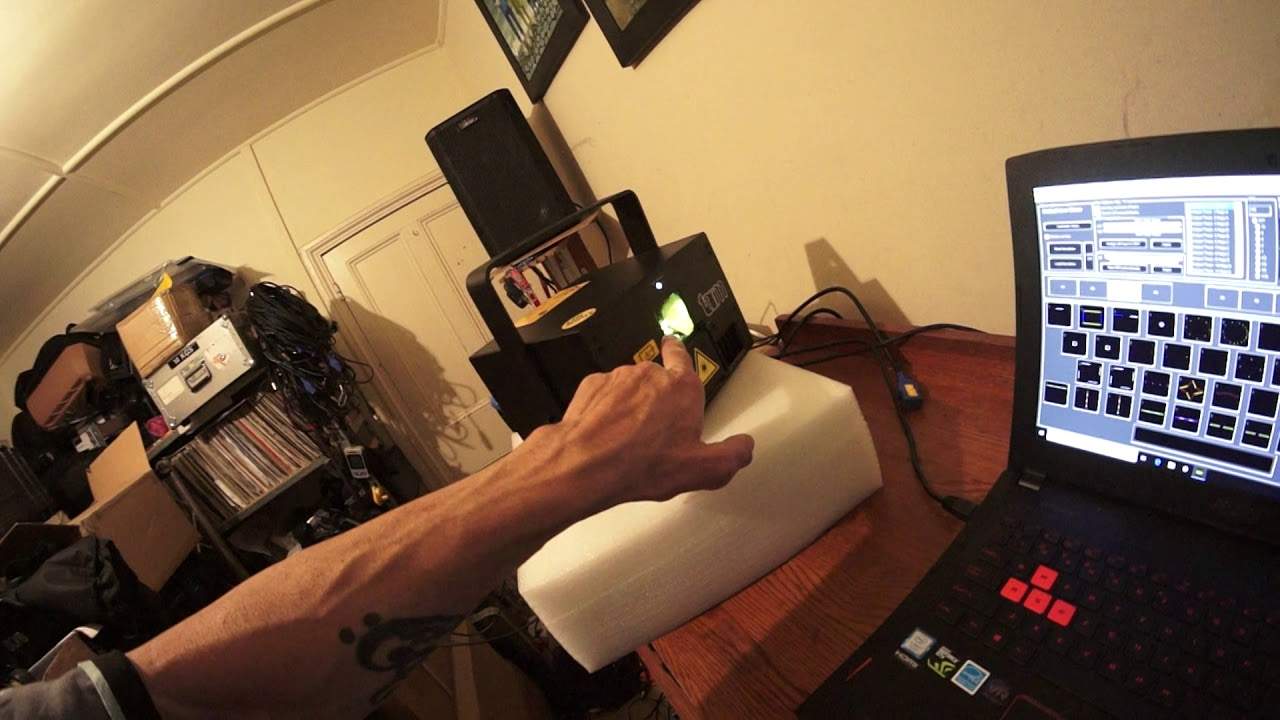
Laserworld TARM2 Set up with Dongle and Lap Top
Contents of the video
0:00 Entire dance floor area with laser
Okay, in front of you I've got my Tarm 2 here from Laser World. This is a two and a half watt laser and this is the beginnings of the big boys. This is not a toy. This should not be the sort of laser that you treat with disrespect. Just chuck it anywhere and let it cover the entire dance floor area with laser light. You can't do it because it is a professional laser. It's very powerful. If you go on the web, you will plainly see that if you're going to use a laser like this to its fullest extent, in other words, have it 100% all over the room, you have to have all of the laser light above three metres from the crowd. So in other words, from the floor, three metres high, that's when you can start projecting the full power of the laser.
If, on the other hand, you're going to maybe project over the crowd, you need to reduce the level of the laser. Now I'm not going to give you specifications there because that's based, of course, on how you use the laser. For example, if let's say, and do not take this example, this is giving you a sort of example. Let's imagine you have a laser and you reduce it to 20% for crowd coverage. Now that may be fine with, say, a laser beam that's a line or a circle. But when you start doing dots, that 20% of the original power in a dot could be the equivalent of, let's say, the line above the area that you've reduced the level in. So I hope that makes sense. OK, so what I've done here, a very simple setup. I've gone from the out of my computer
2:30 We have, of course, the cable from the laptop into the laser will dong
Via an EarthNet cable into the laser. The laser will dongle and then out via the Ilda cable. Now this is one way of doing it, but this laser here is Shonet ready. So in future videos, I'll show you how there's no need for the dongle, for the Ilda cable. You can go directly from your laptop into the laser itself. Now this is the way forward, OK? Because it means less cables and less hassle. All right, so very quickly as well to go over what I've done. We have, of course, the cable from the laptop into the laser will dongle. Now the dip switches, I set dip switch number six to on and exactly the same on the back of the Tarm too. Dip switch number six is on. I have my interlock in and the key to the on position to off and the laser goes
Off. important as well because for example you may turn everything on have the power on everything on them but you've got no laser light so the key factors to check and remember is that the key is inserted except the on position your interlock is plugged in and check that the dip switches are set correctly all right very important let's have a look here all right so default live show we have all of these effects and i can just tap away change the effect
Now again we're dealing with a laser here that's really really powerful at the moment it's it's on about 50 power um even i mean something like this now is suitable for 50 you know for a small medium style nightclub but again you know you don't want to be having even 50% of the power covering the crowd because all you need is one person to look at a small beam and they could damage their eye for the rest of their lives. Now, the Tarm 2 is quite a neat little laser. You can hear that noise, that is the poor fans cooling the laser itself. Now this laser is almost like in two compartments. I think you can see hopefully a small line there. So we have the base compartment which is the heat sink and the fan, so that's cooling down
The top part which is a sealed unit. So all of the components are inside the sealed unit. What that means is that over time you're not going to get any debris, any dirt or anything like that on the mirrors. So inside there are the two mirrors and inside here of course the rest of the components. Now, if you're a bit concerned about the laser, let's say hitting the crowd, what you can do is once your laser is set up there's this cover here and what you can do you could have someone let's say at the back of the room measuring 3 meters up. And then what you do is you can push this screen slowly up until you can see on the back wall you are indeed above 3 meters. Now this really is a good way of setting the laser so you don't have to have any areas on the laser that
5:53 I have an important, ah there it is, an important box
Are say a lower power than the other. So again what this means is by moving this up and down you can indeed set at the back wall where no laser light will go at all. Because I've got so much stuff in here at the moment. Where is it? I have an important, ah there it is, an important box. I'm going to bring this box out right now and show it to you. Look at this. Right let's do a box opening safety unit okay. Right so hopefully we can open this up with one hand. And what is this? Now this is something that is vital if you are going to indeed be or if you're going to be doing professional laser shows. And this is the emergency stop button looks very simple but it's well worth the investment because let's imagine you've got
20 lasers out there they're all over the room, you've got your one program or you've got two or three programs and all of a sudden there's an issue with one of the lasers. Now in this industry you can't start spending time worrying about what plug is wrong or whatever or which laser. You have to do one thing, press that. That will indeed stop all of the lasers from working. It's pretty much the same as unplugging the interlock once the interlock is plugged out of the laser you ain't going to get anything out that sucker and believe me when you're in a club environment or you're in a room in marquee and there's hundreds thousands of people dancing you do not want to start fumbling around rigging trying to find which laser has stopped working or
Is at fault. So press that everything cuts off all the power to the lasers or should I say the laser light will stop shining and then that gives you the time then to find out what's wrong. Okay so that's from Laser World as well it's i think it's pretty much it's known as the emergency stop button but you can go and check that on laserworld.com. All right now there's going to be a lot more videos on the Tarm 2. I've got four of these now so hopefully we'll be able to plug them all together and do some wicked light shows thank you very much practice and enjoy.
This transcript was produced automatically from the audio of the video and may contain mistakes.











