 3:33
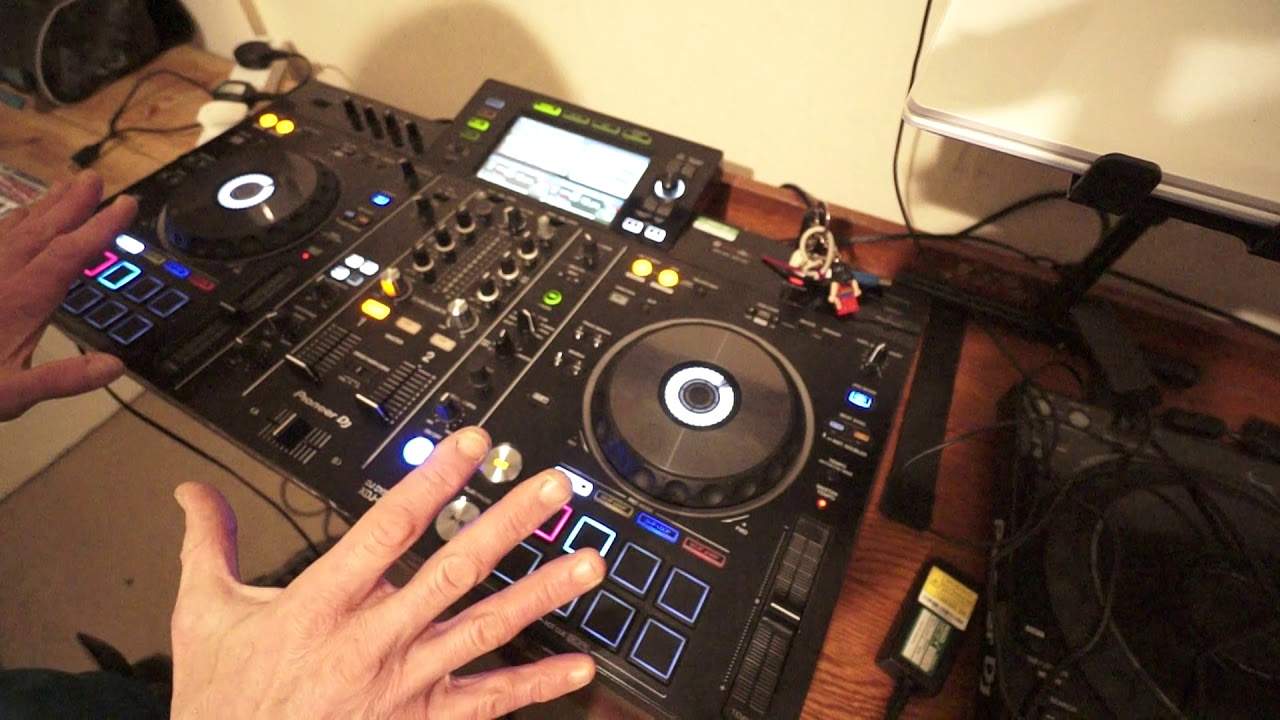
New Cool Effect Found on the Pioneer XDJ-RX2
Contents of the video
0:00 Setup first of all
Right, as ever, I'm always finding out new tips and tricks on, well, some kit. This one here, XDJ-RX2, I found something a little bit interesting, which is a bit of a twist to some of the effects. So let me explain the setup first of all. I have the same track on both sides, exactly the same pitch settings and so on. I've set a couple of hot cues simply for the demonstration. The effect is set to roll. Below that, the dial to set what channel you want the effect to run on is set to master. I'm going to be using the timing dial quite possibly because I'm not using rekordbox. Logic tells me that if I'm using rekordbox, I'm in quantize mode, probably won't be any need to use the timing dial. Level depth is set to 12 o'clock. I will be engaging the effect.
1:07 First of all, I'm just going to tap in time with the track
I've also disengaged the crossfade. I'm in the through position, which means wherever you put the crossfade, nothing's going to happen. All I'm going to do... Oh yeah, by the way, the tune I'm using is VAT Sound. It's the Marco Strauss remix. It's by Charles Perry and it's one track taken from Underground February 2019 from CDPool. Okay, so first of all, I'm just going to tap in time with the track. Then I'm going to press the beat effects button. Facing the right three times to elongate the roll. So one, two, three, four. One, two, three, four. Okay, one, two, three. Okay, all I'm going to do now is start both sides at the same time. Okay, so here we go. Okay, engage the effect. Okay, all I did is spin back on one of the decks and then quickly switched over to auxiliary and brought the two channels down.
2:22 Another track on the right deck
Let's stop both decks. Put the volume down. Okay, so what I've done, I have formed a roll, which is an effect. But while that effect was being recorded, I added another effect, which was a spin back on one of the decks. Always take this to the next level yourself and think what you can do. What does that mean? Well, simply this. Bring the volumes back up. I can now go to another track on the right deck and even another track on the left deck and start doing a remix. There. Okay, and then I can bring my next track in. By the way, this one here is Animal. Crazy in the Jungle remix and again from Underground February 2019. What I did do is while that other track was coming in is I turned the level depth down.
I didn't turn the effect off. I just turned the level depth down because that in essence is actually my volume control for that effect. Hope that's been a help. Give it a go. Use Rekordbox, see what you come up with. Practice and enjoy. Thank you.
This transcript was produced automatically from the audio of the video and may contain mistakes.










