 6:55
Numark NV DJ VJ Tutorial Adding Video with Other Audio
Contents of the video
0:00 I believe it does cost more money but if you're into VJing, it's wel
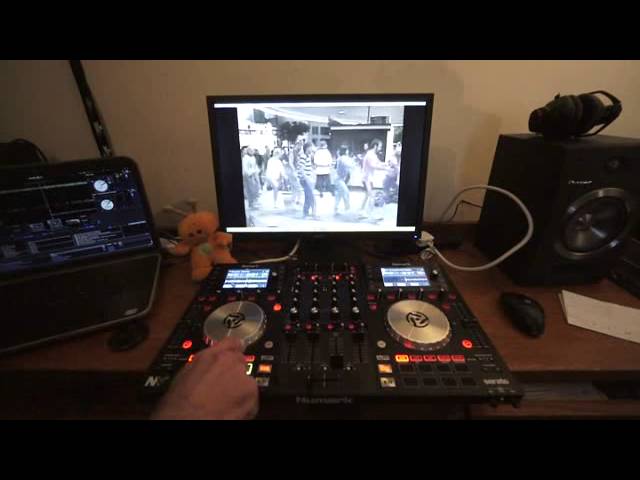
Alright ladies and gentlemen, in this video I'm going to give you a demonstration on mixing audio and video, video and audio together but in a completely new way. I'm going to be using, in front of you it's the Numark NV, it's the 4-deck controller from Numark and it's Serato ready so it's compatible with Serato DJ and also you can use video with it as well. As can be seen here, if you have got the Serato DJ software and you want to do video mixing, you will have to go online, go into your account with Serato DJ and download. I believe it does cost more money but if you're into VJing, it's well worth it because it takes not only the Numark NV to new levels, it takes your set to new levels as well. So I've got
Four tracks, I'm using the four decks, I'm not using any headphones, this is a demonstration. We have on deck three, just for audio, we have Detroit Grand Poobah's track entitled Sandwiches. On deck one, we have video which is Slim Boy Fat, also known as Fat Boy Slim, track entitled Praise You. Just being silly there really. On deck two, we have ATB remix of Killer. That is the video, if I just press play there. You can hear it. And on deck four, I have to apologise here, we have Berry, Sunshine After the Rain. Sorry about that. So one of the reasons why I'm using Berry is because it's very cheesy, very happy and very hands in the air. The other one is it's being compensated by the Detroit Grand Puber sandwiches which is a little bit more sort of underground. OK, so we cue that one up again. So the idea here...
2:07 Nightclub will be familiar with
It's to blow people's minds on the dance floor. Now, a lot of people will be familiar with VJing. A lot of people who go to a nightclub will be familiar with a VJ set. But they'll also be more concerned where the audio matches the video. What you're going to be doing here is making people's minds explode because you're going to be having the audio from two tracks playing over the video from two tracks but nothing matches. It's like what on earth is going on? As I said earlier, this is a demonstration. I haven't practiced this. What you should do, what you would be doing prior to doing this in your set is practicing it, making sure it's perfect and then going out and blowing people's minds. So, for example, let's just start off with an audio track. Where are we? Hold on. Make sure we've got everything right. Working. Okay, there you go. So we're playing the audio. Grand Poobahs. Sandwiches.
Now I need to go onto deck number one. Bearing in mind as well now, I've got it cued up so when I press the hot cue points, if I press and tap on them all that will happen is it will just play the video for the amount of time I'm pressing on the button. If I keep my finger on it... And this is just the one. Now what I'm going to do is go to deck two, Fatboy Slim, and there are different ways of mixing the video as well. So I'm just going to change this. See so I'm now overlaying. I've got the two videos. Let's get the audio ready. Go back to the video.
5:14 Deck, playing audio
Again, very random, but what was happening there is we had two videos being chopped up all over the place over two audio tracks. The only thing you've got to bear in mind as well is that it does take a little bit of time to get used to, is flipping from your decks, deck one and deck three on the left-hand side, and deck four and deck two on the other side. But the idea main... The point of this video is that you get it, you understand what it's about. Now just imagine like I said at the beginning is you've got different videos and you're mixing different audio over the videos. Now you're also maybe thinking well yeah alright that's fine you're playing the audio but then how do I go back to playing the video? Well it's very simple. You've got maybe...
The deck 4 playing the audio, so you take away deck 3, so you've just got one more audio track. You've got deck 2 then, playing the video with no audio. All you've got to do then is turn your volume back up on deck number 1, find a new video file and then just mix straight over, bring the audio down on deck 4 and leave the video if you want to on deck 2 or just go from deck 4 and 2 straight over to deck 1. So then you've got rid of the audio from 4, you've got rid of the video from 2 and you're back now as normal in your VJ set having the audio and video on deck number 1. Alright? I hope that's been a help. It's a bit of fun, it's a crazy mash-up but believe me you can take it to new levels. Practice and enjoy. Thank you.
This transcript was produced automatically from the audio of the video and may contain mistakes.











