 6:13
Numark NV Serato Video DJ Adding Immages over Another Video
Contents of the video
0:01 One factor which I think
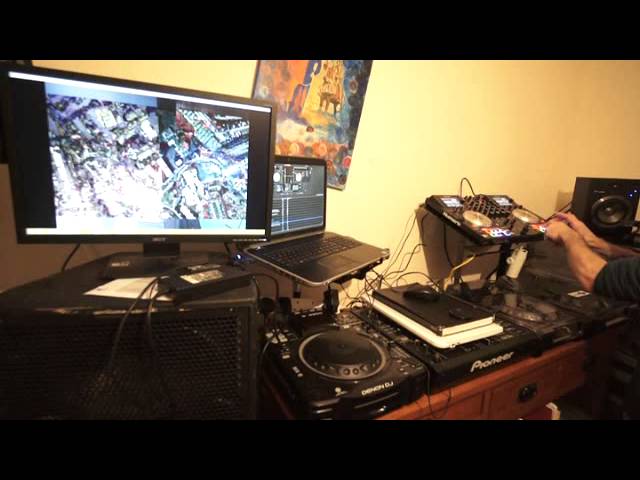
Right ladies and gentlemen, in this video I'm using Serato DJ. I'm using the Numark NV as a controller and Serato DJ, I'm using the video version of it. Two tracks I'm using is Run DMC Walk This Way and Five and Queen We Will Rock You. Now I've done this video a couple of times and decided to concentrate on one factor which I think is not only very important but it's a great way of you adding an effect, an extra effect to the video that's playing. First of all, what I've done is I've set quite a few hot cues on the 5 and Queen track. The next thing I've done is I've made sure that that deck is set to play pause. Now that's the important bit. Also, what you can do is you can then turn the gain down on the Newmark NV. So, think about it.
1:31 Screen, I'm just going to randomly
You've set some hot cues, so you've cued up certain parts, random parts if you want to, of the track. Alternatively, I suppose I don't really want to talk about this too much, but what you could do is you could make sure your hot cues At the beginning of bars or at the count of one. So if you do have the volume up, you can hit one of those hot cues while your finger is on the hot cue, press play, pause and if you hit it in time, the track will carry on going in time. But of course I don't want to discuss that now but I'm sure you understand what I'm all about if you know what I'm all about. Hopefully. Right so... On the right hand side here we've got 5 and Queen, on the left hand side we've got Run DMC. So what I'm going to do with the Newmark NV now is turn the gain down on the Queen and 5 side. If you have a look at the screen, I'm just going to randomly now press the hot cues and you'll notice because the NV is on play pause it means that it's only going to play
As long as I've got my finger pressed on one of those hot cues. If I just tap them, you see we're going to different images. So that's it, we're getting different images. And because the audio is down, we can't hear anything so we're not even hearing the snippets. Let's imagine if I put the volume up and now have a listen. Okay, so I hope you get the idea there. Now let's just press play on Run DMC. Now I know yet admittedly it's slow but the reason it's slow It's because I put it in time with Queen We Will Rock You, which is a lot faster. But, alright, I'll turn it up. Okay so, now at any time I can use the crossfade as well to make sure I go into the video that's playing, alternatively halfway across and then bring in the hot cues. But again if we go slightly deeper we can change the transition
4:40 Is by making sure that you've
Okay, so what I'm trying to teach you here and show you is by making sure that you've got cue points, different cue points during any track. And when I say any track, you can do this with pretty much any track so long... Well, you know you can do it with any track so long as you have the volume down. Of course, if you're going to do it with any track and it's out of key, it's not going to sound very good if you do bring the audio in. But if you don't use the audio, you can do this with... Any track you want to, all you've got to make sure is the audio is off so you can't hear the audio over the track that's playing. Make sure that that track is set to play pause and then again on your headphones, of course the people are watching the other video, just set random points. So if you think about it, if you expand on this...
If you've got some really good video of a car driving or people dancing or maybe there's a big party going on or someone just about to jump in a swimming pool, you could set a cue point on the person just about to jump in the swimming pool and then maybe another cue point on them under the water so you can go from one to the other. And again, because that track is on play pause... Thank you for watching.
This transcript was produced automatically from the audio of the video and may contain mistakes.











