 6:04
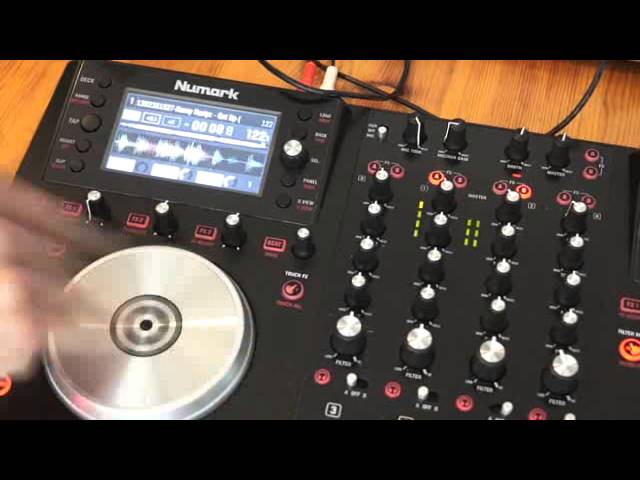
Numark NV Tutorial on How to Use the Touch FX
Contents of the video
0:01 You have in front of you the Newmark NV
Alright ladies and gentlemen, you have in front of you the Newmark NV. This is a demonstration, mainly a tutorial on how to use some of the features correctly. Now we have the touch effects. You'll find the touch effects to the right hand side of the left platter. Right, it has three modes. Off, with the LED shining, and then also with the LED flashing. Let's first of all have a look at the touch effects with it not engaged. So, I'm touching the effects, also touching the EQ, and nothing's happening. What I can do now, I can use the dials for the effects if I want to, turn them around, and nothing happens. On the other hand, if I press effects, select, and now for example use the delay, we get delay. And you can see that by the effects to LED is now lit up.
Press it again, now the effect is disengaged. So no matter what I do with these dials, we will not get any effects. What I'm going to do now is touch the touch effects button once. We'll notice now that that light is on. Now let's have a listen to what happens when I touch the break, the delay, and the reverb. Now you'll notice a couple of things. First of all, the break engaged straight away. But the break was almost instantaneous. Straight away we got that break effect.
1:55 You get more of a break effect
As I move the dial, the break tends to elongate. You get more of a break effect.
Turn it again, you get even more. Turn that down. Now let's look at the delay. Press that, nothing. Press the reverb, nothing. That is because the dials are still set to 7 o'clock. Let's move the dial. Now let's touch the top and we get delay. Turn the effects 3. It's on reverb at the moment. Press the top, not even press sorry. Touch the top and we get the reverb. Alright, one important factor here. If you want to engage your effect at a certain point, a certain position, a certain amount, but you want to engage it straight away, what you need to do is this. You need to make sure the touch effects is off first. Then turn the effect you want up.
And then what you do is you engage the touch effects. Now all you need to do is touch the top of the dial and you can hear, you get that effect.
3:32 You won't just get the pinpoint of the effect that you're looking for
If though, you have the touch effects engaged and then you start to turn the dial, what will happen is you will straight away get the delay or the effect that you want, but you'll get the whole scope of the effect. You won't just get the pinpoint of the effect that you're looking for. So for example if I move the delay, same here with reverb. So to give you an example, we can hear we've got a lot of reverb there. Let's imagine I wanted that amount of reverb for one second in the mix. If I now press touch effects, just touch it sorry again, I beg your pardon, touch it. I get that reverb.
But with touch effects engaged and now I turn the reverb dial, I'm getting reverb all the time until I get to the point where I actually want that amount of reverb. So it's always better to disengage touch effects. First, turn the dial to the required amount of effect you want, press touch effects and then touch the dial.
Again don't press. Alright that's touch effects at the moment with the LED shining. Let's see what happens and listen to what happens should I say when we press it again. It's now flashing. Let's have a look at the EQ, bass, mid and treble. What we can do now is we can use touch effects to kill the frequencies. Bass, mid, treble and all.
That's touching all of them. Bass and treble, just mid, mid and treble, mid and bass. Alright hope that's been a help. The track you're listening to by the way is Mr Kenny Hectic, a track entitled Get Up and this is a demonstration stroke tutorial on the Newmark NV. Practice and enjoy, thank you very much.
This transcript was produced automatically from the audio of the video and may contain mistakes.










