 2:59
Numark NV Tutorial on the Channel Fader Start Function
Contents of the video
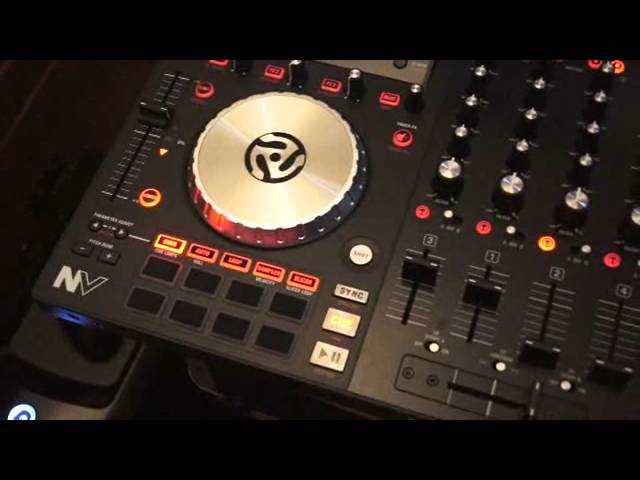
Alright ladies and gentlemen, this is a tutorial on the Newmark NV and in this tutorial I'm going to explain what it's for, where it is and how to use it. It's the channel fader start function. Two switches on the Newmark NV and you'll find them above the crossfade right hand side, channel fader start B, left hand side above the crossfade, channel fader start A. Channel fader start A is for channel 3 and 1, channel fader start B is for channel 2 and 4. One important factor as well is what Newmark have done, they've put these switches completely flush with the Newmark NV. Very important because you can't accidentally engage or disengage the channel fader start. So for example, why do you need it? Well let's imagine you've got a track playing and you want to start two tracks in the mix.
So at some point maybe you want four, maybe you just want three. But with utilising the channel fader start, you can bring two tracks straight into the mix. So as follows, I've also set the switch to the on position and you need to do that to engage channel fader start. The on position on the switch is to the right hand side, the off position is to the left hand side. So with the crossfade over to the opposite side, I'm going to now move the crossfade. And you'll notice... I'm moving the crossfade from the right hand side to the left hand side. Also you'll be able to hear we've got two tracks playing at the same time.
Bring the volumes down, now here's one.
Double 99 rip groove it's the original mix.
Bucky Don Gunn, it's an acapella.
Very important as well, excuse me. If you do want to start the two tracks, you've also got to make sure that the two up faders... ...are up as well. It has been known to happen, one up fader is up and all of a sudden you think... How come I haven't got the two tracks playing? Even though on the software you can see the two tracks are playing. That's because you need to make sure the two up faders are up at the point where you want them to be up... ...to get the optimum level and volume. And then of course once you've set the two up faders exactly where you want them, move the crossfade over and away you go. Ok, I hope that's been a help. This is a demonstration, mainly tutorial on using the channel fader start.
This is the new Mark MV, if you want any more info on this check out the clickable link in the description. Thank you very much, big up Mr Karl Detke in practice and enjoy, thank you.
This transcript was produced automatically from the audio of the video and may contain mistakes.
Related videos
-
Complete Beginner DJ Lessons Tags Key BPM Etc
A more advanced lesson folded in early, and worth doing once rather than putting off, because everything it sets up gets used for years…
-
Complete Beginner DJ Mixing Lessons Video 19 Getting Your Kit Ready for an Easy Mix
A whole lesson on getting ready, which is the right call - the exercise in the next video only teaches anything if the two decks are…











