 2:58
Pacemaker Tutorial, How to do a reverse loop.
Contents of the video
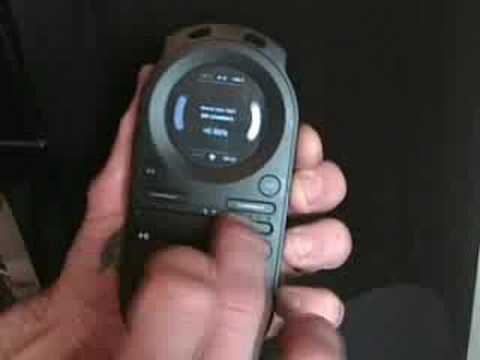
Alright folks, this video is in two parts. First part is hopefully a question answered for a guy out there by the name of DJ Theory. He wants to know, hopefully I've got this correct, he wants to know can you use the crossfade and mix in another track while one track is going in reverse mode? Yes you can, and I'll show you exactly how you do that. First of all, the two tracks I'm using is Move Too Fast by The Bit Crushers, that's on the right hand deck, and then on the left hand deck we've got The Mole People, Break Night, it's the album version. So we'll play that track first. So we're on the left hand deck, let's press play pause and we've got that track. First of all we need to get this track into reverse mode. There's the trigger, press up on the trigger and then press the play pause button while the trigger is up. Take your finger off that, now we've got that track in reverse mode. Go to the second deck which is Move Too Fast by The Bit Crushers
Bearing in mind, I haven't got any headphones on, so hopefully I'll be able to get a beatmatch for you. Press play pause, in beat, there you go. Move the crossfade over, the right hand deck, move two fast bit crushers across, there's the other track. Second part, just pause that, second part to this video now is to show you how to do a reverse loop. So what we'll do, we're going to be using the track called Break of Night by The Mole People. Let's press play. Get it back into forward motion. I did that by pressing up on the trigger and then press play pause again. What we need to do to get a loop, press up on the trigger, then we've got two buttons here to the right and left of the top screen. Press the button on the left hand side to start the loop. Press the button on the right to finish it. Okay, we've got a loop. It's not the best of loops, this is a demonstration. Then to reverse that loop, press up on the trigger and press play pause.
Now we've reversed that loop. That's how you get a reverse loop. To get out of the reverse loop, up on the trigger, press play pause again. We've still got the loop and then to get out of the loop, press up on the trigger and press the cue button to the right hand side of the bottom part of the crossfade. And now we're out of that loop and back into the original track playing forward as it should be. Hope that's been a help. Practice and enjoy.
This transcript was produced automatically from the audio of the video and may contain mistakes.










