 5:44
PACEMAKER Tutorial, How to mix a track, step by step.
Contents of the video
0:00 In this video I'm going to show you how to do a mix
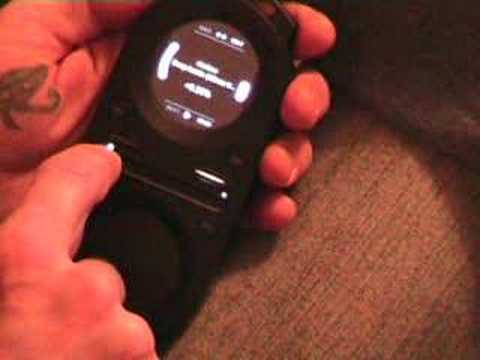
Alright folks, in this video I'm going to show you how to do a mix. I'm going to try and mix it but more importantly this video is going to show you how you can mix a track. Bearing in mind I'm going to be talking through it so the actual beatmix itself could be slightly off. Anyway, this guy here is the pacemaker. At the moment I've got a track playing on this deck. If I press pause, play pause like that, we can actually pause the track. If I press the cue... Guess what? We're cued it. We've cued it. Okay, because this light's shining here on this side, I'm now in control, or all the controls are in control on this side. And the track I'm playing at the moment is Take It. It's by Enzyme Black. What I'm going to do is I'm going to mix in another track on this side over here. So we'll carry on playing this track here. At the moment we've got a light shining here. If I don't touch the trigger at all and move across...
That basically is the crossfade, so I can go from the right side through to the left side. And because there's nothing playing on the right side, logically we're not going to hear anything. Now I've got my headphones on as well and I've got this plugged in to the auxiliary input or sometimes known as the line input in the hi-fi as well. And I've got it plugged in from the line out underneath here and then I've got my headphones into the headphone out. So we'll put the crossfade back over. What I need to do now is I need to make sure that my headphones are plugged in ready for this side. So as you can see there, we're on that side over there. If you can have a look, that's shining. So if I bring the trigger down, I'm now in control of the headphones. So if I move this across, I can now hear through the headphones what's actually playing through the speakers.
2:04 What I'm going to do In beat, I'm going to press play
Now I can't hear anything, so in other words, I've got the headphones back onto this side. So now I'm going to mix a track in on this side, so let's press get 2. The track I'm going to mix in is Hard Drive, a track entitled Deep Inside. So I can cue it now, so I can hear deep inside, I can hear that. As soon as I take my finger off the cue, it goes right back to the beginning of the track. So what I'm going to do In beat, I'm going to press play. Two, three, four. Now I can hear that on the headphones. Now watch what happens when I move the crossfade over. Now we're on that deck. Bring it back over. So you're listening now to hard drive through the headphones. If I wanted to listen to this side now, to the original track, I'd press the first deck
3:50 By moving the crossfade over again, without touching the trigger, have
I'd have to move the headphones over that side. So, trigger, down and then crossfade over. Now I can hear through the headphones this track here but you can't hear it because you can only hear that side because we've moved the crossfade over onto this side. But I've actually moved the headphones back over to the original track. I can go back to the original track if I want to By moving the crossfade over again, without touching the trigger, have a listen. Now it's offbeat slightly. If I want to get this back into beat, this deck here, flip the trigger up, bottom circle, move my finger clockwise to speed it up, anti-clockwise to slow it down. Crossfade back over. Now what I'm going to do, I'm going to do a bit of a loop. So, thumb on the trigger.
I'm just going to go back over to this deck now, because I don't need to hear that one. That original track I started with is finished. So we're on hard drive. That deck's ready. So we're going to loop that side. Finger on the trigger, press upwards and then we've got a button just below the area there on the right and on the left. I'm going to press the one on the left in beat. One, two, three, four, one. And then the other one on the right hand side Alright, it's slightly off, but it's all about practice. I've looped. If I want to take it out of the loop, finger on the trigger, press this button here that's shining just to the right of the bottom circle. Have a listen. I'm now out of that loop. Alright, small insight into this guy here. It's known as the pacemaker. It's not here to change the world, but I'll tell you what, it will definitely take DJing on the road. Practice and enjoy.
This transcript was produced automatically from the audio of the video and may contain mistakes.











