 7:46
Pioneer DDJ-1000 Use the Mixer Like the DJM-900NX Effects with Vinyl
Contents of the video
0:00 It's a real vinyl turntable
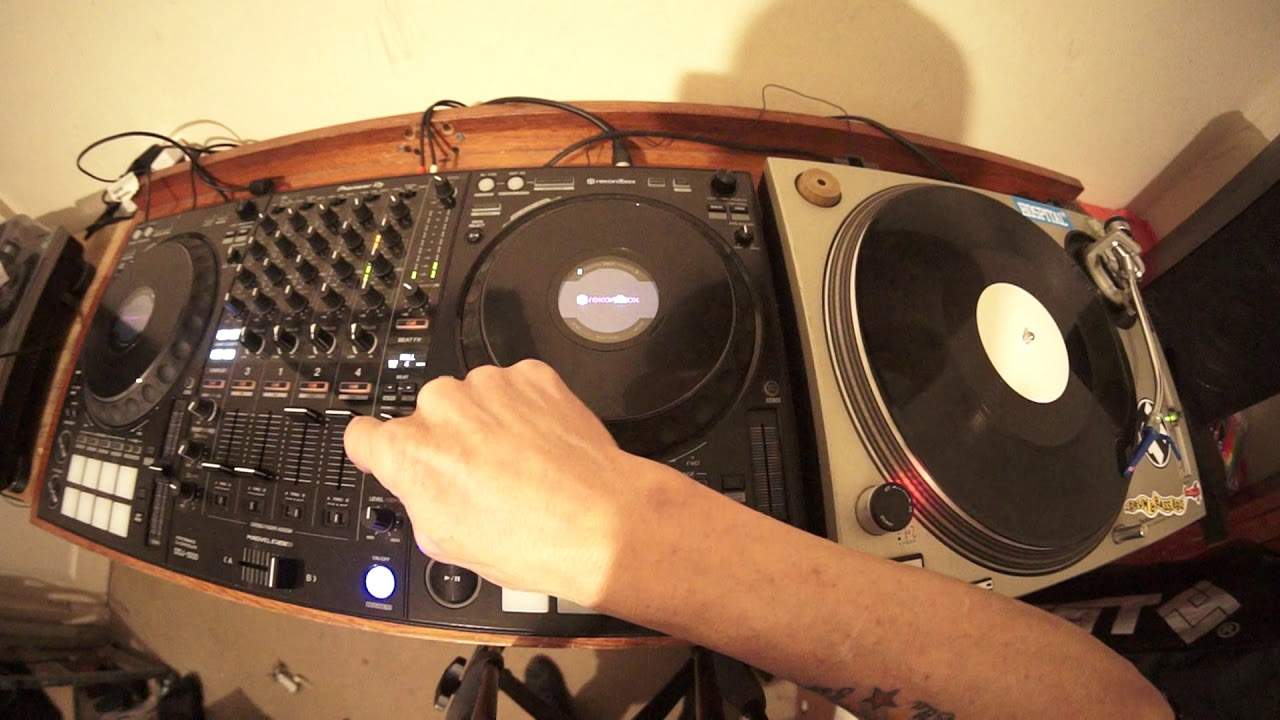
Right, I'm going to tell you something now that not a lot of people know about. Now first of all we have the DDJ-1000 from Pioneer and on the right hand side we have the original SL1200 numero 2. It's a real vinyl turntable. First of all let me tell you something about the DDJ-1000. Now let's imagine you've got your controller, you've got your laptop plugged in, you're quite happy, all of a sudden your laptop stops working, you're pretty much stuffed. DDJ-1000, you can plug in two laptops. So for example, you can be working off laptop A, have laptop B as backup. Alternatively, you and a mate can be having a bit of a back to back set. You for example can be on the first channels, two channels which is 3 and
1, and your mate can be on 2 and 4. Alternatively, you can change swap channels because above each of the faders right at the top above the trims, should I say sorry, you have the option of going up and down. So you can switch, great feature. Also what you can do is you can at the same time and again even if you do have two laptops plugged in, you can also plug in some vinyl turntables. So for example on channel 3 and 4 which are the outside channels, at the back you have one RCA input with a switch. So for example on channel 3 which is on the left hand side, you've got a switch that's going from USB A or B so you can switch. Great feature. Also what you can do is you can at the same time and again even if you do have two laptops plugged in, you can also plug
In some vinyl turntables. So for example on channel 3 which is on the left hand side, you could plug in a vinyl turntable, flick the switch at the back to go from line to phono and you can use that for vinyl turntable. Alternatively, you can plug in a CD player, switch the switch to line-in and you've got line-in for your CD player. The centre 2, 1 and 2 are just for line-in so for example you could say this is the great thing about the DDJ-1000, you can mix and match. So for example you could have your laptop in channel 1 and 2, you could have for example an external CD player on channel 3 and 1 which is the left hand side. I know it's a bit strange but you've got from far left to right, channel 3 then 1 then
2:32 Total depth to 12 o'clock and I have the effects dial set to roll
2 then 4. So channel 3 and 1 could be your laptop, channel 2 could be your CD player, channel 4 which is what I've done right now. So that's the vinyl turntable but I'm going to show you something now about the roll feature. Again I'm only going to play a tiny bit of this track due to copyright reasons and it doesn't really matter because I'm only going to be pretty much using one bar. So what I'm doing now, I've got the vinyl turntable plugged into channel number 4, I have got this dial here for the effects set to channel 4. Total depth to 12 o'clock and I have the effects dial set to roll. So all I'm going to do now is engage the effect for just one beat, ok? So as soon as I start the effect we'll have a roll of 1 beat.
Now notice I've now got channel 2 which is next to channel 1, the fader is all the way up as well so again I'm going to explain, demonstrate. And also just sort of explain why I've got channel 2 at the same time. So press play, ok there. Now we can hear the 1 beat roll. Now if I want to, if I press the arrow facing to the right I can increase that to 2 beats, again 4 beats. But watch what happens now when I flick this switch from 4 to 2. Ok, what I've done now is I've now moved that roll effect to the other channel. Which means, now if you have a listen, I can now overdub the vinyl onto that roll that I've transferred from channel 4 to channel number 2. So why would you want to do something like this? Let's imagine you have got a great house track.
5:10 Every time you press the arrow to the left, you will of course halve
Something like this with a nice steady 4-4 intro. But you want to mix in a different track on vinyl and you've only got one vinyl turntable. Well then just again, you've got to look at this video and expand in your own mind but then you take the 1 track, you form a roll of maybe 1 beat or you could even go to 1 bar which I've done which is 4 beats or 2 bars which is 8. So of course every time you press the arrow facing to the right. You will double. Every time you press the arrow to the left, you will of course halve. So it'll go from 4 to 2 to 1 to half, quarter, eighth and so on. There. So in other words, you can now start to bring in another track again so I'm going to just start the track off. Now again, I'm not really bothered about if you can hear it coming in in a strange manner.
Ok. That's the idea. So just to elaborate one more time, you have 1 vinyl turntable. You will then set the middle dial here to the appropriate channel that you have the turntable or for that matter, the CD player set 2. You will then start your effect. Make sure you have the correct time signature you want and then with the other channel up. Bearing in mind. Bearing in mind. You will need to have the other channel up to flick from one straight to the other and it doesn't have to be channel 2. It could be for example, channel 1. So even while I've got it on channel 2, I can flick over now and there you go. It's now on channel 1. If I want to, I can go to channel 3. There. So I don't have to flick it to the next channel.
It can go to any channel. So what that means. Is if you do have already something plugged into 2 and 1 in the middle, you can flick to 3. If you've got something in 3 and 1, you can go to 2 alright? So it's just a little bit of a quirky feature with the DDJ-1000 and you can also do this with the 900. Now I'm not 100% sure but I'm pretty certain that this is the first controller that you can actually do. Very similar tricks with the club standard 900 mixer and I believe the 850 and so on alright? So I hope that's been a help and there will be links in the description to the DDJ-1000. Practice and enjoy. Thank you very much.
This transcript was produced automatically from the audio of the video and may contain mistakes.










