 3:01
Pioneer DDJ--RB and rekordbox for the New Beginner DJ Pad FX1
Contents of the video
0:00 In this video we're looking at the Pioneer DDJ-RB
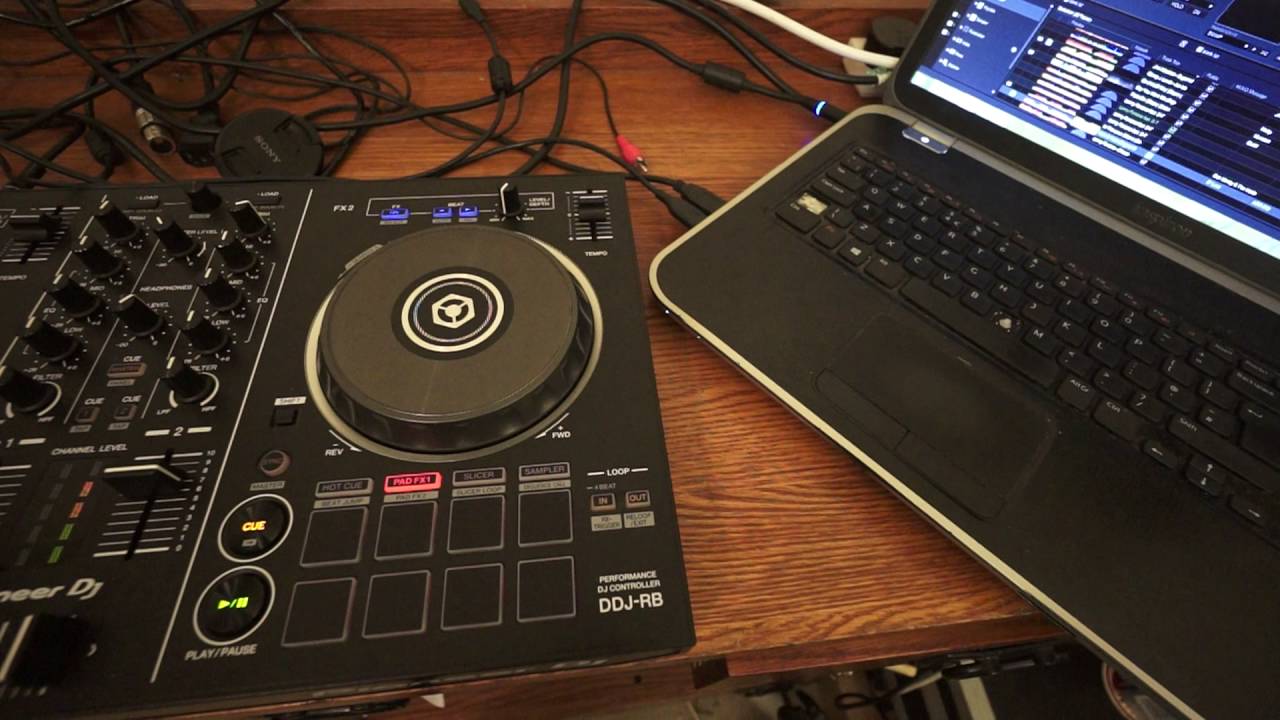
Right guys, in this video we're looking at the Pioneer DDJ-RB. It's Pioneer's, at the moment, 2016 entry level controller. If you want any more information on the DDJ-RB then check out the link in the description. It'll take you to a website called Get In The Mix. It's based in Colchester and the United Kingdom. In this video, first of all, we're playing a track from Karmic Power Records entitled Yeah and Yeah. It's by Deluxe and it's KPR-075. So there'll be a link in the description to Get In The Mix and also Karmic Power Records. Okay, so what we're looking at now is the pad effects. Now again, the DDJ-RB, at the moment, is their entry level controller. But by all means, that does not mean to say that it's cheap and cheerful with no sound.
0:56 We've got pad effects
Not many features. It is jam-packed with features. So, just have a listen. Okay, so what are we doing? We've got pad effects. We have under each of the platters eight pads. The four at the bottom will give us our effects. Now, at the moment, the DDJ-RB is being used with software known as Rekordbox, which is the standard software from Pioneer. Now, we're going to have a look at the laptop. Let's just have a little... bit of a zoom in. Okay, so on the right-hand side, we have a turntable here. We can see that small circle and that corresponds to the circle on the right-hand side of the RB. The left one, of course, is the left-hand side. Now also, to the right of that, we can see now highlighted pad effects.
2:00 Crush, trans and echo
We have pitch, crush, trans and echo. So if we listen... Pitch... Pitch... crush, trans and echo. Now that is the moment in the software set into two layers. So if I click on the icon number one below the third from left pad, we can now change to new effects. Slip roll, delay, robot and backspin. So on the right-hand side now, the far right... if we just zoom now again to the RB. Spin back, robot, delay and slip roll. Alright, now in a future video I'll show you how you can change the effects. Once again though, we're looking at the Pioneer DDJ-RB. Check out the links in the description to get in the mix and also Karmic Power Rekords. Thank you very much. Practice and enjoy. Nice one!
This transcript was produced automatically from the audio of the video and may contain mistakes.










