 8:33
Pioneer DJ DDJ-400 Mixing Tutorial for the Beginner DJ
Contents of the video
0:00 We've got the rekordbox software
Right, we've got the rekordbox software. Again, I can't emphasise this enough. Two virtual circles there and tempo range. Now, it's really important, especially if you're a beginner, to make sure you're at plus or minus 6% or 10, anything above that and it's going to be very difficult to beatmatch, especially if you're using a controller with a small pitch because it means you've got limited space to move. So, let me just bring the camera down here. This is the DDJ-400 and I'm going to just give you a couple of real simple ways of learning how to beatmatch. So, press play. Can you hear that sound? OK, alright, so I'm going to explain now in great detail what was going on. Any noise in the background? My mate, well, my mate, he is my mate actually, my little boy's got a friend around.
OK, so, the tune I'm using is Holla Lenny Fontana. I've got the same track both sides cued up at the same place and I'm letting one play, starting the other one. Now, because it's the same track, it's a mirror image on both sides. If I start the second or should I, when I say first track and second track, of course it's the same song, but when I'm saying, calling it the second track, it's just what I mean is that I'm starting the second track, as in the second piece of audio that you can hear. Now, if I don't press it exactly on the one and you get an echo then, of course, I haven't started it in beat and it will stay like that because they're both the same speed and if I press the play slightly before the beat, it will always be before the beat if I press the play.
2:49 Phasing sound
If I press the play slightly after the beat, it's always going to be after the beat. So, the way to get it in beat is then to move the pitch. Now with the 400 you have, like the old Technics, there's a little click in the centre so that is your port of call because you should have the other deck in the centre position so if they're both in the centre, same file, then, of course, it should play the same. If you do start it slightly offbeat, it's up to you to move the pitch to get it back in beat. So, there's a lot you should be listening for. The echo, does the echo increase? Does it decrease? Ideally, you want it to decrease so you get that phasing sound and I'll demonstrate the phasing sound now. There it is.
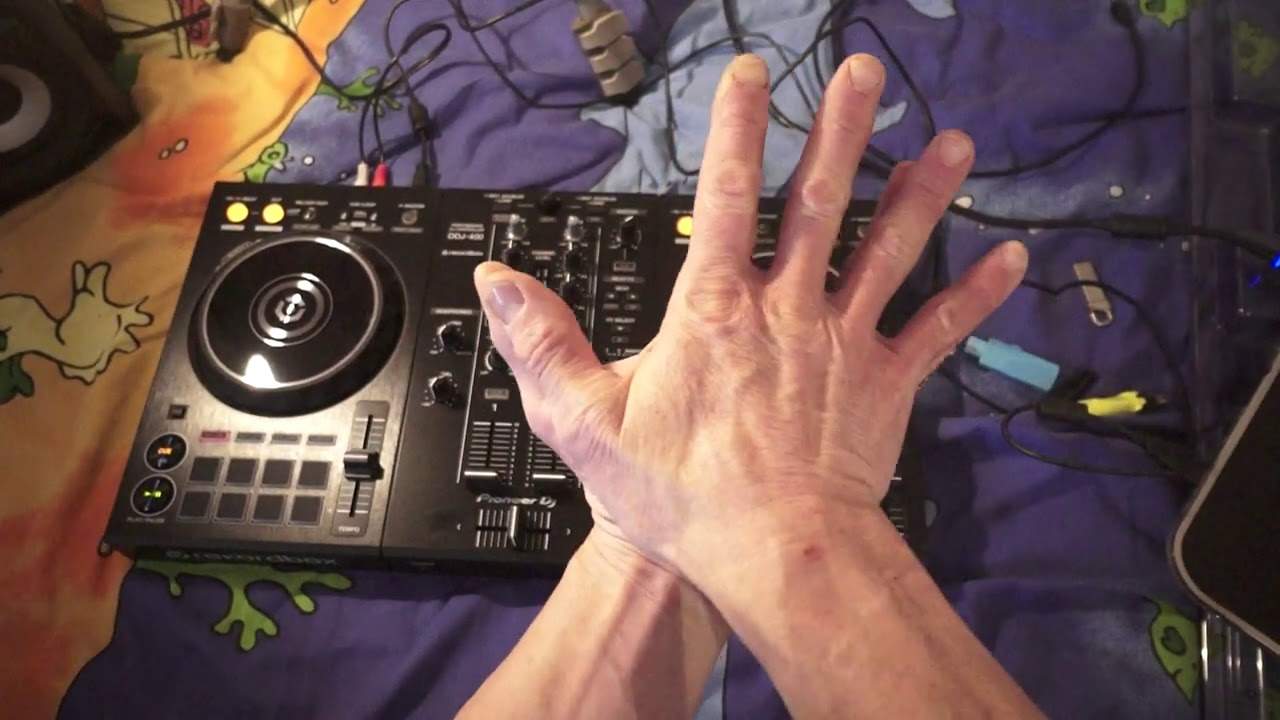
And we can change the frequency of that phasing sound just by me moving the jog wheel on one of the decks very slightly. So if I was to give you a visual analogy, it's a little bit like having your two hands over each other. You can see one hand is completely covering the other one. Whereas if I just move my fingers very slightly, we can start to see the fingers on the other hand. So what I was doing there with the jog wheel is almost like moving my hand, the top one, just slightly to the right and to the left or for that matter, the bottom one slightly to the right and to the left, okay? So that's all I'm doing. So what I'm going to do now is press play. Oh, I've already got play on that side anyway.
Cue up the right-hand deck. I'm going to press play on the right-hand deck. There's our echo. Move the pitch. Echo going. There's our phasing sound. Now I can start messing around with both pitches, getting an echo, getting back into the phasing sound. You'll notice both pitches, both phasers are up. Also use the jog wheel. The difference again with using the jog wheel instead of the pitch is that if you know that they are indeed the same BPM, the same track, then in a way, some of you may already been saying this while you're watching the beginning of this video. No need to use the pitch. Just jog it up. Well, of course, you can do that. You can use the jog wheel. But the idea is to get used to using the pitch and feeling how the pitch works, okay?
5:41 I'm moving the jog wheel clockwise
Alternatively, again, you can just use a jog wheel. So let's demonstrate there. Press play on the other side. Can you hear that's off? Echo is reducing while I'm moving the jog wheel clock. So I'm moving the jog wheel clockwise. She tells me that when I started the right hand side, it was behind the beat because clockwise is bringing forward. It's a little bit like putting your foot on the throttle of a car. You're going forward instead of anti-clockwise putting your foot on the brake. Listen now this one is going behind. All right? It's lagging. Anti-clockwise. It's getting in beat. Okay, try something like this. Start that one. Cue up the other side and repeat the process on the other side. Cue that and so on.
Now most files when you load them will start on the one hazard. I wouldn't say hazard. I wouldn't really like to say what percentage will start on the one. But generally dance tracks will boom on the one. On the occasion, you will get tracks that will start on the two, the three, the four, maybe there could be a float introduction or some female male vocals and then boom it comes in. So really you need to for something like this or practice make sure you've got a track that starts boom on the one listen there both start on the one and then it's up to you to make sure you get it in beat by using jog wheel or pitch. And again, like I said earlier, try and make sure you're at plus and minus six or ten percent.
All right? That's important, especially if you're mixing BPMs that are very close together. If on the other hand, you want to call some weird wacky effect, then by all means go to wide. So I'm going to on the right hand deck now. I'm just going to click inside that circle where my green icon is. And I'm now on the wide feature. Now listen to the difference. See? Trying to beat match like this now. It's not impossible. But it's very difficult. All right, hope that's been a help. Don't forget link in the description to Karmic Power Records practice and enjoy. Thank you.
This transcript was produced automatically from the audio of the video and may contain mistakes.











