 4:52
Pioneer DJM-5000 ZONE Explained
Contents of the video
0:00 Now in this video we're looking at the Pioneer DJM5000 mixer
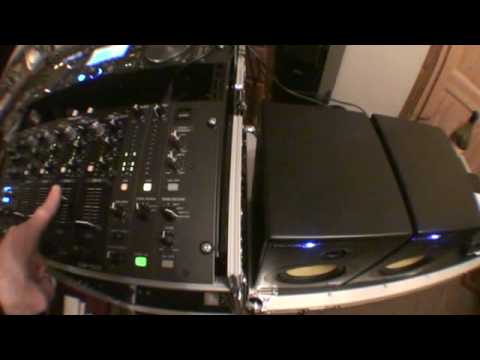
Right guys, now in this video we're looking at the Pioneer DJM5000 mixer. Now I have looked at this particular feature in the past but what I'm going to try and do is give you an overall idea. Two speakers, one, two and this area here. Now first of all, this is quite important, this speaker here is for the master volume which is this guy. This speaker here is for the zone which is this one here. Now first of all, I want to try and explain as easy as possible what's happening. Now let's imagine this is the main PA. In other words, you've got your mixer, you've got your master output, and you've got one, two rather large speakers either side of you. Now let's imagine that this is a completely separate entity. What I want you to try and imagine is this mixer is two mixers.
1:32 We can't hear anything, can we?
This guy, and let's imagine we've got another speaker over this side. And then all of a sudden we've got this same mixer that's got another internal mixer built inside of it for this speaker over here. Right, I can show you that quite easily. Now, you'll notice here a volume and you'll notice this one. Now, first of all, I'm going to put this guy up here. Let's press play. What I'm going to do now is leave the volume down on this one and press play. We can't hear anything, can we? Now notice the volume's down. I'm going to bring the volume down here, but what I'm going to do is I'm going to turn the volume up here. Now in a sense, what we've got is we've now got a separate mixer inside a mixer. What I've done is I've got this dial here, zone assign, and I've assigned that to channel 3 where the music's coming through from here.
Now what's happening is that music is coming through the main PA, bring it down, turn zone up and it's coming through that almost like the equivalent of an internal mixer inside this guy. Now what I could do is bring that down, I can change this guy from channel 3 to channel 2. Now let's have a listen. Bring channel 2 up on the main PA. What is happening? Or more importantly, how can we use this? Right, let's say for example, we're playing this guy here through the main PA. And all of a sudden, let's say for example, there's a whole bunch of people going outside who want to listen to cocktail music. In other words, they don't want to listen to the main PA, they want to listen to some slow classical tracks.
3:38 What we can do then is as normal you plug your microphone in
3 or 4, bearing in mind you're already playing channel 2, and you can put a new CD in, and then just assign that channel to here, to the zone, turn the volume up, bearing in mind that was on channel 2, channel 3, and that was the music we were listening to originally through the zone. Now also we can take that next step further. Let's say for example we are playing music, this one here. Through the main PA, but what we need to do is we need to talk to the crowd outside. But we don't want to disturb the crowd that's dancing in the main room with these speakers. What we can do then is as normal you plug your microphone in. I can switch this over to microphone and now I can actually use the microphone and talk to the crowd outside and not interfere with the crowd inside.
Alternatively, if I wanted to, I could flip that to master and then guess what? We've got basically the music that's playing on the main speakers is now playing outside as well. It's sort of a bit confusing but in a sense, if you think about it logically, it is quite logical. So that's what this mixer can do. DJ mixer, a mobile DJ mixer to the next level whereby you can have one say form of music playing in one room and you can play something completely different in another room. Alright, I hope that's been a help. Practice and enjoy.
This transcript was produced automatically from the audio of the video and may contain mistakes.











