 3:42
Pioneer DJM-700, Using the roll feature and cdj-800mk2
Contents of the video
0:00 Great effect using the frequency dial
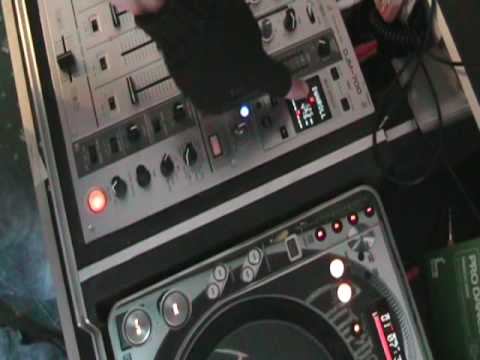
Alright folks, another video on the DJM700 mixer. Now in this video I'm going to show you a great effect using the frequency dial and let's say you could put this in at the beginning of your set. Now what I like about this is you can really get that dial and go wing, wing, wing! Or you can do wong, wong, wong! Or wing, wong, wong, wing, wing, wong! That's exactly what I mean. Alright, so I'll pause the camera and we'll have a closer look. Right, first of all I'm going to try and explain exactly what's going on. This guy here is the CDJ 800 Mark II and I'm going to be using this one here, this button up here. When I press that I'll just get a loop of one beat. Let's have a quick listen. Right, I'm going to press Q again. The loop's still there so I need to press re-loop exit to get out of that. Alright, so I'm going to be using that. Also, I'm going to be using the out adjust, I'm going to be using the jog wheel and a load of buttony and thingy bobs here as well. Right, I'll explain.
1:29 First of all, press number one
This guy here starts and stops the actual effects. I've got the level depth set to maximum, I'm going to leave the time, I've got this dial here set to number 3 because that is the channel where the music is going into and I need to set this to the relevant channel enabling me to have that channel for the appropriate effect. Now I'm going to be using the down roll. You can see on the screen down roll. I'm going to make sure that that red icon is in the centre position. So here goes, this is what you need to do. First of all, press number one. First beat. Doesn't sound much, it's just a beat. Nothing to it at all. Let's press out adjust. Now I'm going to move the jog wheel of the turntable, you can see it just off camera, anti-clockwise. Can you hear it's getting smaller and smaller? Reducing, reducing. Now I'm going to press this button here. Right, check this out. Using the frequency.
While you're messing around, you can start to bring the track in. Now this, in a sense, is a bit of a tutorial, a bit of a demonstration, but if you practice a little bit more, you can get it a lot better than I can. But it's all about messing around and having a bit of fun. Now I hope that's been fun. If you have got that piece of kit, then give it a go and why don't you do a video response and bung yours underneath and hopefully it'll be a lot better than that. Practice and enjoy. Thank you.
This transcript was produced automatically from the audio of the video and may contain mistakes.










