 5:25
Headphones and cue on a club mixer
On YouTube this video is called Pioneer DJM900 NEXUS Tutorial 3. Headphone's and cue
What this lesson teaches
A short, methodical lesson on the headphone section, and it is really a fault-finding sequence.
The three requirements
For sound in your headphones you need all of:
1. The headphones plugged in, usually a quarter-inch jack into the socket marked phones. 2. Cue pressed on the channel you want to hear. Nothing else routes a channel to the headphones. 3. The headphone level turned up, which is the dial just above the socket.
He demonstrates each failure in turn, which is the right way to teach it - you learn the chain by seeing it broken at each link.
The fourth thing, which is the useful one
Here is the diagnostic worth keeping.
If you have done all three and still hear nothing, look at the channel's meter. If no LEDs are lit at all, the trim is at zero.
The reason is that the headphone feed is taken from the channel after the trim. The trim is the first control in the signal path, so with it closed there is nothing in that channel for anything downstream to listen to - the cue included.
So: no LEDs means no signal, and no signal means the problem is upstream of everything else you have been checking.
Cueing more than one channel
Press cue on two channels and you hear both, mixed together in your headphones. Which is how you compare two tracks before either of them is audible to the room.
The detail he adds matters: the relative loudness of those two in your headphones is set by their trims. If one channel's trim is higher than the other's, that track will dominate your cue - and you will mis-judge the balance.
Which is one more reason to set the trims so both channels read the same on their meters. It is not only about what leaves the mixer; it is about what you hear while deciding.
And the volume warning
He repeats it and it bears repeating. Small drivers very close to your ears can do real damage at levels that do not feel extreme, and the headphone level control is the easiest knob on the mixer to creep upwards over a long night.
Contents of the video
0:00 Phones, also known as headphone socket
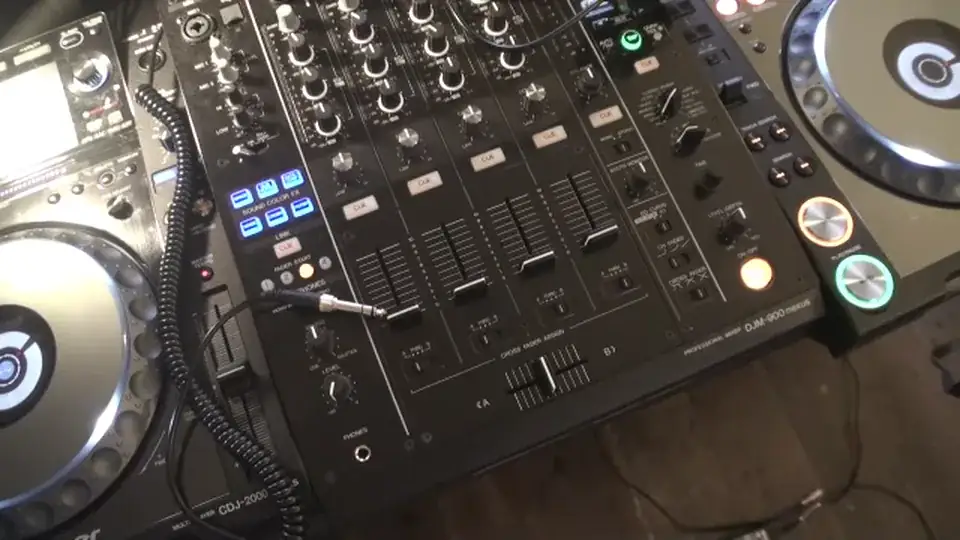
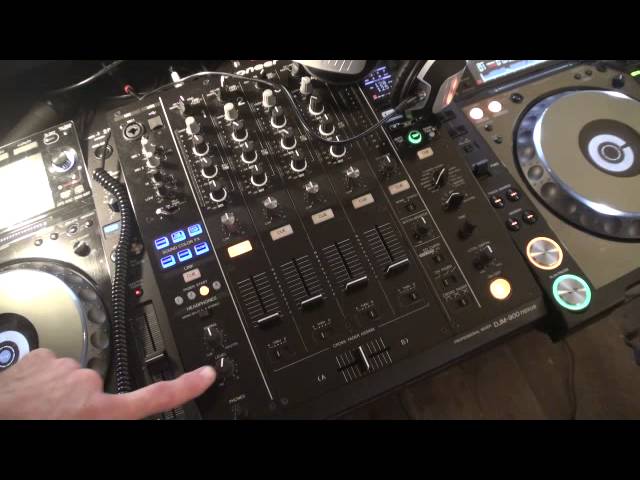
Alright guys, tutorial number 3 on the DJM-900 Nexus Mixer from Pioneer. In tutorial number 3 we're going to look at the phones, also known as headphone socket, and the level control for the headphones, also known as the volume control. You'll need a quarter inch jack, make sure that's connected to your headphones, and you'll need to plug that in to the phones socket, which is situated bottom left hand corner of the 900 mixer. I have at the moment got this CD player plugged into channel 1, and the track I'm going to be using is called Higher by Deception. I'm going to press play on the player, we can see straight away the LEDs shining on channel 1. We still can't hear anything, that's because I have not pressed the Q button here on that channel.
We press that, and we still can't hear anything, that is because I have not turned the level up yet here. The level is found just above where I've put the headphones into, so I need to now start to move the level volume clockwise. We can now start to hear the track, and we're listening to the track, via the headphones. The more I turn the level volume clockwise, the louder that volume will get. The more I turn that volume anti-clockwise, the quieter that volume will get. An important factor with using the headphones.
1:46 At the top of that channel we have the trim dial
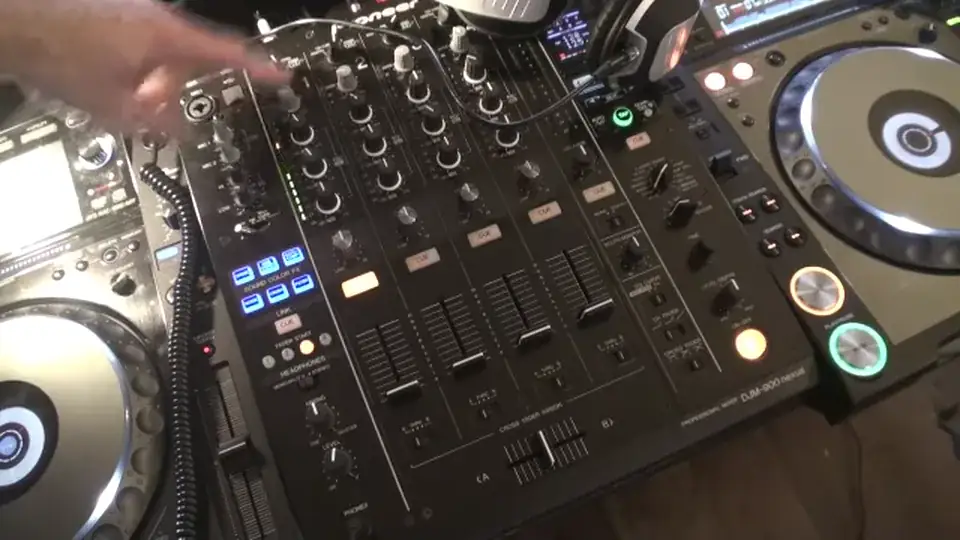
At the top of that channel we have the trim dial. If I reduce the trim dial, turn that anti-clockwise, not only can you see the LEDs, starting to stop flashing as much, but we can also hear the volume is going down. So if you have the Q button pressed and shining, you have the level volume up, you have your headphone socket plugged in, and your headphones ready to go, and you don't hear anything, also you do not have any LEDs shining on the channel, at which the signal is coming in from your player, or your music source into that channel, then it is highly likely, the reason you don't have any sound, is because the trim volume is set to zero. You need, or should I say to seven o'clock, which is zero. You need to make sure the trim is set and moved clockwise,
3:37 Channel turn, turn decrease, headphones channel
Giving you volume. At any time, I can press the Q button on that channel, and stop the volume coming through the headphones. If I have another music source in channel two, and another one in channel three, and another one in channel four, I can at any given time, press the relevant Q button below the channels, and I can in turn hear those channels. Also, if I wanted to hear two channels at the same time, I can press Q on channel one. If for example, I have music coming through channel two, I could also press channel two. At this point, if there was music coming in through channel two, I would be able to hear at the same volume as has been set by my level, and also to make sure I have the same volume through the headphones,
If I set the trim at the same level, also, if I have the LEDs tapping at the same amount, then I will hear the same amount of audio through the headphones on channel one and channel two. If I turn the trim down on either channel one, channel two sorry here, or channel one, I will in turn decrease that given channel and in turn decrease the volume coming through my headphones on that channel. I can do exactly the same with one, two, three and four or four and one or four and three and so on. That's entirely up to you. The most important feature though about the level control here is to be very wary on how much you turn it up because even though you're listening to music through small speakers on your headphones, you still can damage your ears
With the headphones right next to your ears and the music being very loud right next to your ear. Very important to watch levels. A small tutorial here, tutorial number three on level control and the headphone input on the DJM-900 Mixer. Practice and enjoy. Thank you.
This transcript was produced automatically from the audio of the video and may contain mistakes.
This video is part of
Related videos
-
Complete Beginner DJ Lessons Tags Key BPM Etc
A more advanced lesson folded in early, and worth doing once rather than putting off, because everything it sets up gets used for years…
-
Complete Beginner DJ Mixing Lessons Video 19 Getting Your Kit Ready for an Easy Mix
A whole lesson on getting ready, which is the right call - the exercise in the next video only teaches anything if the two decks are…











