 3:02
Pioneer DJM900 NEXUS. Tutorial 7. Effects Dial and Effects asign Dial
Contents of the video
0:01 How you can assign an effect
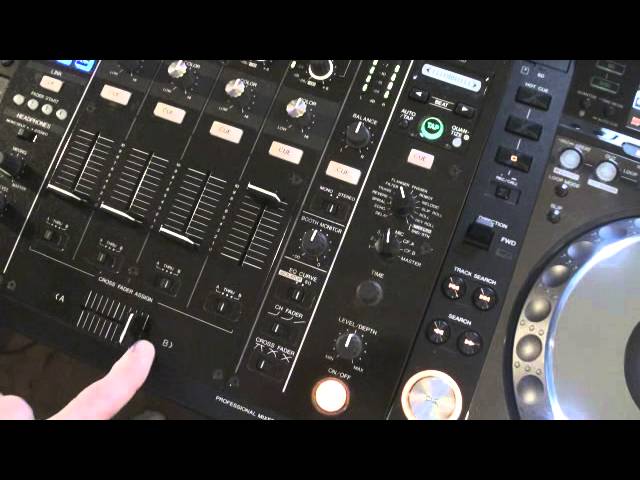
Alright guys, tutorial number 7 on the DJM-900 Nexus from Pioneer. In tutorial number 7 I'm going to show you how you can assign an effect to a channel. On the left hand side of the mixer around about the centre position we have these two dials. The first one we can see here on the left hand side of the dial around about the 7.30, 8 o'clock position we have a number 1 followed by 2, 3, For as we move this dial clockwise, we have mic then, we have CFA which is short for crossfader A position, CFB which is short for crossfader B position and then master. Above that we have the effects dial. We have delay at 7 o'clock followed by echo, spiral, reverb, trans filter, flanger, What I'm going to do now, I'm going to set both of the dials to the original point like so. What we need to do is for example if we want to form an effect on channel 4
2:06 Channel channel
What I will do, I will move this dial to number 4. And then if I want an effect on channel 4, I can then move this dial in accordance with the effect I want. For example, filter. If for example I want to set the effect onto the crossfade, I want to set the effect so I will only have the effect on the B side of the crossfade. Now I can use the effect and I will only have the effect on this side. So for example, if I had channel 3 and 4 up, I could have the effect on these two channels at the same time just so long as we are in the B position on channel 3 and 4. Alternatively, if I move the switch to CFA and I have channel 1 and channel 2 up, Make sure that I've got channel 1 and 2 on the A position. If I move the crossfade over to the A position, now I will only have that effect on 1 and 2 and not on 3 and 4. Also you need to make sure as well that whatever effect is set on this dial, that is the effect you will have in relation to how you've set this dial here. Hope that's been a help. Practice and enjoy.
This transcript was produced automatically from the audio of the video and may contain mistakes.










