 7:17
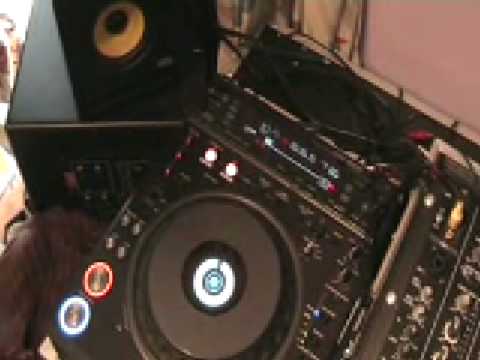
Pioneer DVJ-1000, Using Cue points, 4 beat loop in the mix.
Contents of the video
0:00 In other words, one, two, three, four, one bar
Alright folks, in this video, it's a bit of a demonstration, tutorial, you can take it how you want really, but we're going to use a set of the DDJ-1000s. Now these guys, what we can actually do by pressing one button, we can form a four beat loop. In other words, one, two, three, four, one bar. What I'm going to do, now I'm going to give you a bit of a demonstration, but you can do this on the fly. Now I haven't got any headphones, I may stop and start the music, but you can do this Live in the mix, and I'll explain exactly how. So first of all as well, very important, track one over here, track two, track three. So look in the description and you'll get the names of the tracks. Pause the camera and we'll have a look at this guy over here. Cats are having mad ones, yes. Right, here we go. What we're going to do is we're going to use the hot cues, OK? Now basically what I'm going to do is I've got this track playing.
I'm going to sample a part of the music from this track, then I'm going to mix in that track over there. Then what I'm going to do, I'm going to mix in a third track here. But while that track's playing, I'm going to take a cue point from the third track. Then when I mix in the third track, I can then go back to the original loop that I've recorded on the hot cues and I can go from the loop To the third track, loop to the third track while the second track's playing and also while we're in the mix. Now it'll be as clear as mud very shortly. First of all let's play the track. This is track number one. Right what we need to do is go to record mode. This guy here, four beat, I'm going to hit that, we'll get a loop. Three, four.
If there's a call for this, if there's a call for this, I've got a loop. What I can do now is I can set that on here, on the hot cue. If there's a call for this, if there's a call for this, two, three, four. If there's a call for this, if there's a call for this, now I've set that in a loop on hot cue A. If there's a call for this, if there's a call for this, to get out of that, all I'm going to do is press re-loop exit. I don't need it. Now if you imagine... We're in the mix, so you can do this during the mix. Okay, now let's say for example now, this track is happily playing away. What I'm going to do, I'm just going to zip through this track to the latter part at the end of this track, so I can mix in the next song. Just letting you listen to a little bit more of this track. The three tracks are from this LP, Headcandy's Disco Heaven.
2:57 Track 7 he
Okay, let's fast forward it a bit more. Second track now. Now what I'm about to do, you would normally do on the headphones. So, let's just move the camera back over here. Now imagine second track playing. We can now do this on the headphones, so that's playing quite happily. Now let's imagine all of a sudden now, volume up, but we're doing this on the headphones. I'm now going to go to track 7 here. Let's press play. A cue point. Now let's say for example as well, I wanted to set a cue point before that one. Now logically, because the other track over there is playing and I'm doing this on the headphones, I can set cue points anywhere. So I'm going to go back and start it off at the beginning again. 4, 1, 2, 1, 2, 3, 4, 1, 2, 3, 4. Okay, now what I've done now, I've got...
5:04 Let's have a listen to the loop
Two cue points on this guy and I've got a loop from the first track. Let's have a listen to the loop. Alright, now hopefully you'll get the general idea. So let's cue that one up right back to the beginning. Right, now let's go over to this guy here, turn this one up. Remember, all the time this one's been playing. What we'll do, we'll turn that down a little bit so you can hear what I'm saying. I'm now going to just zip that one forward.
Okay, so what we can do now, we can get in the mix. Now bearing in mind I haven't got any headphones on, so give it a bit of time and this, well you should be a lot better. Here we go. So basically what I've done is I've taken a bit of a loop from the first track, also I've taken cue points from the third track and then I've incorporated the loop from the first track, the cue points from the third track and mixed it in with the second track over there. And again, You know, little bits like this can be done on the fly during the mix. Practice and enjoy. Hell of a bass line.
This transcript was produced automatically from the audio of the video and may contain mistakes.










