 3:02
Pioneer EFX-1000 video 5, pluging in to a mixer without send/return
Contents of the video
0:00 How you can actually plug
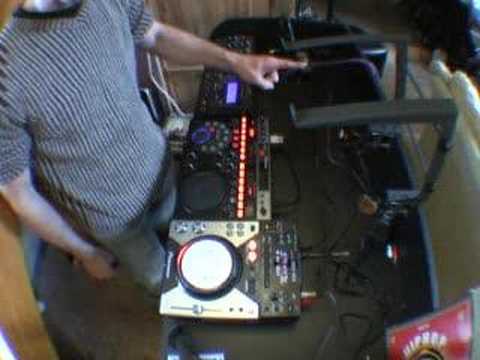
Alright folks, in this video I'm going to show you how you can actually plug the EFX unit into a mixer that let's say does not have an actual in-out effects on the back of it. Now in this case we're looking at this guy here, it's the American Audio QSD. It's basically a mixer with an actual SD card inside the mixer itself. So in other words you do actually have a separate entity here. I'll give you a close up very shortly. What I've done so far... I have gone from this CDJ turntable to the input here of the mixer, then I've gone from the output of the mixer to the input of the actual unit, the effects unit. I've gone from the output of the effects unit into my music source. Now, if you do it this way, great, and I can't emphasise this enough, great care must be taken in setting the levels. Because if you set the levels incorrectly, you can blow and you can ruin speakers and amplifiers. I'm going to pause the camera and I'll set this up slightly differently. Hold tight. OK, here we've got the actual next way of setting it up. Now what I've done, I've gone from the actual CDJ unit, I've gone from the output here...
1:13 This is the ideal way of setting it
To the input of the effects unit, then I've gone from the output of the effects unit to the input line in on the actual mixer. And then I've gone from the output of the actual mixer into the music source, into your amplifier or your powered speakers. That's the other way of setting it. This is the ideal way of setting it. It's a lot better and you've got less chance of actually... Doing any damage to your system. I can't emphasise this enough, the effects units are wonderful pieces of kit but if they're used incorrectly you can do quite a few things. One, you can have your sound coming out to your speakers sounding rather atrocious. The other thing, you may not even have any speakers to actually get any sound out there if you turn it up too much. So what I'll do now, I'll pause the camera and we'll just have a quick look at this guy here, the QSD.
2:09 Quick look at this guy
Alright, quick look at this guy. It's a basic mixer. We've got one, two, three, four channels. We've got a master output, we've got a crossfade and we've got this guy here. This is basically a card reader. You can fit a 4GB card in here. It's a similar sort of card you'd actually put in your camera as well. So what you can do, you can basically get your music off your PC, you can bung it. On a card, put it in there and you could either use this maybe for jingles or you could use this for a playlist. This area here will act exactly the same as a normal CD player. So in other words if you actually take say two CD players with you and a mixer like this then you've actually theoretically got three separate music sources and this area here can be put onto any one of these given channels. There you go, practice and enjoy.
This transcript was produced automatically from the audio of the video and may contain mistakes.











