 2:54
Pioneer Recordbox Performance Export and Lighting Settings
Contents of the video
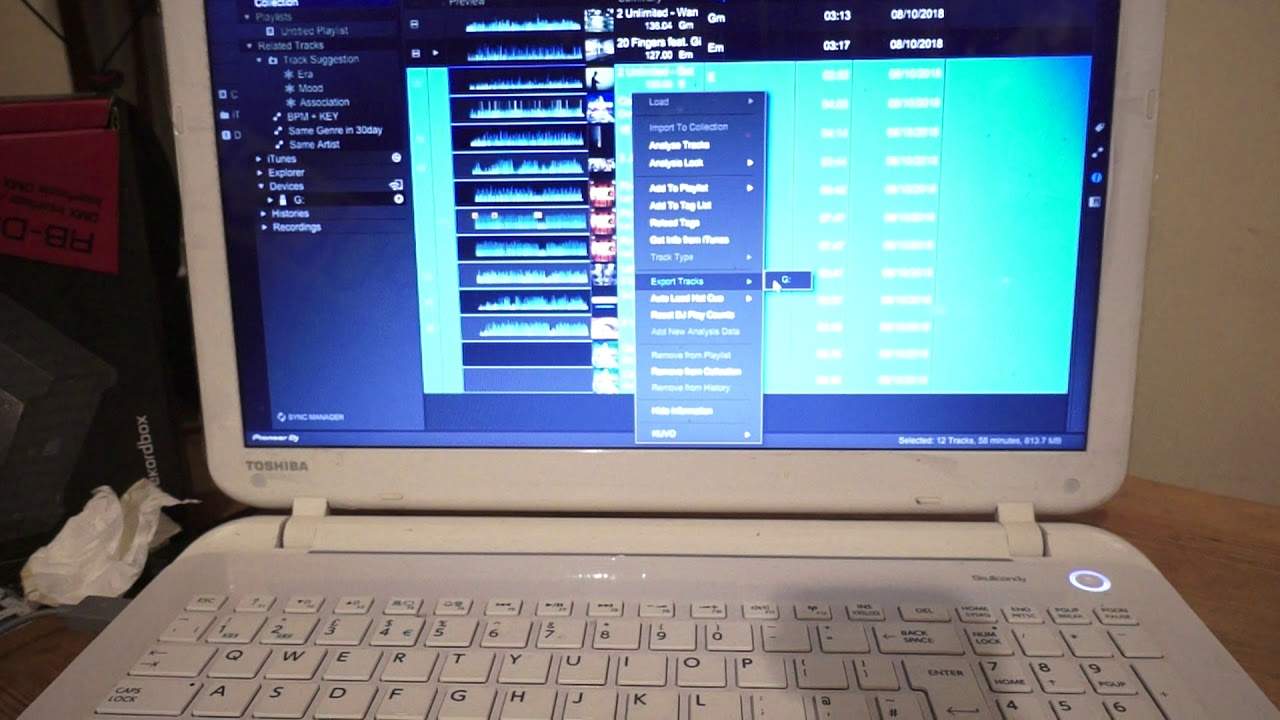
Alright, this is a quick video on how to go from performance mode to export mode and also to lighting mode using Pioneer Rekordbox DJ. Top left hand corner I have an icon saying performance telling me I am in performance mode at the moment. If I click on that I can go to export. Now the screen will change and now we're in export mode. So I can, if I want to, import tracks from the hard drive from my laptop, alternatively from an external source into this export screen. Then what will happen is all of those tracks then will go through the rekordbox software and then as you can see I've highlighted a load here. I can right click. Just very quickly show you an easy way to do that. What I do is I click on one and then I will press shift and the arrow down
And while I'm doing that all of those tracks have now been highlighted. So what I can do now is right click and go to export tracks and I have a small thumb drive, stick drive in there at the moment, G so if I want to now I can go to G and G is highlighted. Click on that. And all of those tracks that have been highlighted will be exported to the G drive using the rekordbox software. So now as well, very quickly to answer maybe one or two questions out there. Once they have been exported to that thumb drive I can now use those files on the XDJ-R1 The XDJ-R2 The XDJ-RR The CDJ-Nexus series Basically most of the modern day pioneer kit that is USB friendly. And that is pretty much it. So if I need then to go back to the performance mode
All I've got to do is click on export and click on performance again and in a couple of seconds it should go to performance. Also very quickly we've got the lighting there as well. Now if you do want to use the lighting software through rekordbox you will need to get the licence key and also I think you need to get the licence key but you definitely will need the RB-DMX1 which is their hardware that you need to use in conjunction with the software as well. Alright, now all being well once I start to know a little bit more about this software there will be more videos in the future. Hope that's been a help Check out the link to the rekordbox software Practice and enjoy, thank you very much.
This transcript was produced automatically from the audio of the video and may contain mistakes.











