 3:09
PIONEER RMX 1000 How to set up with the DJM900 Nexus tutorial 2
Contents of the video
0:00 How you can use the RMX1000
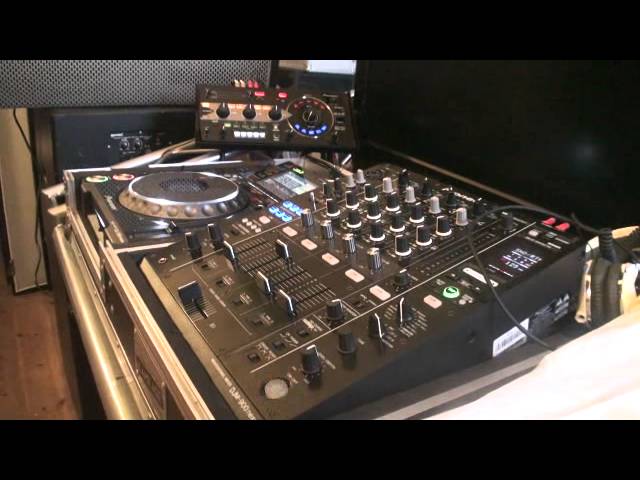
Alright ladies and gentlemen, Jonathan here, The DJ Tutor, and in video number 2 on the RMX1000 I'm going to show you how you can use the RMX1000 in conjunction with the DJM900 Nexus, or for that matter, quite possibly any other mixer that have got these particular features. So how do we get an effect from the RMX on either one track that's playing, or the overall master level output of, let's say for example, the entire mix? Right, I'm just going to bring that loop down. Now first of all what you need to do, on the right hand side of the DJM900 Nexus, half way down we have this dial with our effects. We need to set the dial to the 5 o'clock position where we have SND-RTN which is short for send and return.
1:01 I'm now going to press the button
We then have two options for the next dial. One, is we can set that dial to the channel we want designated for the RMX to give us an effect over the sound that will be playing on that channel. Alternatively, we can turn that dial to around about half past 4 to the master position. What that will mean is whatever sound is coming out of the overall mix, we will get an effect over that overall mix. So, volume up. I'm now going to press the button. I'm now going to press the button, bottom right hand corner of the Nexus. No sound at all. Now you're probably wondering why? What we need to do here is we need to have a close look now at the RMX-1000. This is the important bit here. Top right hand corner, we have two dials.
2:08 RMX, I can do whatever I
We have input level and we have output level. The input level will let the RMX or it will let you choose how high it's going to be. You want the input level to be into the RMX-1000. So, we can turn that up and now we can see the input LED starting to move. Still no sound. That's because we're not letting the RMX let any sound out. So, we need to now turn the output level up and now we have the sound coming through as before. Zoom out again and there you go. Bottom right hand button, we press that and we're still not getting anything. Or when I say we're not getting anything, we're not getting any effect. How do we now get an effect? Now first of all, if we look at the RMX, I can do whatever I want here, anything
And we will get absolutely no change in the overall sound. What we need to do is we need to come back to the Nexus, press the on-off and now we will get any effect we want. Video number two, practice and enjoy.
This transcript was produced automatically from the audio of the video and may contain mistakes.











