 5:42
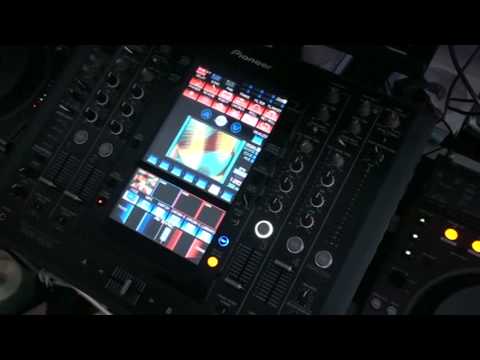
Pioneer SVM-1000, DVJ's, cheep DVD player = TV station!
Contents of the video
0:01 It's Retro Chic from Mixmash
Alright folks, bit of a mess around here with this guy here. It's Retro Chic from Mixmash. Now I've got their regular DVD player. In the UK you can pick these guys up for about 20 quid. Now admittedly that thing there is rather expensive but just to prove a point here you can play sort of normal regular DVDs in there so in essence you could just have a couple of those and wang it into the mixer. Right so what are we doing? I've got this If I press play, you can hear a click. Now the reason for that click is so you can beatmatch it in time with the particular track that's playing. So what you can do, if we have a look down here on channel 1, audio trim off and there it is. Now again, when you're utilising or if you are utilising something like that of course the particular effect here will only be on for a certain amount of time so what you can do is you can loop it.
Go down here. I'll just put the camera, this is punk video by the way. Put level depth up to maximum. I'm going to click on roll, make sure we're on channel 1. We'll do 4 over 1 and there you go. Now basically what I've done now is I've looped that effect. And if we have a look you can see it's looped. So what I could do now in essence is I could transfer that loop from channel 1 to channel 4. So we'll put channel 4 up. And transfer that over to channel 4. There we go. So that's now on channel 4. If we have a look, down, off, on, off, on. So straight away now I've taken a van effect from a 20 quid DVD player and looped it. Right, what I'm going to do now is, and again you can do this on the fly as well. Let's say for example I've got the headphones on, well I don't really need the headphones.
2:02 I could visualize here, that's the next particular effect
Just the visual. So I could visualize here, that's the next particular effect. So what I could do is bring that up now and I've got two effects. So I've got effect number two which is playing real time on the DVD player and effect number one which I looped. Okay, at the moment we have just got visuals. What we want to do now is wang in a whole bunch of audio and we can wang in some more visuals as well. For example, this guy here, Queen. Now on here, I've got some Star Wars hot cues. I'm going to bring in the loop I did, take away now the video from Queen so we've just got the original loop. I'm going to bring in now the video that's playing now through the normal DVD player.
4:22 I'm going to bring in Star Wars
Now I'm going to bring in Star Wars. Slowly fade it in, got my hand on the jog wheel of the Star Wars film and slowly moving it. Alright there you go, bit of a mess around that but it just shows what you can do. Alright, couple of DVJs but in essence two of those and I suppose to a certain degree you're sorted because you have got loop functions etc on this. Bit of a help, hopefully, bit of a mess around, but it just proves what you can do. You've basically got your own TV station here. Practice and enjoy.
This transcript was produced automatically from the audio of the video and may contain mistakes.











