 5:57
Pioneer XDJ-RX Mix Transition Using the Filter BY Ellaskins the DJ Tutor
Contents of the video
0:00 In this video we're doing a very basic transition on the Pioneer XDJ-R
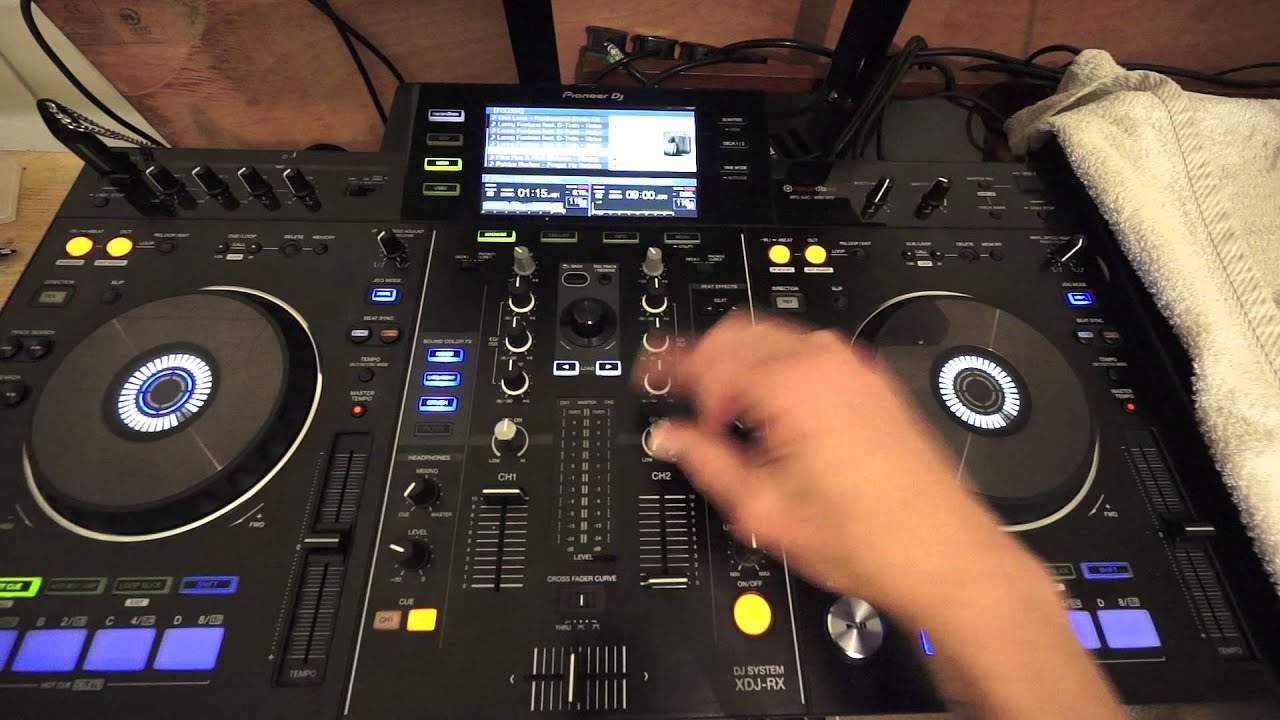
Right guys, in this video we're doing a very basic transition on the Pioneer XDJ-RX. We're using two tracks from Karmic Power Records from Mr. Lenny Fontana. The track you're listening to now is entitled Moving On, it's the original mix. We're going to be mixing in Fundamental, the original mix, both from Karmic Power Records. Check out the link in the description to Karmic Power, also to the Lenny Fontana Facebook page. In this video we're going to do a very basic transition using the filter effect. Using this technique you don't even have to touch the low, mid or high. The one thing you do have to do though is make sure that the audio levels on both tracks are the same. Now even without playing the other track at the same time as the track that's playing through your system, you can make sure that the audio levels will be pretty much identical
By looking at the LEDs on the mixer. You can change the LED peaking by turning up or down the trim. You'll notice at the moment now we have Fundamental track playing but not through the main system. I've turned the trim all the way down, we've got nothing on the LEDs which means if I put the volume up we can't hear anything. That's because the trim is down. If I move the trim up we can now hear the Fundamental track. Bring the volume down, up fader down should I say. Bring the up fader up on the other track and we can hear that. So what I need to do is move the trim according to how high I want the level to be. I want the level, the audio level to be the same as moving on. So now the LEDs are peaking around about sort of 5 which tells me, shows me that when I have both tracks playing the audio level on both tracks is pretty much going to be identical.
1:59 Of course I need to do
It's not going to be perfectly identical but it's going to be similar. Alright, so the next thing of course I need to do is make sure that they're at the same BPM. At the moment they're at 119.8. I'm going to use my headphones again. I'm not going to solely rely on the BPM. I am going to use my headphones to make sure that they're in time as well. I'm going to press channel 2 on Q. Make sure that the audio on the level is not overpowering. So I don't want to A blow my ears. And also make sure that the level through my headphones is identical to the audio level I can hear through the speakers. Because the speakers are further distance away from me then of course the speakers will be higher, my PA. But of course the audio level through my headphones is going to be a lot lower.
If I had the audio level on my headphones at the same level as the speakers I would not be able to talk now because my ears would have blown. So always be careful. Okay. I'm going to go towards the end of the track. Now what I'm going to do now is I'm going to turn, I'm going to set, make sure that the filter effect is on. I'm going to turn the colour down all the way to the low position. I'm going to wait for my next phrasing and then I'm going to start the fundamental track. What I've done as well is I'm going to start the fundamental track at the second phrase because there's a lot of intro on fundamental. So I've gone forward roughly, I think it's 16 bars. So we're coming to the end of this phrase here.
3:56 My moves are pretty much going to be exactly the same on both dials
Now again, I'm just going to pause the track here. Now my moves are going to be on the right hand side. I'm going to increase the colour effect and I do that by moving it from the low position to the 12 o'clock position and I move this clockwise. I move the fundamental dial, colour dial, fundamental dial. The colour dial. The colour dial clockwise. I'm going to use the, I'm going to turn sorry, the colour effect on moving on counterclockwise, anti-clockwise. So my moves are pretty much going to be exactly the same on both dials. So roughly when I get to the 3 o'clock position they should, sorry 9 o'clock position beg your pardon. They should both be at the 9 o'clock position but of course while I'm moving one up I'm moving the other one down.
Now using this technique. You don't have to use the low, mid or high at all. All you need to do is use the colour dials engaging the filter effect. So let's press play again and put the headphones on. Volume up for a little bit. Very very simple transition using the filter effect. Take this on board and of course make it your own. Try different styles, different techniques. Hope that's been a help. Check out Karmic Power Records. Practice and enjoy. Thank you very much.
This transcript was produced automatically from the audio of the video and may contain mistakes.











