 10:43
Pioneer XDJ-RX New Trick First Time Ever on the Web!
Contents of the video
0:00 I want you to take this to the next level
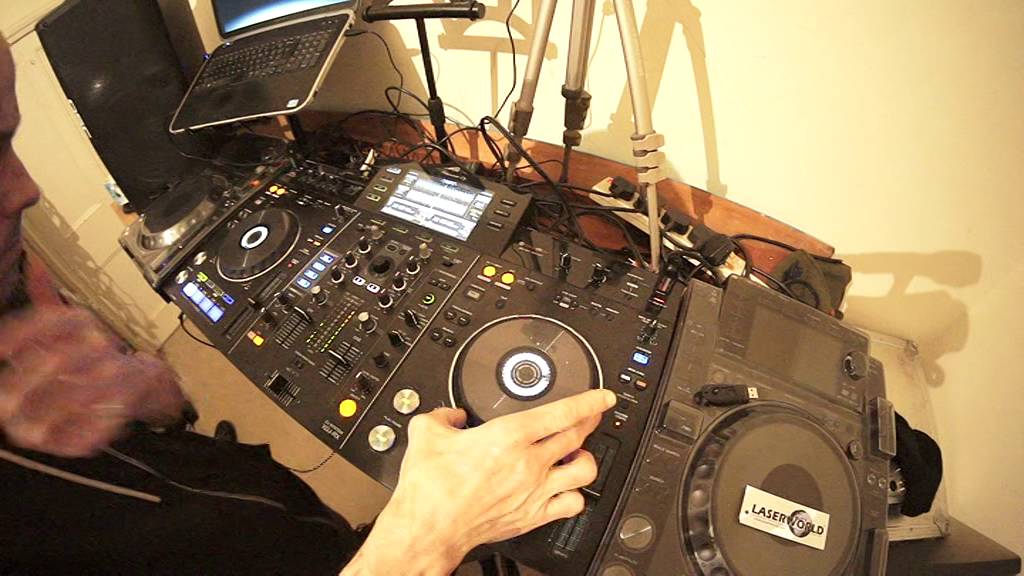
Alright ladies and gentlemen, it's a bit of a demonstration for you. I believe this is the first time this demonstration would have been done anywhere around the world on the web on the Pioneer XDJ-RX. I want you to take this to the next level. Demonstration first. I do apologise if it's a little bit rusty. I've only just started having a go at this. The track I'm using is by Mr Lenny Fontana, a track entitled Raise Your Hands. And let's do this. Here we go. Right, okay. So yeah, it was a little bit rough but what the frigging heck was going on there? Okay, so I'll explain. What we had, we had with the same track playing.
2:38 I had already set a hot cue on the one side
I had already set a hot cue on the one side. So step by step, I started off Lenny Fontana on the left. I was tapping in time with Lenny Fontana. I set the effects to roll. I set the dial to set from select, dial selector from channel one to mic, channel 1F, 2F to master. What I did then is I then brought in the same track on the right hand side, put both volumes up and then again slightly off but I pressed engage the effect. So then I engaged a roll and what I did, I made sure I had eight beats, two bar. Two bar loop, or two bar roll. So as soon as I got to that stage, I quickly flicked the dial here to go to channel one. So then I'd taken the two channels and flipped it over to channel one. So what you can do on a DJM mixer, you can do on this.
You can record two channels and flip it back to one of the channels that's playing, which is fantastic. Once that was there, I then recorded what I had played. Or I recorded the roll from that channel. So, of course, recording it on the USB two means I then had to go to the USB to find that recording, which is if I go here now you go to down to Pioneer Rec again a bit of a mess up there because I didn't find the right one. I'm sure you saw that. I found what I'd recorded eventually and then I looped it. Now what I've done though, because I set a track mark at the one, all I had to do then was start the track off and then press the out after one bar, which gave me the loop.
4:34 I mean that'll play by itself anyway, but I'll show you that now
I mean that'll play by itself anyway, but I'll show you that now. Two, three, four, one, two, three. There's the loop. Played the loop then over what I'd already done. Let that loop carry on playing. So just let that play and then went back to the original track and brought the original track in. Right, so let's take this. Let's take this further. How can we make this better again? How can we make this more interesting, more exciting? Um, let's just put the camera up. It's a good camera, but it's a bit like basket. I shouldn't say bastard really, should I? Okay, So imagine you have got two completely different tracks or imagine you've got four different tracks. You can do this. You play track on one side. On the right hand side,
You mix in a track on the left hand side. You then find another track on the right. So this can be done in the mix track playing on the right mixing track on the left. Get another track on the right and then as follows, you will then of course go to roll. You'll go to master. You will tap in time with one of the tracks. You don't have to tap in time with two just with one of the tracks that tap to tap in time with that. Bring the next one. In so they're in the mix there together in the mix and then make sure then your tap you click press the beat effects and you want to press the right hand triangle because you don't one beat. You don't two for you on eight or 16, so you want two bars or four bars and then you will record four bars and then as soon as you've recorded two or four flip the dial back to channel one or for that matter channel two.
It doesn't really matter. I flipped it to channel one, which means then that that loop that role you've done of the two tracks is now back on one channel once it's on one channel and you're playing that loop. This is where you have to be quick. This is where practice about you don't mess around like I did spending about half a lifetime while you're falling asleep. What should go wrong with that? What you want to do is do it quickly. So once you've got that roll on that side, you then record it and you can record on the R X R M X on on. The R X by simply pressing the record button. You don't have to do anything else, just press the button and if you want to get it snapping in time, what you do is you press track mark on the one and that will snap it in time on the one for you and then you go to USB two you flip down to pioneer rec.
7:58 I'm sure they did in Japan or wherever
You go over and you go to what you've just recorded. In my case I went to seven first but which was eight. You load that into the other side and then you play that. You can loop that through if you want to, and that gives you the opportunity then to bring something else on channel one. I hope I've confused you all right? But I'm pretty sure I'm the first person in the world who's done this and I'm sorry but I will stick my neck out. I love this piece of kit. It does everything it should do what they have done. I'm sure they did in Japan or wherever. They design and UK wherever they think outside the box. And that's exactly what I want you guys to do. Think outside of the box. Don't just think I've got a two channel mixer with a filter.
Um, watch this right? Okay, so let's go back to here, right? Okay, so let's put some delay on. No, we actually we can't know. We can't do that, can we? What? What we can do is we can use these sound colors. So if I engage that I could, if I wanted to add some noise or gate compression what I'm going to do now. Yeah, all right, this video may go on. So if you want to just fast forward it until I do that and then you'll realize I'm ready. So what I need to do is just go back to USB one and put that over there. So we're back on now. All right, you see, I like that. So okay, so I had to do that. I'm sorry. Okay, so what we're going to do with back over to master it back over to roll. Let's press play here tapping time this time we're on 16 hold on.
Let's just put that there you go all right? Yeah, it's a tiny bit off but it's about practice. So what have I done? I've now recorded the two same track on one channel. I've bumped some effects. So for as well, all right now that is pretty well matched up. All right, I hope that's been a help and just a big shout out to pioneer for just making some rather nice kit and also to Mr Lenny Fontana and D train raise your hands. This is the main vocal mix. Check it out on comic power records practice and enjoy I do
This transcript was produced automatically from the audio of the video and may contain mistakes.










