 4:35
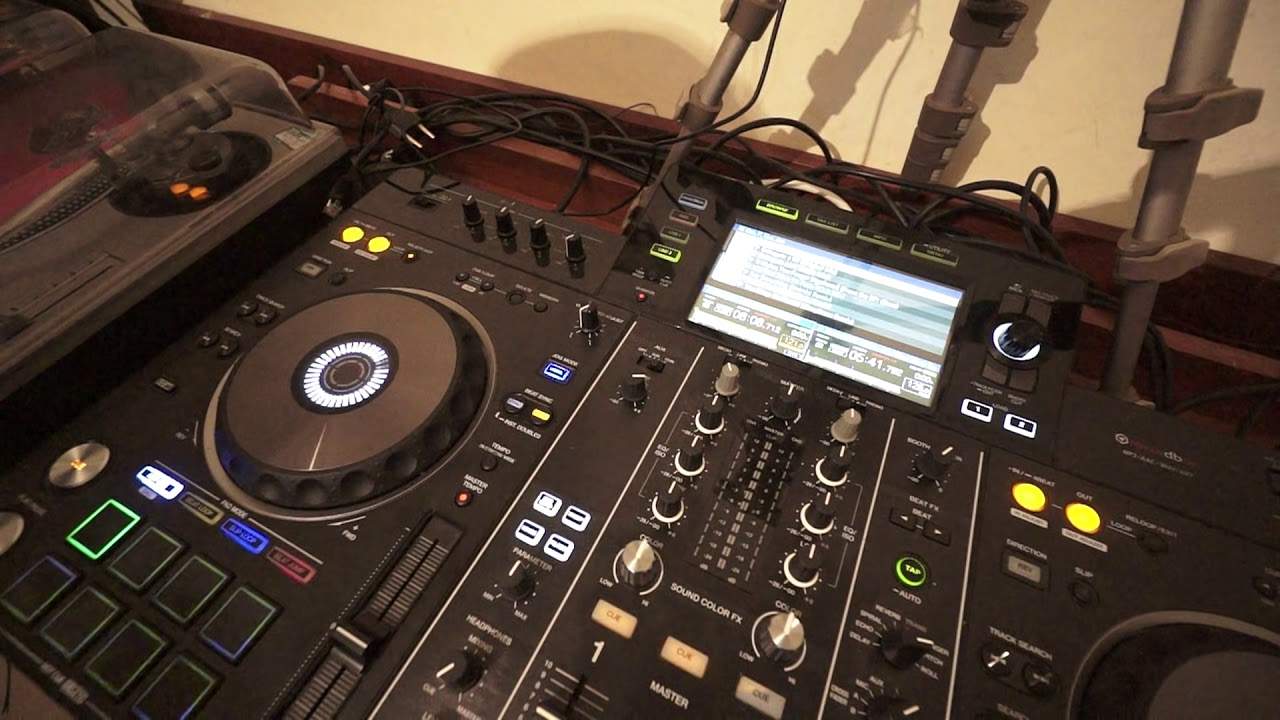
Pioneer XDJ-RX2 Using Needle Search on the Touch Screen
Contents of the video
0:00 Use the needle search feature
Right, in this video I'm going to show you how to use the needle search feature on the Pioneer XDJ-RX2. First and foremost, to get this feature, you will need of course to use the rekordbox software. Now if you don't have the RX2, you can still download rekordbox for free, but if you do buy the Pioneer XDJ-RX2, you will have the software that will come with the controller itself. Now to use the needle search feature, you will need to of course have your files processed through the rekordbox software. And I recommend you do that because you get more features with the RX. You can of course just use normal mp3s, but if you want to make your RX2 dance, then I highly recommend you put the files through rekordbox. Now what I've done,
1:28 There is an email in the description
I've just loaded a track on the left hand side. I'm using a track from Karmic Power Records Entergate at Mia. It's the Eric Faria remix. Very quickly as well, people are always saying how come I'm always using Karmic Power Records tracks? And a big shout out to Manuel and also to Mr Lenny Fontana. The reason being is because they've allowed me to use them, meaning I can upload all the videos to YouTube with no problems whatsoever. I don't get any copyright problems or anything like that, which means they're always online worldwide and everywhere. No one gets to see the videos without all of a sudden them being say banned from Germany or Istanbul or something like that. Also, if you are a producer and or a company and you've got a whole
Bunch of tracks that you're happy for me to use, then get in touch. There is an email in the description. And very simply, if you let me use your tracks, I never use the or very, very, very rarely will use the proper stereo. Most of the time, it's the audio through the camera and I only use snippets of the track. So don't expect to have a track played from start to begin, start to end with proper stereo so people could download it because sadly you've got to listen to my voice and no one wants to record that. So what I have done again, use the Rekordbox software and I have a track ready. Let's have a listen to that first. Skip it forward again. Not meaning I do apologize about the waffling, but lots of information out there so anyone and everyone can understand. OK, first and foremost,
2:59 We have needle lock
Again, use the Rekordbox software. Secondly, make sure you are in what's known as jog mode. Now above your pitch control, you have master tempo. Above that, you have tempo select. Then you have what I don't particularly like myself is the sync and master the beat sync. And above that, we have a small icon with vinyl on it, a little button. Make sure that is highlighted in blue. That's very important. If it's not highlighted, you will not get the needle search feature. So a couple of things we can do here. One is we can put our finger or thumb on the turntable while in pause mode, put our finger on the needle search and guess what? We have needle lock. Now the reason for that is because the track isn't playing. On the other hand, if I now put my finger on the
Turntable, press play, pause, no sound whatsoever. Now, put my other finger while or you can use two hands as well. I can now skip through the track and we can hear me skipping through the tracks. And wherever now I stop my finger, let go of the turntable, let go of my finger off the screen. And that's where the track will carry on playing. Alternatively, while the track is playing, finger on or a finger, a hand on the screen, the other finger on the screen and skip through the track. So skip forward or back to any particular point you want to go to. And the track will carry on playing from where you left your finger off or let your finger off the screen. Alright, I hope that's been a help. There will
Be a link to Calm It By Records. And again, if you do want me to play your tunes in my videos, get in touch, practice and enjoy. Thank you.
This transcript was produced automatically from the audio of the video and may contain mistakes.
Related videos
-
Complete Beginner DJ Lessons Tags Key BPM Etc
A more advanced lesson folded in early, and worth doing once rather than putting off, because everything it sets up gets used for years…
-
Complete Beginner DJ Mixing Lessons Video 19 Getting Your Kit Ready for an Easy Mix
A whole lesson on getting ready, which is the right call - the exercise in the next video only teaches anything if the two decks are…











