 6:34
Pioneer XDJ-XZ Set up with Two CDJ-2000 Playing off One USB
Contents of the video
0:00 About a month ago I did my first video on the XDJ-XZ
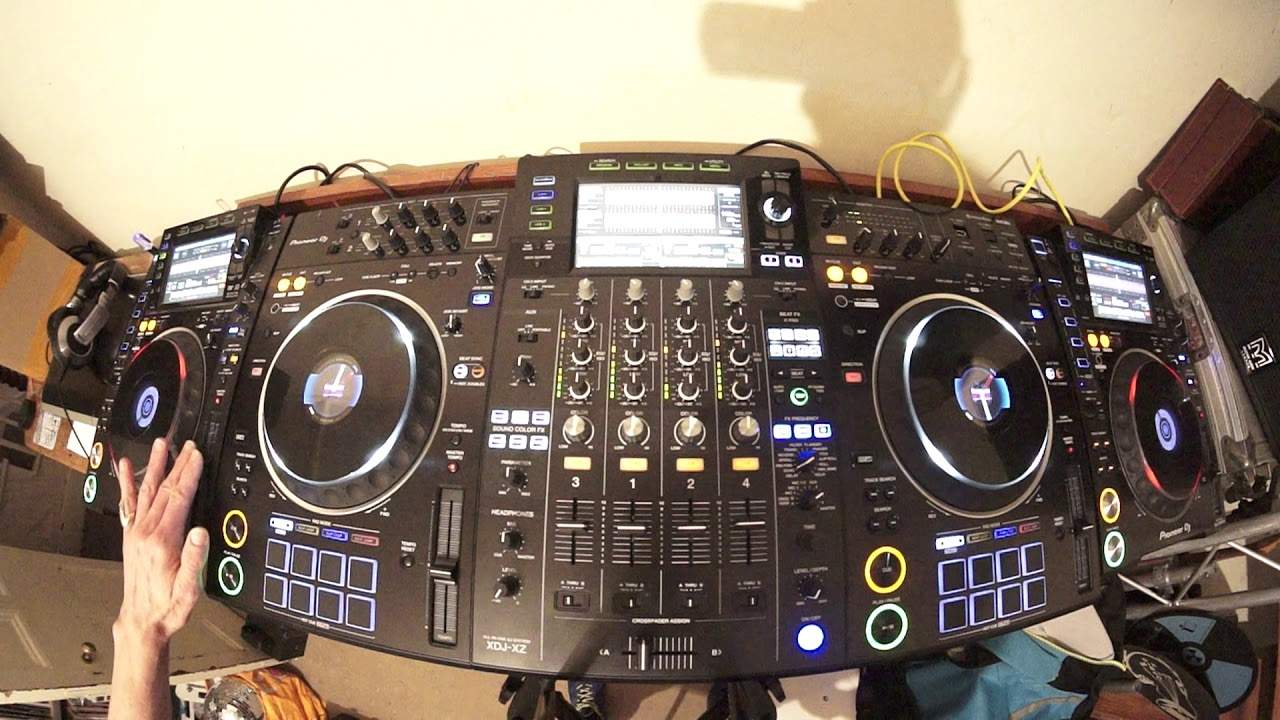
Right, so about a month ago I did my first video on the XDJ-XZ. Didn't even have the player. I was so taken back by the functions I thought I've got to say something. But one of the great features I did notice about it was the connectivity with external sources. Not only that, but how the external sources can talk to the XZ and almost use it like a bit of a hub. So in this video I have right-hand side, left-hand side, two Nexus Mark IIs. In the middle is the XZ. Now what I've done is I've connected via RCA from the right deck into channel 4 inside the XZ. At the back of the XZ there is a line in for channel 4. Left deck into channel 3, back of the XZ. I've also connected a LAN cable from the right-hand deck into the correct.
Input, LAN input on the XZ. And same with the left-hand CD player. LAN cable into the XZ. So now everything is talking to each other. I have a thumb drive in the far left player. So what I'm going to do now is press down USB and press down on Artist. I need to, oh sorry, yeah, press Artist, beg your pardon. And now I'm at... On the page where we have all the artists. So I'm going to press down now and search via alphabetical order to the track I want to get to, which is a track by Mark O'Marraty, a track entitled Gotta Keep On. So load that track and that should play now on channel 3 on the XZ, which is far left. So just load it up and press play.
There you go. So there it is. Play. OK, so what I need to do now, bearing in mind there's only one thumb drive in the left-hand deck, but everything is connected, I'm going to press link on the XZ. I've got two options here, control mode or USB. If I had more USBs plugged in, I'd be able to see those. But because I've only got the one, scroll down, press down. And now the same, we're on Artist. Press down and then press again. Alphabetical order, let's find... M, there. And there is the track. Gotta Keep On. Load the left deck back and load the right deck. So let's have a listen. There we go. Over to my right CD player, press link. And again, Artist. Press down. Alphabetical order, M. I found the guy. Track. Load it up.
2:58 Sync on and sync
There it is. OK, what I'm going to do now, very simply. Master. Sync.
Sync on.
Sync on and sync.
So I'm now in control of all four decks with the one pitch. Now this is something that is pretty cool if you're the sort of DJ who likes to do a four-deck mix. But not always use sync. This is where the creativity can come in. This video, pretty short and sweet because it's really showing you how to connect external players to the XZ. And if you've got the correct hardware, get the best features from the XZ. Let's speed up a little bit.
4:12 You can, of course, connect from the one CD player over to the other
OK, so once again, make sure you have your LAN cables plugged in. Now, you could if you wanted to. For example, there's another way of doing this, but you won't get as many features. If you've got two CD players and you've only got one LAN cable. You can, of course, connect from the one CD player over to the other. But that means that only the two CD players will talk not to each other, not the XZ as well. By having two LAN cables and going from one CD player into the back of the XZ, the other CD player a separate cable into the back of the XZ. This means now that they'll all talk amongst each other. Just one more demonstration. Let's take the USB out and again, don't just pull the USB out. Always make sure that you press small button, which is USB stop.
So I'm going to take that out now. There it is. And I'm now going to put it into. I tell you what, let's put it in here. We'll put it into the second USB port. So now the USB is in the XZ. I can see USB 2 flashing. Press that again. Press down again. We're artist go to M and here we go. Got to keep on load it onto the right hand deck.
There it is now. Go to my player, press link and it's already there. There you go. So artist don't want that one. We'll go press down. Go to M too fast.
And press down and there it is.
Okay, so that's proof again that even with the USB in the XZ, you can still play from that or from that USB into an external CD player all right or a media player for that matter because it's not just the CD players, it's the other players as well even without the CDs. All right. CD tray should I say? I better stop there, don't I? All right. Thanks for watching. Practice and enjoy. Thank you very much.
This transcript was produced automatically from the audio of the video and may contain mistakes.











