 3:00
QSC K12.2 Active Speaker a Look at the Settings Video 1
Contents of the video
0:00 You've got in front of you the QSC K12.2
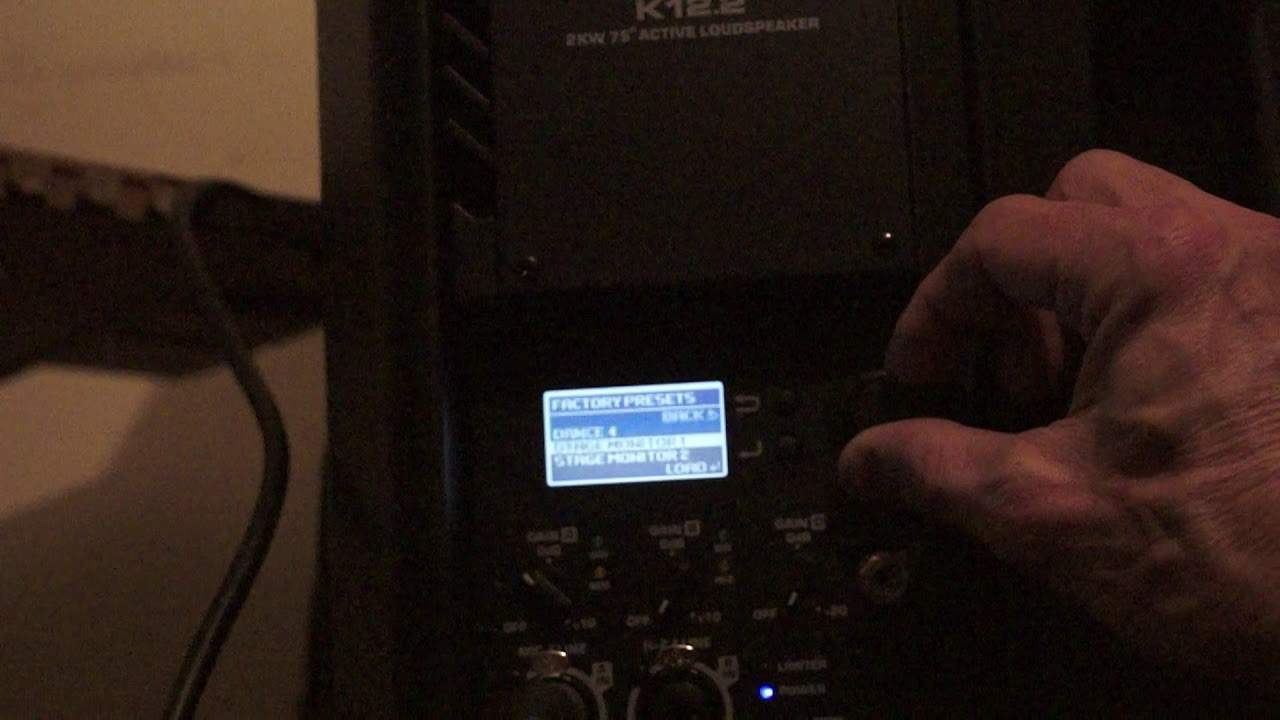
Alright, you've got in front of you the QSC K12.2. It's a 2kW active loudspeaker from, of course, QSC. At the moment we're looking at the back of the speaker and you're looking at the amplifier section. Now, this is known as a powered speaker or active. What that means is that the speaker itself has an internal amplifier so there is no need for an external amplifier. If you have a speaker without an amplifier in it, it's known as passive. This, of course, is active. Passive speakers do need external amplifiers. In this video we're going to have a look at some of the presets and how you can set your K12.2 to exactly the environment that you want it to be. So let's have a little bit of a close up and what we're going to do is look at the screen. Now, we can get a light on the screen by either turning the dial or pressing one of the two buttons.
0:58 At the moment, the preset is on dance
So I'm just going to click the dial very slightly and there you go, the screen is now highlighted. Now, at the moment, the preset is on dance. So let's say we want to change that to more of a kind of a live environment or maybe, you know, perhaps you just want to emphasise the vocals. Maybe you're in a club or something like that. Maybe you're a band. You've got a good singer and you want to get that emphasis on the mid and the high. So what I'm going to do is I'm now going to press the bottom button while I'm on preset. And now I've gone to a new screen and I can go to live bright or live or default. I can run through quite a few presets. So let's go to live. I'm now going to press on the bottom button again. And now I've set that to live. Let's say we want to bit
2:17 We're going to turn the dial again down to dance
More high end. Now what the live bright does, it just enriches, enhances the mid and the top. So I'm going to turn it up. By the way, the tune you're listening to is a track entitled Lord Hear Our Prayer by Eddie Amador from Karmic Power Records. There will be info in the description on this track. So let's turn the dial, highlight live bright and press the bottom button. Definite change there in the sound. I'm going to go to dance now. Perhaps you're a dance DJ and you just want a bit more of that sort of bottom end. So we're going to turn the dial again down to dance. Press the bottom button once again. Now the bottom end, the low frequencies are enhanced a little bit more. Let's say we want to go back to the original screen. I'm going to press the top button which is the back button. And there we go. All right. A small insight into some of the settings. There will be more videos like this in the future.
There will also be a link in the description to the QSC website where you can get more info on the K12.2. Practice and enjoy. Thank you.
This transcript was produced automatically from the audio of the video and may contain mistakes.











