 7:04
Rekordbox 1.3.1 Form a loop
Contents of the video
0:00 Very shortly, you can get
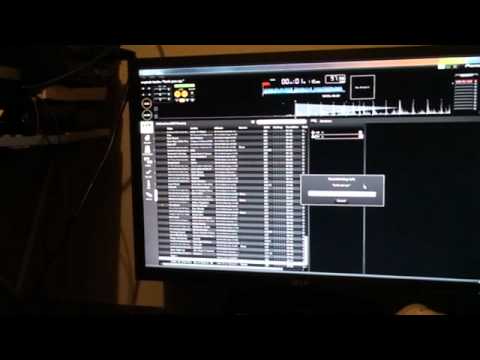
Alright guys, in this video we're looking at the Rekordbox software from Pioneer. This particular software version is 1.3.1. Now in this video it's sort of a random stroke general idea, it gives you a general idea of how, let's say for example if you've got a track that doesn't start right at the beginning of the song, I will explain very shortly, you can get it to start right at the beginning, but more importantly, let's say you want to form a loop from the first beat. And again, for example, let's say you're putting a track in and you start the track off and instead of, let's say, starting the loop and, or should I say, as soon as the track starts you press in and then let's say four bars later you press out and having that possibility of it not being in time, by doing this you will get that perfect loop straight away.
So bearing in mind now, you know, I may make a mistake here. I may have made a few sort of mistakes in this particular video, but hopefully it will give you a general idea. Now there's all my tracks and if we look at this corner we're at collection, we can go through to playlists, we can go to Hot Cube Bank, bridge, tag list, there's information and device which we will look at very shortly. So I'm going to go back up to collection. First thing I'm going to do is scroll down and the particular track, you'll see exactly why I'm using this, is a track entitled Funk You Up by Erykah Badu. So if I bring that drag and drop up to the top, excuse me, if I press play, you can see we've got that gap. Then if you can see there's a bit of a gap there before the track even starts.
So if I was to play that from the CD player, I could, or I admittedly, I could cue it up there, but again, if I wanted a loop from that point and I wanted a perfect quantized loop from that point, let's say 4B, 8B loop, it may be slightly off, but using quantize and using this method, you will get the loop perfectly in time. There it is, stick it in the player and away you go. So first of all what I'm going to do, I'm just going to, hold on, just cue that up again, drag that over there and we're going to start from there. I'm going to press in, press play and then out at the top here.
Let's have a listen to that first.
It's off slightly, isn't it? I'm going to hit 8, quantize it as well.
OK, just going to go up to the top and hit memory.
2:52 We've got a loop
Right, so we've got a loop. And also more importantly, we've got that loop from that first beat. What I'm going to do now is go down here to device and I don't know if you can see, we've got L. I don't know if you can see that up there.
Alright, what I'm going to do is go over to the other screen. And that is the device there. So if we open that up, open.
There's a whole bunch of stuff on there but there is no Erika Badu. So I'm going to just go back and what I need to do now is go to collection and then, sorry, you're over that side aren't you? Right, I've gone back to collection. There and instead of hitting the device, I've just hit that small bar next to the device and now I've got L up there. So what I'm going to do now is scroll down to the Erika Badu track, drag and drop that up to the device. And what's happening now it's transferring it.
4:04 Have we got Erika Badu there now?
So if we go back over here and open that up, let's have a look. Have we got Erika Badu there now? We've got the contents right at the top, that should be it. So if we just zoom in and I'm going to double click on that, there it is, alright so scroll out and I'm going to safely remove, ah right yeah ok sorry I beg your pardon, before I safely remove of course I'll need to close the program here. So I'm just going to close that. Now I can go back over here, right click on the device, scroll down to safely remove. There you go and I'm going to take that out, oh there now, take that out and then I'm going to undo the camera from here and I'm going to put that into there. Ok USB Erika Badu, there it is. Funk you up.
Right. We've got memory there and I'm going to hit this guy here, cue loop. Let's press play and there you go, there's my loop from the word go, there it is. So if you imagine now you could do this with every single track so at any time you can go to any track and you can go directly to the loops you've made not on the player in real time where you maybe might get it slightly off but you can go to the loops that you've made on your software in your own time, you know sitting down drinking a cup of tea and you know guaranteed it's going to be in time. Now again if you want any more info put some comments underneath there, if you do use Rekordbox yourself and you've got some videos about Rekordbox stick them in as video responses
Alright this is Erika Badu a track entitled Funk You Up, I love it. Practice it mate. Bye bye. Bye bye. Have fun and enjoy.
This transcript was produced automatically from the audio of the video and may contain mistakes.










