 4:55
Serato Video DJ Numark NV Adding TXT to the Mix
Contents of the video
0:00 Little tip here, how you can
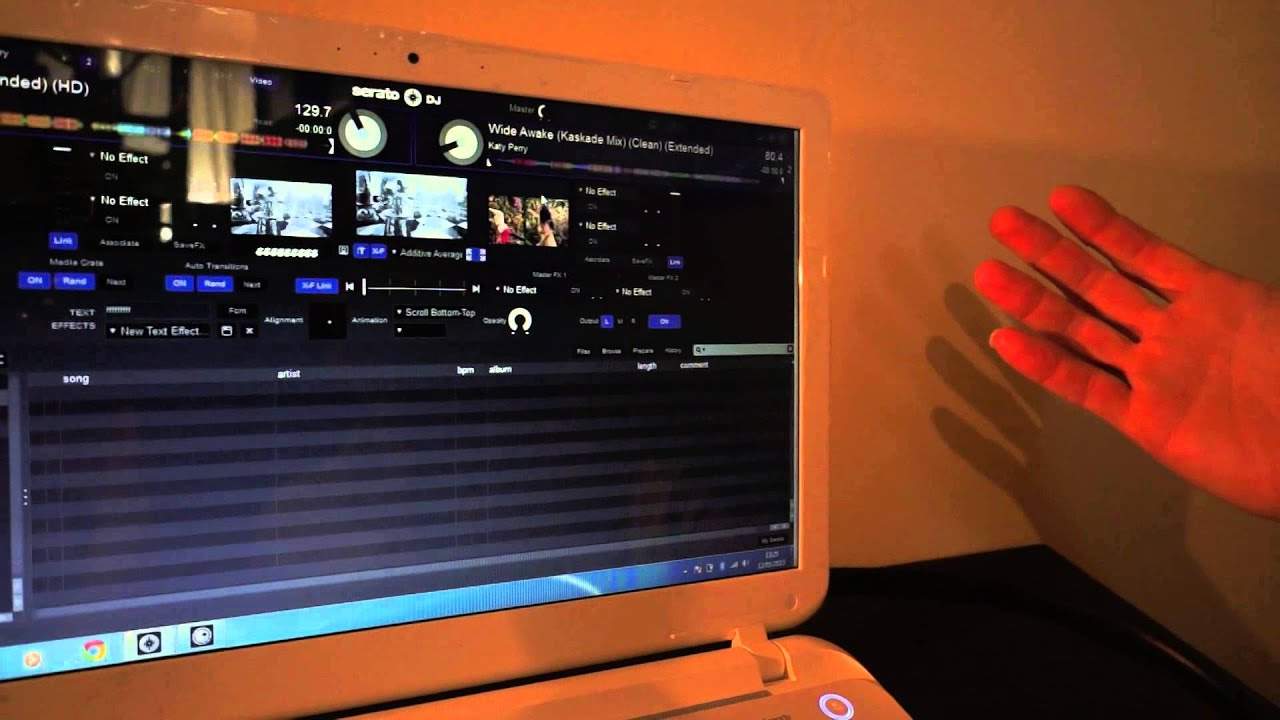
Alright guys, we've got Serato DJ video on and we're also using the Numark NV. Just want to show you a little tip here, how you can add your own text to your video transition. At the moment I've got DJ Tutor on here, so if we look at the program, we're going to look at this area here. So if we go from left to right, first of all text, so you can see DJ Tutor. I'm just going to highlight that, of course you can see that's highlighted now. And I can add some of the text if I want to, just put loads of Fs. And you can change the font as well. So if we go to the screen now, we can see lots of Fs. So that should be self-explanatory. We can change the font there. We can also new text effects. So if we want to, we can have new text effect. Alignment is pretty much straightforward. We've got across there.
1:00 Very quickly as well, we've got an image there
We can have the text corresponding to the position on the alignment cross on the software positioned to the text on the screen. Very quickly as well, we've got an image there. It's almost like a circle and torso underneath. So if we go there and click on that, what that will allow me to do now is to go into my computer and bring an image from my computer onto the screen. As well, but we're not going to do that because I'm got any images on here. I've just got text. So we can also then scroll right scroll left top bottom bottom top zoom and zoom BPM. So I'm just going to zoom BPM of course is zoom in relation to the BPM. So it's going to zoom in time opacity opaqueness. So it depends here on how much you want the text.
To show through the video and I'm going to try and grab this using no, I can't do it. All right, I'm going to leave it but I'm quite I'm better using a mouse. But what you can do here. There you go. My mate's going to do it for me now. Well done Rob. There you go. He's doing that. So if I just hold the camera right there you go. You can see Rob is moving that now so you can see so by moving that that will then increase or decrease the image of the text over the video that's playing all right. So if you grab that first game Rob cheers. The other one of course is L R and M. So if you want the text just to be on one of the videos then depending on which ones are for right alpha left alternatively M for master so you can have it over the entire video.
3:30 Somebody coming up to you and go
Which is a great way of let's say you're doing a transition from one video to the other and you want to say what the next track is to Mr and Mrs Evans or Sally or something like that. You can put that there alternatively if you want to what you could do, which is probably a good idea. But if you've got time you can have the name of the track. So for example, you're playing say the likes of Katy Perry. You could just quickly write Katy Perry and there you go. So people know what you're playing, which will save the problem of saying. Somebody coming up to you and go. What is this track? It's also a great way of requests because so many people say, can you play this request? Well, can you imagine you're playing the request for someone? Not only are you doing that, you can give the text here of the person that the request is for. So it's a great feature. All right, this is Serato DJ video. We're using the new mark envy no audio because I don't want
YouTube to flag this, but you can see using the crossfade there. We're going from one to the other. So you can see that if we go over to the right hand side, we haven't got the text. We go to the left. We have got the text because we're on alpha left. If I go to M master, click on there. Now we've got the text on both of the videos. And if I just go now to our we go over to the left. We haven't got the text. And then slowly as I bring in master, we have because of course the two videos are in full view and now onto the right. And we have the text to the left. No text. All right. Hope that's been a help. Don't forget. Check out the Serato video program and also the new mark envy. And Rob will finish off with practice.
This transcript was produced automatically from the audio of the video and may contain mistakes.











