 5:13
Stanton Da Scratch and Mix Control Surface SCS.3M & SCS.3D
Contents of the video
0:01 Another video on this setup from Stanton
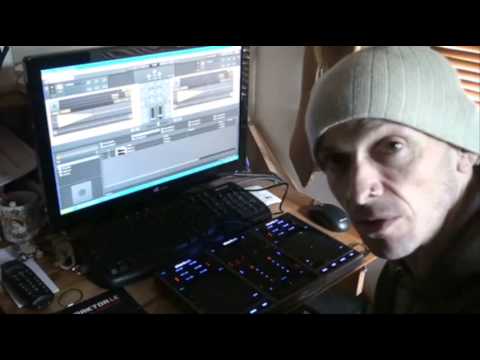
Alright guys, another video on this setup from Stanton. Either side I've got the items known as Descratch and in the middle this guy is the SCS.3M. Now that guy comes with Traktor LE. There's a card inside with a number so you can download the Traktor program and then you've just got to fill in the information and then it's yours basically. Now I'll be honest with you, The mind boggles at what these MIDI controllers can do. Now, I have seen a video on the internet where you have some guy using one of these in conjunction with a set of vinyl turntables and he's able to use them and get samples, loops etc. So, in a sense, maybe what I'm going to show you is a drop in the ocean compared to what you can actually do with these pieces of kit.
If, let's say, you haven't got a set of vinyl turntables or you haven't got any CD players, you could literally go to a gig with your laptop, a few of these bits of kit and you can do a decent set. Now I'm going to pause the camera and just show you what I've done at the moment now with reference to setting this up in relation to the program. OK, hold tight. Right, here it goes. Now bearing in mind I am learning all the time as well, alright? If you think I'm one of these people who is a know-it-all then I'm afraid you might as well turn off now because believe me this is just like crazy mind blowing stuff but hopefully the more I get into it the more I'll start getting used to this and then again it's...
2:12 My documents and settings
It's a learning experience. Believe me, it's a learning experience for myself and for everyone else out there. Now at the moment, this guy here is set for the crossfade. These guys either side are set for the volume controls and then we've got the EQ. High, mid and low. Exactly the same here and on that side. So what I'm going to do now is put the camera up on the screen and I'm going to do exactly the same as I was doing earlier on. Crossfade. Volume control. Then the low, where are we? Sorry, low, mid and high. Low, mid and high. Right, here we go again. Now you'll have to bear with me because I'm sort of new to this kind of stuff as well. What I'm going to do over here on the left hand side, I'm going to hit explore, scroll down here. Now I'm going to go to my documents and settings. So if I click here, where are we now? Let's have a look. Okay.
3:20 Your mixer
There we go, we've got some of the folders and the tracks I've got. Right, CD pool here. House February. Let's have a look. Hold on. Right, add to collection. Okay, there we go. This is, yeah, real time. Okay, a track there, one of my favourites, Enzyme Black, a track entitled Take It. Okay, now like I said, bear it in mind, I'm just getting used to this thing as well. The track you're listening to is Enzyme Black, a track entitled Take It. So, what have we got? Crossfade. Told you. And at the moment, let's get it so far. Okay, lastly now, I want you to imagine this sort of analogy. Let's look at your mixer. Your piece of hardware. Now, theoretically, 99% of mixers in front of you, the volume controls will move the volume up and down, the bass will do the bass, mid do mid, treble do treble, etc., etc. Now this piece of kit here, you can get certain parts to do different things. Now this is, in a sense, I suppose the wacky thing about it. Maybe it's a good point, maybe it's a bad point because, well, it could be a good point because you can do so many different things.
Maybe it's a bad point because your head will start to explode and all the brain cells will start coming out of your ears, which isn't a very good idea. So now you'll have to bear with me because something like this will take quite a lot of time to get used to. There are so many applications, alright? So another video on this guy here, the Discratch, and also the guy in the middle, the SCS.3M. More videos to come. I will put links in the description that will take you directly to the Stanton website where you can get more info on this guy and all of the other items. Practice and enjoy. Thank you.
This transcript was produced automatically from the audio of the video and may contain mistakes.










