 7:18
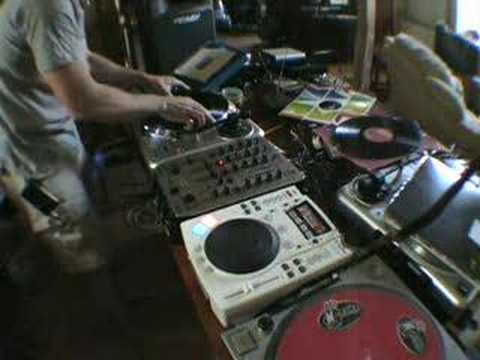
Talk you through a mix using vinyl turntable and cdj
Contents of the video
0:00 Yes, I could be actually related to Big Milan
Yes, I could be actually related to Big Milan. You never know. Right, in this tutorial what we're going to be doing is looking at the usage of the actual jog wheel and the pitch control on a CDJ. And then just the pitch controller and a piece of vinyl. We're going to start off with the vinyl, come to the CDJ, go back to the vinyl. Now I haven't got any headphones, I've got a microphone on so we're going to try and talk you through what I'm actually doing. Yes, the beats may go off a little bit but then again, you know, the beats go off with the best DJs in the world. In fact, if you ever hear a mix, a CD or something that one of these superstar DJs have done and it's pristine, absolutely pristine and clinically fantastic.
There's a possibility, there's just a possibility, they might have had a little bit of PC help. A lot of good DJs can do it anyway, but you never know. You can't tell these days because things are just, you whack it through a computer and it sounds perfect. Right, if you want the list of the tunes, go and have a look at the description. Right, we'll start off the vinyl and it goes a little bit like this. Right, with this particular CDJ what you can do with the cue button... Once the actual track's cued up and it's on beat, so in other words, if I press that, it's ready, bang, straight in. OK, now to show you we haven't set this up, I'll lower the speed there. OK? Right. In fact, we'll put it... Well, I didn't really matter, actually. We'll leave it there. Now then, when you press the cue button on this, and you leave your finger on the cue button, it will play. As soon as you take your finger off the cue button, it will go right back to the beginning, so you can have a bit of a mess around like this.
1:35 I've got a demonstration, so I hope that's helped
I've got a demonstration, so I hope that's helped. Why is that on my head? I don't know. I'm a bit nutty. So don't forget, it's all about practicing and enjoying. Now don't forget as well, with regards to CDJ, that's the whole line. Think about it logically. If you're listening and the track needs to go a bit faster, maybe before you mess around with the pitch control, move the jog wheel... Clockwise, okay? Clockwise will speed the track up. As soon as you can hear it getting in beat, move that pitch control up a tiny bit and then have another listen. If it still goes off and it's still too slow, move the jog wheel again a little bit more and move the pitch up. But tiny, tiny amounts, that's very important, okay? The opposite applies, remember? If it's too fast, jog wheel anti-clockwise and then move the pitch control down, have a listen.
Listen again if it's still going off beat, jog wheel anti-clockwise, move the pitch down. Now with regards to the actual turntable, I was only using the pitch control. So basically, I was listening and I was almost fine tuning it. What was happening? The beat was going off, so I was bringing it forward, speeding it up, the beat was still going off, bringing it down, but higher than its original place. Bringing it forward again, but lower than its original place when I brought it up. And then down again, higher than the second place where it was when it was slower and lower. So the movements are almost like this. They're big, smaller, smaller, smaller until eventually fine, fine tuning. Alright? Hope that's been a help and don't forget... Did you see that?
This transcript was produced automatically from the audio of the video and may contain mistakes.











