 4:00
Traktor Kontrol Z2 How to Go from Virtual Vinyl to Real Vinyl
Contents of the video
0:00 Virtual vinyl, how to go from
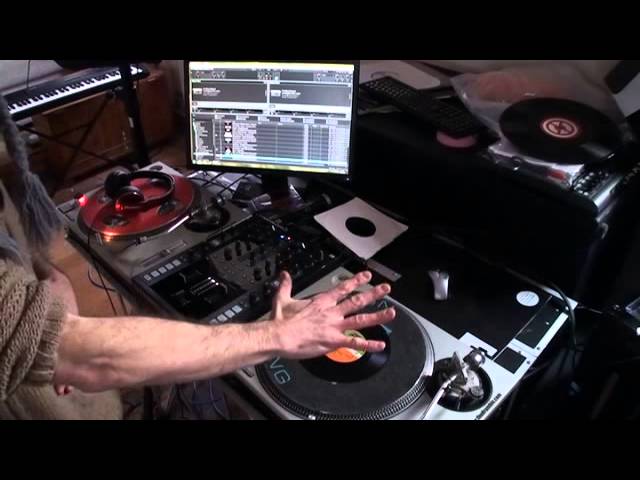
Right, ladies and gentlemen, another video on the Traktor Kontrol Z2 from Native Instruments. In this video we're going to look at virtual vinyl, how to go from virtual vinyl to normal vinyl, and also if you're going to use normal vinyl with this mixer, a little bit of a tip at the end of the video showing you a good way of cleaning your vinyl. At the moment I have got this set to work with normal vinyl, and I know that because I've got virtual vinyl on the deck, and if I press play we should hear a very high-pitched sound, and that sound is associated with virtual vinyl. So press play.
Also on the program, Traktor Scratch Pro, we have on that side, also the other side as well, we have the mixer channel is currently in through mode. Press the Traktor button on the mixer to enable this deck. So what I need to do, above the gain there's a toggle switch on each channel. To the left-hand side of that toggle switch, there's a button. Press that, that is now highlighted in orange. Now that has enabled now me to use virtual vinyl. So press play.
I'm now using the track, the file from my PC that I've dragged up to that side. Alright, if I press that button again we should hear that high pitch. If I take the virtual vinyl off the deck now, and bring on a normal piece of vinyl. This is a 7-inch single, believe it or not from about 1979. Chic, what about me? Beautiful track. Put it onto 45, put the needle on the record.
1:44 This sponge has just got water in it, nothing else
There you go. So we have gone from virtual vinyl to normal vinyl in a very short space of time. Now also if you've got virtual vinyl on one side, and you want to play normal vinyl on the other, it's just a question of pressing the tractor button at the top of the relevant channel you want to change. Right, like I said at the beginning of the video, how do you clean your vinyl? Well this is one good way. I've got a sponge here. This sponge has just got water in it, nothing else. What I'm going to do is I'm just going to put, turn the record and I'm going to make sure that particular record there is soaking. Alright, you don't have to do this on the turntable. You can take it off and do it like so if you want to, but it's a lot easier.
2:41 You don't want to put any unnecessary pressure on the internal working
You notice 7-inch single, it's getting a little bit wet around the outside. Maybe an idea is put some plastic underneath and do that. The deck is on, but when you do turn the record, there's no need at all to have the platter moving. You want to do this manually. You don't want to put any unnecessary pressure on the internal workings. What I'm going to do now is I've got a nice dry cloth and you'll notice it's like a towel. It's nice and sort of, I don't know, warm feeling and coochie. Warm feeling and coochie. Yeah, you don't want a rough one. No, you don't actually. It's got to be nice and smooth. Right, what I'm going to do now is I'm going to turn the record like that and give it a good old clean. All right, there you go.
What this will do, it'll get rid of any dirt or grime that's left in the record. Now, all right, I should have shown that to you earlier, but it's actually looking pretty clean now. And I'm going to start that up again. Put on 45. There you go. All right, hope that's been a help. Oh, marvelous. All right, practice and enjoy. Thank you.
This transcript was produced automatically from the audio of the video and may contain mistakes.











