 5:00
Traktor Kontrol Z2 Using the Loop Function with Vinyl
Contents of the video
0:00 Video number two on the Traktor Kontrol Z2 mixer from Native Instrumen
Alright ladies and gentlemen, video number two on the Traktor Kontrol Z2 mixer from Native Instruments. Also comes with a program known as Traktor Scratch Pro. In this video I'm going to be using the virtual vinyl. More importantly what I've done is I've recorded two of my original vinyl tracks onto mp3 using a free program that you can download known as Audacity. Go and check it out. I'm now using virtual vinyl. So what I'm doing, I've got original vinyl now onto virtual vinyl but in mp3 format. Is that cheating? Am I moving away from the original vinyl feel or am I, let's say, which I feel I'm doing, keeping my original vinyl in good condition but still using vinyl? What do you think? What are your thoughts on the matter? Let me know.
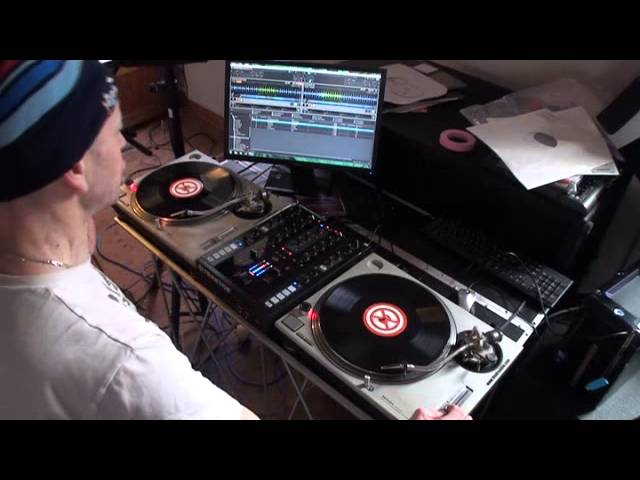
In this video we're going to be using... The loop function. Now this is something that you could not have done with original vinyl. Not even if you're a scratch turntablist you couldn't have done it like this. So here we go. The two tracks on the right hand side, Don't Give Up, Michelle Weeks. The one on the left is Don't Let Me Go by David Guetta. So first things first we need to beat match them and if I just get this one ready here. My hands are really cold by the way as well so...
1:25 Could have done with normal vinyl
And if you think I've beat matched them to begin with then we'll just put the pitches anywhere. So that's the Michelle Weeks, David Guetta on the left hand side there. So what I'm going to do, I'm going to start them both off at the same time as well when it starts there. Could have done with normal vinyl. Let's take those off. Bring the camera down. Right, on the Z2 we have the dials here for loop. Loop size. So what I'm going to do now... I'm going to put the needle back on the record of the Michelle Weeks track. And if we have a look at the program, just sort of get a picture of the dial here. If we press down, practice but you can have some good fun with this. So to disengage, press down, engage it in again, press down, halve it.
So to increase the loop, you can see I'm moving the dial clockwise.
To decrease it, anti-clockwise. To disengage it, press down. That's this guy here, alright? Small short video also as well just to let you know today is the 8th of February 2013 and I'm going to be doing a bit of a mix on Blog TV later on tonight around about 9 o'clock GMT using this mixer and virtual vinyl. Practice and enjoy.
This transcript was produced automatically from the audio of the video and may contain mistakes.










