 7:40
Traktor Scratch PRO Vid 3 ( First time user)
Contents of the video
0:01 Another video that I'm doing in a selection on Traktor Scratch Pro
Alright folks, another video that I'm doing in a selection on Traktor Scratch Pro. Now if you know where I'm at you'll know that I'm a bit of a newbie where PC DJing is concerned. I'm very hands-on and in a sense I suppose let's say there's a load of DJs out there who are 100% vinyl all the way or let's say for example you know you used to DJ 20 years ago And you don't like the idea of using CDs. Well, of course, you can still use vinyl because we've got the likes of this sort of software. Also, let's say, for example, you're stuck in the middle of somewhere, like in a big field with no shops around you and you can't really afford to buy vinyl because there's no shops. Well then, of course, you can do something like this because you've got virtual vinyl here and you can use the music off your PC.
PC DJs. Well listen, get out of here. You know why? Because there is, like I said earlier, there's a lot of people who cannot get to a shop or a store to buy vinyl, to buy CDs. So of course logically with modern day technology, what do you need? All you need to do is have an internet connection and you can bung yourself a whole bunch of MP3 files onto your hard drive and bingo, away you go. Right now in my mad nutty style this is another video that I'm doing On Track to Scratch Pro. Now, I am dyslexic. I can't read to save my wife life. And where's the bloody manual? There it is. Right. It does take me quite a while to read through manuals and stuff like that. I'm quite off and I'm sort of hands-on. I like to fiddle and mess around and stuff like that. So...
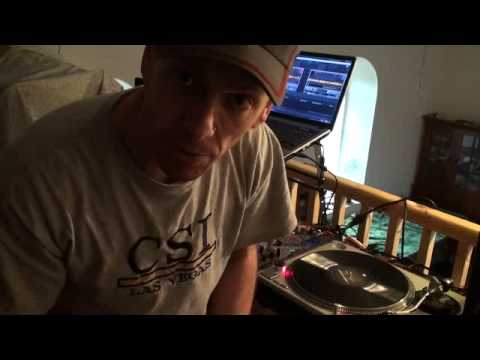
Even me, even myself being dyslexic, I managed to get through some of the manual and so far I've got to the stage, and I'm quite proud of myself actually, people think I'm this DJ tutor that knows everything. Well you're wrong, you see, because I know sort of that much, maybe you know that much, and if we put our much-much together we'll end up sort of knowing that much, because I and you and... Anyway, so, I've... I've got to the stage now where I've got the program on there, I've got the timecode vinyl working. So what I'm going to do without further ado, we're going to get a closer look at that one there and I'll show you what's happening. Right hold on, I'm not going to edit this. Remember guys this is Tunk TV and here it goes a little bit like this.
2:40 Vinyl you can see lots
There, that is for that deck and that is for that deck. Now first of all again you know there's probably millions of videos like this anyway but if we look at the vinyl you can see lots of shiny bits and lots of dark bits. The shiny bits is where we have the time code it's not music it's a code it's almost like a tone is a that's it And then you've got the dark bits where you've got the gaps. Okay, so if I play this, at the moment I've got Planet Rock, African Bombata. So, watch. And then if we go up here... Oh, it's gone. Nothing to do with the program, that's just the computer deciding. Right, I've had enough, ten minutes, bugger off. Right, there you go. And then, other side. What I'll do, I'll put the record on the needle. ACDC, black and black.
So basically what we've got here is I set it now so if I move this back slightly, stop both of those. Now what we've got in essence, the reason I'm saying this is there's a lot of people out there now, tomorrow, a week from now and if this video is still up a year from now that will look at this video and think... How does this work? So if I explain it precisely and concisely, then of course logically you'll understand that that's the whole philosophy behind a lot of videos I do to explain in great detail. So, two vinyl, one, two. Those two channels there, that is for that side, that is for that side, and I've got the crossfade working. Now what's happening is I've put... I've used this in conjunction with the software, so in other words, I'm using real vinyl, real mixer, but I'm using the music off the PC. So for example, press play there, move over, that's not working. Can you hear that tone? Can you hear like a ringing in your ears? Imagine you've been to a rave night and you've got that tinnitus, you don't want to go there. I get that occasionally. Now watch. There you go. So if we have a look up there now. And go a bit closer.
5:39 You can have it in absolute mode, relative mode and internal mode
All right, like I said, I'm an absolute newbie to the likes of Traktor Scratch Pro and how, you know, all... You can have it in absolute mode, relative mode and internal mode. There's one whereby, let's say, you've got a normal 12-inch single and when you put the needle at the beginning of the track, the track will start. If you skip through the track, you'll skip through the actual track in relation to the record. Well, you can do exactly the same with that. You can have a track on and then you can put it at the beginning. It will start at the beginning of the program, the track program on the PC. If you skip the needle a little bit further on, it'll go a little bit further on through the tracks. There's all different ways you can use it.
Also, you know, you can loop. There's loads of ways of having effects, etc. Well anyway, another one of my mad and wacky videos. If you've got any videos on Traktor Duo, Traktor Scratch Pro, anything on Traktors, maybe you're a farmer and maybe you've got sheep next door like I have, then maybe bung them underneath here. No, don't do that. Just on Traktors. Sorry, pardon me. But just calm down, calm down. Right. Oh dear. You want to live with me? It's a nightmare. Is it? OK. Right, so what you need to do is just post your video responses underneath here. Another one on Traktor Scratch Pro and thank you very much. Practice and enjoy. Thank you. Let's turn this thing off.
This transcript was produced automatically from the audio of the video and may contain mistakes.











