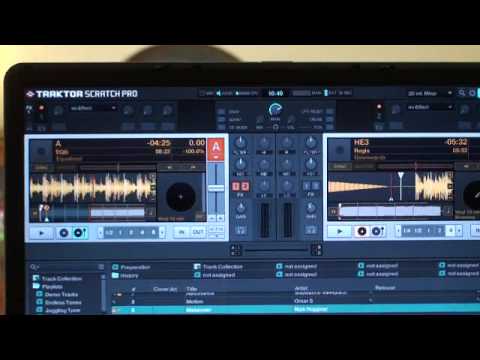
 1:23
Traktor scratch pro video 10 verifying timecode signal.
Contents of the video
Alright folks, another video on Traktor Scratch Pro. In this one we're going to make sure we've got the correct sound wave when you're using the vinyl turntable. At the moment I'm in internal mode so to get to external mode we can see the A, we can see a small little arrow facing downwards. I'm going to click on that, I'm going to go to scratch control. Now straight away we're in scratch control. I'm just going to click on this icon here like so. What I'm going to do now is go to top right hand corner to preferences, double click there. I've got deck details. What I need to do now is click here, scratch panels, which is what I want to see. I'm going to click there and I'm going to close that. Now straight away we've got this small box here and there's nothing in it. That's because we haven't got anything playing. What I'm going to do is I'm just going to put the camera there, I'm going to put the needle on the record and I'm going to start the turntable and we can see this.
Now if you've got that shape, that's brilliant. If you haven't, maybe you need to reset. So what you can do is go down here and press reset. Calibrate and then it'll start up again. Okay? So another video for you. This time we're looking at this icon here. Track to Scratch Pro. Practice and enjoy.
This transcript was produced automatically from the audio of the video and may contain mistakes.










