 2:58
Traktor Scratch Pro Video 4 , Setting Audio set up.
Contents of the video
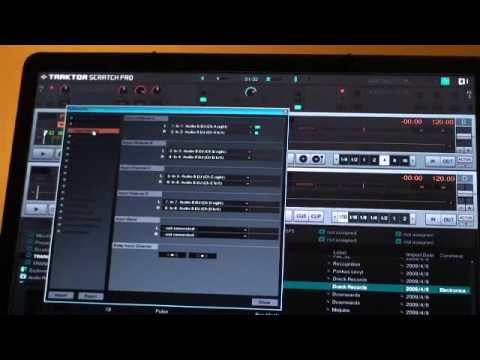
Right, you asked for it guys and here's another video on Traktor Scratch Pro. Now what I'm going to do is show you some of the setups. I'm going to go to this top corner here, right hand corner, we can see this little icon, looks a bit like a sun. I'm going to double click on that, in fact we're on input routing at the moment, but I'm going to go to audio setup. Okay, let's have a bit of a close up here, hopefully it won't go blurred. What we've got here is we've got first of all the audio device. Now I've got the audio 8, which we're on, and if I click there we can go high definition audio device 4, but we're on 8. Sample rate, if you can see that, is 44,100. I'm going to go to the output routing. The reason being is at the moment we're just going to be using channel A.
And channel B. We can have four decks on this as well, but we're going to look at that in the near future. Bearing in mind, if I was going to talk about everything where Traktor Scratch Pro is concerned, it would take about a week. So we're just going to stick to about a minute or so here. Now input routing, if we can see there, I've got a signal coming through here, which basically indicates that we have one channel down there. If you look there, you can see the LED shining there. So we've got the one. So in essence what I've got, I've got two channels ready and working which is channel A and channel B. So logically if I put drag and drop should I say a file over here, get this guy going and we'll have the LED shining on the mixer there, we will be able to see the input readout or the output readout, sorry there beg your pardon.
Now again, there's probably a lot of people out there thinking, well I know this, I mean it's all very logical. But, as ever, there's loads of people who don't know this. Alright, now again, over a period of time I'll be doing lots of small videos on Traktor Scratch Pro and try and give you the very basics, the very sort of, I suppose, baby steps because at the end of the day there's no point diving into this and thinking, right, let's get into it. You've got to start from the very basics. If you've got this sort of program, don't think at all that you can just open the box and plug and play and know everything. What you need to do is open the box and start looking at the small tiny facets and then as you dig deeper you'll realize it will get deeper and deeper and deeper and eventually
You'll have a lot of fun as opposed to trying to dive in because you end up just ruining it and you won't know what to do. So, baby steps. Video number four on Traktor Scratch Pro. Practice and enjoy.
This transcript was produced automatically from the audio of the video and may contain mistakes.










