 2:38
Traktor.. using the fx's
Contents of the video
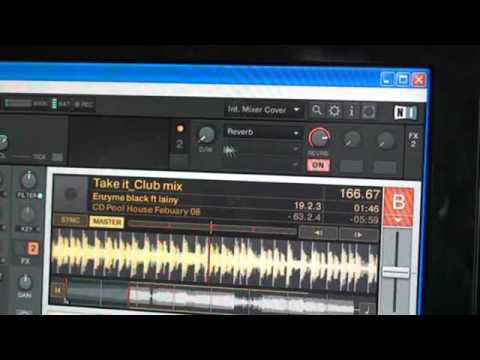
Alright guys, in this video we're looking at the PC program known as Traktor LE and I'm going to show you some of the effects and how to use them. Top left hand corner, you can see delay there at the moment. What I'm going to do is just click on that icon and you can go to no effect or delay flanger and reverb. At the moment we'll try delay. Now you'll see here we've got on and at the moment that's grey. If I click on that... It goes to orange. Now basically that's telling me the effect is now being used. So, off and on. D is for dry, over here W is for wet. Now in a sense, the way of describing that is almost the intensity of the effect itself. So, and then over here we can go and almost increase the effect itself. Let's go to reverb. First of all let's just turn the effect off. Go to reverb.
Go on, effect up. You'll notice as well, when you highlight over each dial, you'll get a percentage of the effect. At the moment we're on 62%. Now bearing in mind at the moment I'm just using the mouse, but you can do this as well if you've got a MIDI controller. Flanger. Right, let's enjoy.
This transcript was produced automatically from the audio of the video and may contain mistakes.










