 3:20
Trick using the Roll on the SVM-1000
Contents of the video
0:01 We're on channel 3 because that's the effect we're going to use
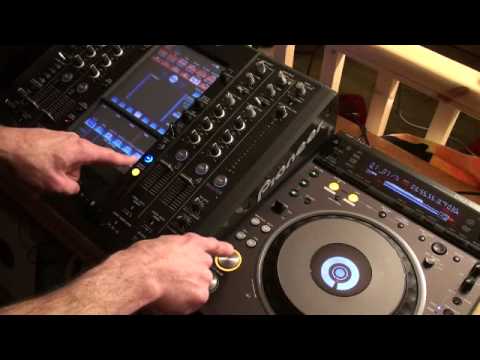
Alright folks, a bit of a wacky thing I found you can do with the roll feature on the SVM-1000. Now very quickly as well, what I do find is when you're using the 7 inch versions of music videos, they don't really last very long. So the more effects you can put in and the more looping you can do, but again not over the top, it gives you more time to mix in the next track. We've got this area which will tell me that we're ready to use the effects. We're on channel 3 because that's the effect we're going to use. If we go down here I've got the level depth set to maximum and I'm on channel 3. This player at the moment is on channel 3. Now the first and foremost very important thing I need to do and I've done is I've got the first beat ready on this player. Have a listen.
I've set the cue point. The track is Robin S, Show Me Love. Now by pressing cue, just have a listen. Now also again, with reference to these players, if you press cue and you keep your finger on cue, the track will carry on playing. As soon as you take your finger off, it'll stop, go right back to the initial first cue point.
1:23 Listen to what happens
Right, this is where we can have a bit of fun. I've got the timing set 1 over 1, but what I'm going to do, as soon as I hit cue, I'm going to hit effects on at exactly the same time, but I'm only going to have my finger on cue for a split second. Listen to what happens. A small sample of the beginning of the track. Now, what I can do, I can assign that to another channel. 4 up, I'm going to assign it to channel 4. If I don't bring that channel up... And assign it to channel 4, all of a sudden it will go quiet. So channel select over to 4, bring that down and now the effect is on channel 4. Have a listen what I can do now by pressing Q on the player. Practice and enjoy.
This transcript was produced automatically from the audio of the video and may contain mistakes.










